How to set up Bell email on my Nubia/ZTE tablet
Step 1 of 20
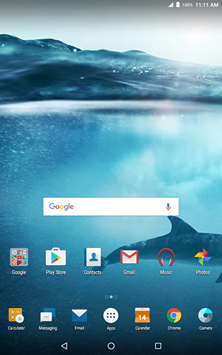
Touch Apps.

Step 2 of 20
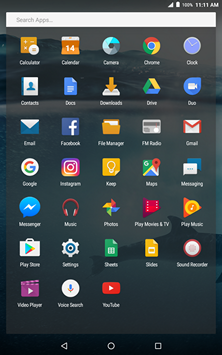
Touch Settings.
Step 3 of 20
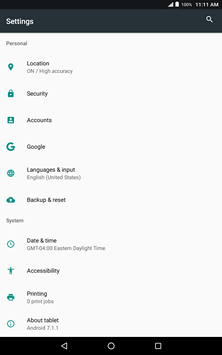
Scroll to and touch Accounts.
Step 4 of 20
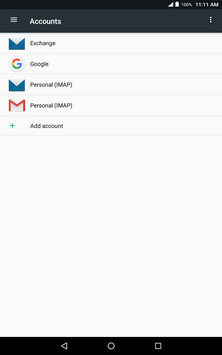
Touch Add account.
Step 5 of 20
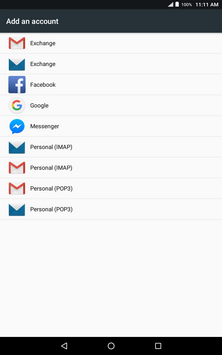
Touch Personal (IMAP).
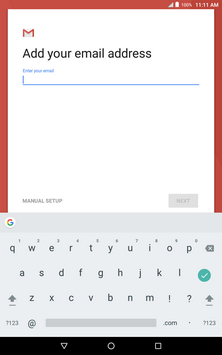
Step 6 of 20
Enter your Bell email address.
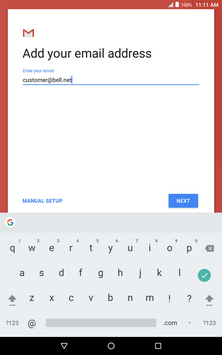
Step 7 of 20
Touch MANUAL SETUP.
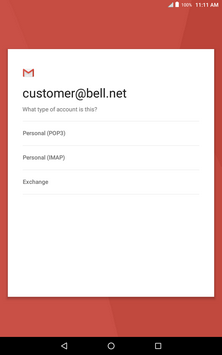
Step 8 of 20
Touch Personal (IMAP).
Step 9 of 20
Enter your Bell email password.
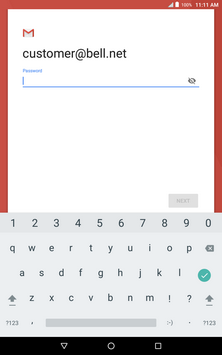
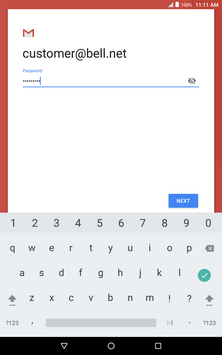
Step 10 of 20
Touch NEXT.
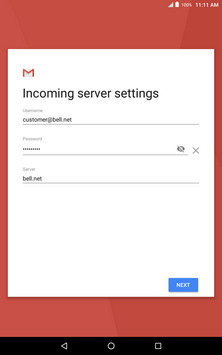
Step 11 of 20
Touch Server.
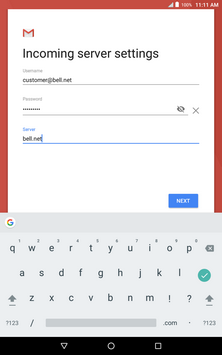
Step 12 of 20
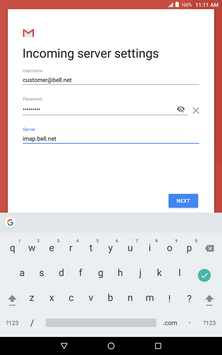
Enter imap.bell.net as the IMAP server.
Step 13 of 20
Touch NEXT.
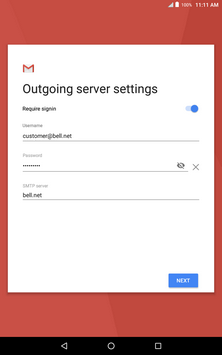
Step 14 of 20
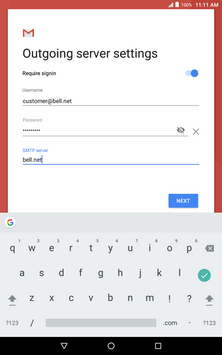
Touch SMTP server.
Step 15 of 20
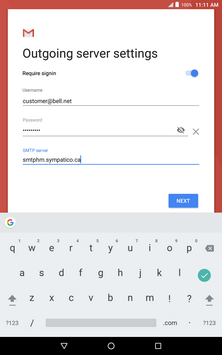
Enter smtphm.sympatico.ca as the SMTP server.
Step 16 of 20
Touch NEXT.
Step 17 of 20
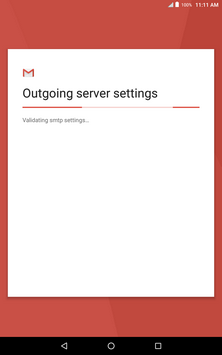
Wait while the email settings are verified.
Step 18 of 20
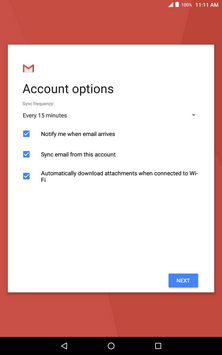
Change the account options if desired and then touch NEXT.
Step 19 of 20
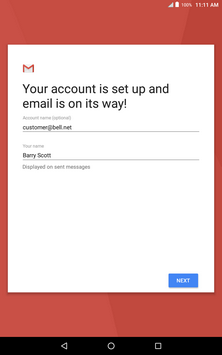
Touch NEXT.
Step 20 of 20
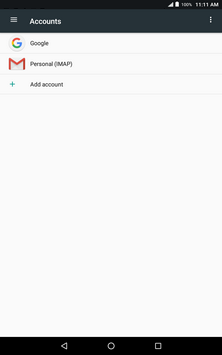
Your email account has been added.

- Touch Apps.
- Touch Settings.
- Scroll to and touch Accounts.
- Touch Add account.
- Touch Personal (IMAP).
- Enter your Bell email address.
- Touch MANUAL SETUP.
- Touch Personal (IMAP).
- Enter your Bell email password.
- Touch NEXT.
- Touch Server.
- Enter imap.bell.net as the IMAP server.
- Touch NEXT.
- Touch SMTP server.
- Enter smtphm.sympatico.ca as the SMTP server.
- Touch NEXT.
- Wait while the email settings are verified.
- Change the account options if desired and then touch NEXT.
- Touch NEXT.
- Your email account has been added.