How to manage the data usage on my Nubia/ZTE tablet
Step 1 of 17
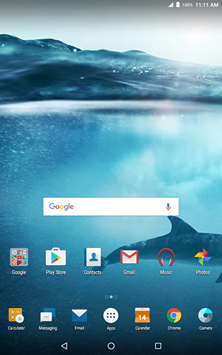
Touch Apps.

Step 2 of 17
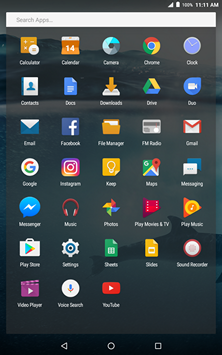
Touch Settings.
Step 3 of 17
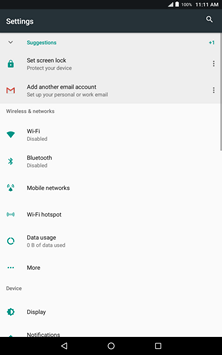
Touch Data usage.
Step 4 of 17
Touch Billing cycle.

Step 5 of 17
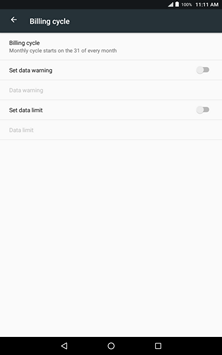
Touch Billing cycle.
Step 6 of 17
Scroll to the desired date of each month.


Step 7 of 17
Touch SET.

Step 8 of 17
Touch Set data warning.

Step 9 of 17
Touch Data warning.
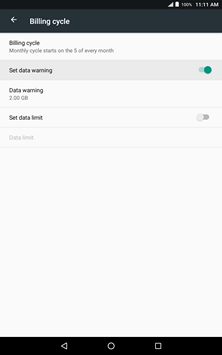
Step 10 of 17
Enter the desired data usage warning.

Step 11 of 17
Touch SET.
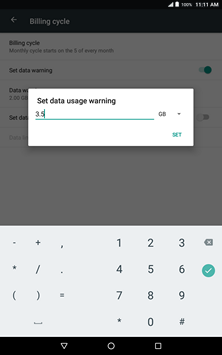
Step 12 of 17
Touch Set data limit.
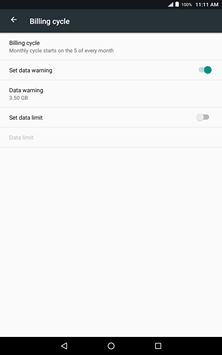
Step 13 of 17
Touch OK.
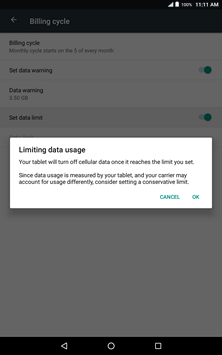
Step 14 of 17
Touch Data limit.

Step 15 of 17
Enter the desired data usage limit.

Step 16 of 17
Touch SET.

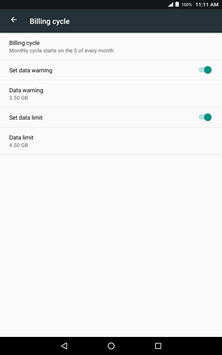
Step 17 of 17
The changes have been saved.
- Touch Apps.
- Touch Settings.
- Touch Data usage.
- Touch Billing cycle.
- Touch Billing cycle.
- Scroll to the desired date of each month.
- Touch SET.
- Touch Set data warning.
- Touch Data warning.
- Enter the desired data usage warning.
- Touch SET.
- Touch Set data limit.
- Touch OK.
- Touch Data limit.
- Enter the desired data usage limit.
- Touch SET.
- The changes have been saved.