How to set up call blocking (call rejections) on my TCL smartphone
Step 1 of 11
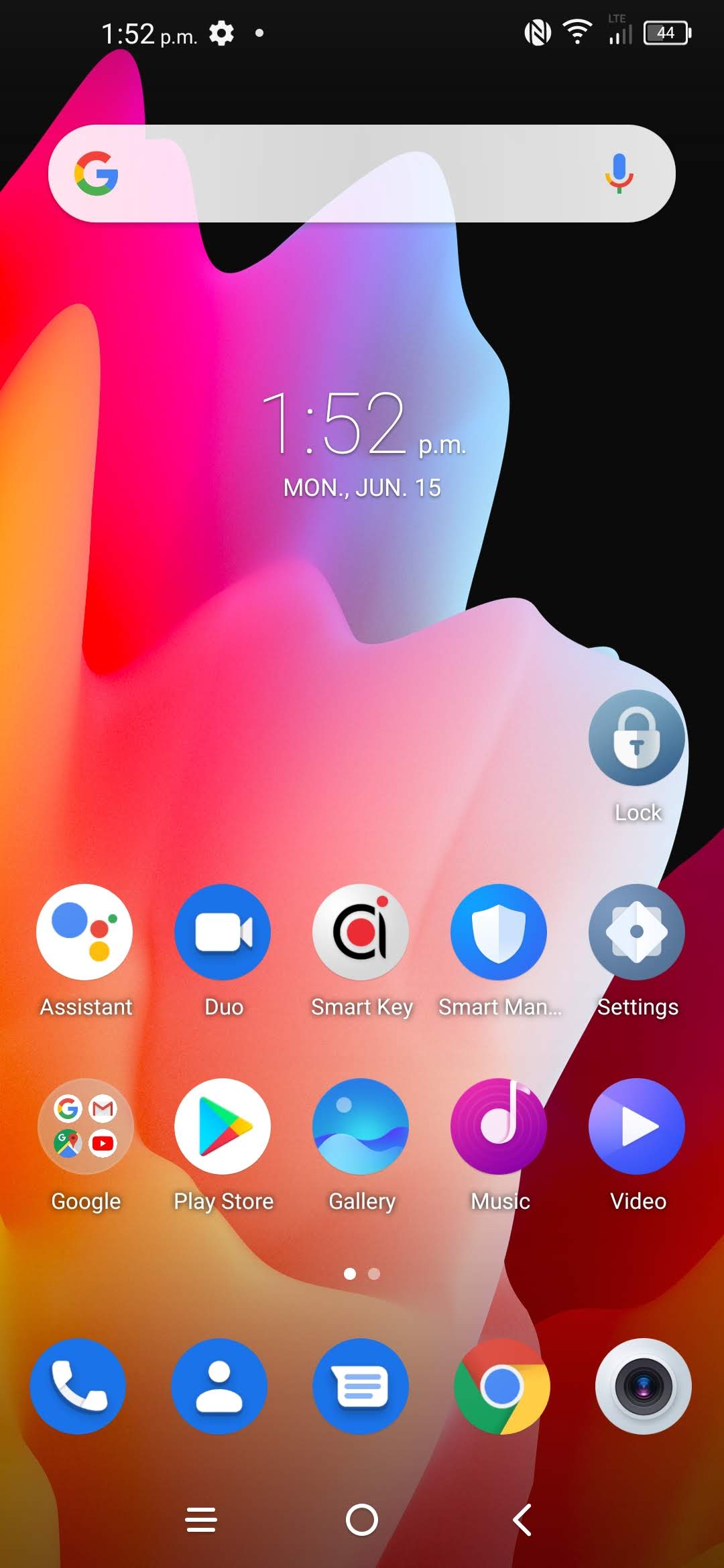
Touch Phone.

Step 2 of 11
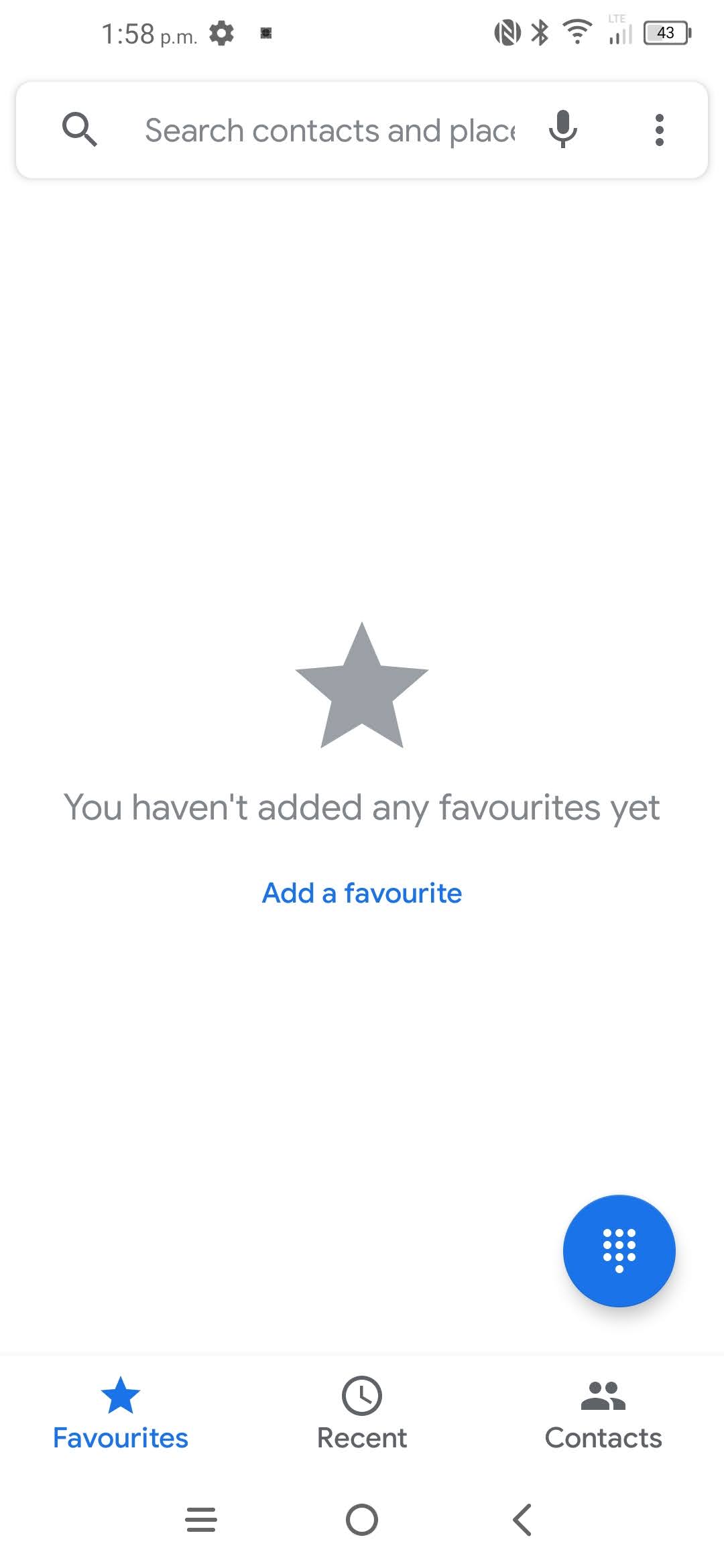
Touch the Menu icon.
Step 3 of 11
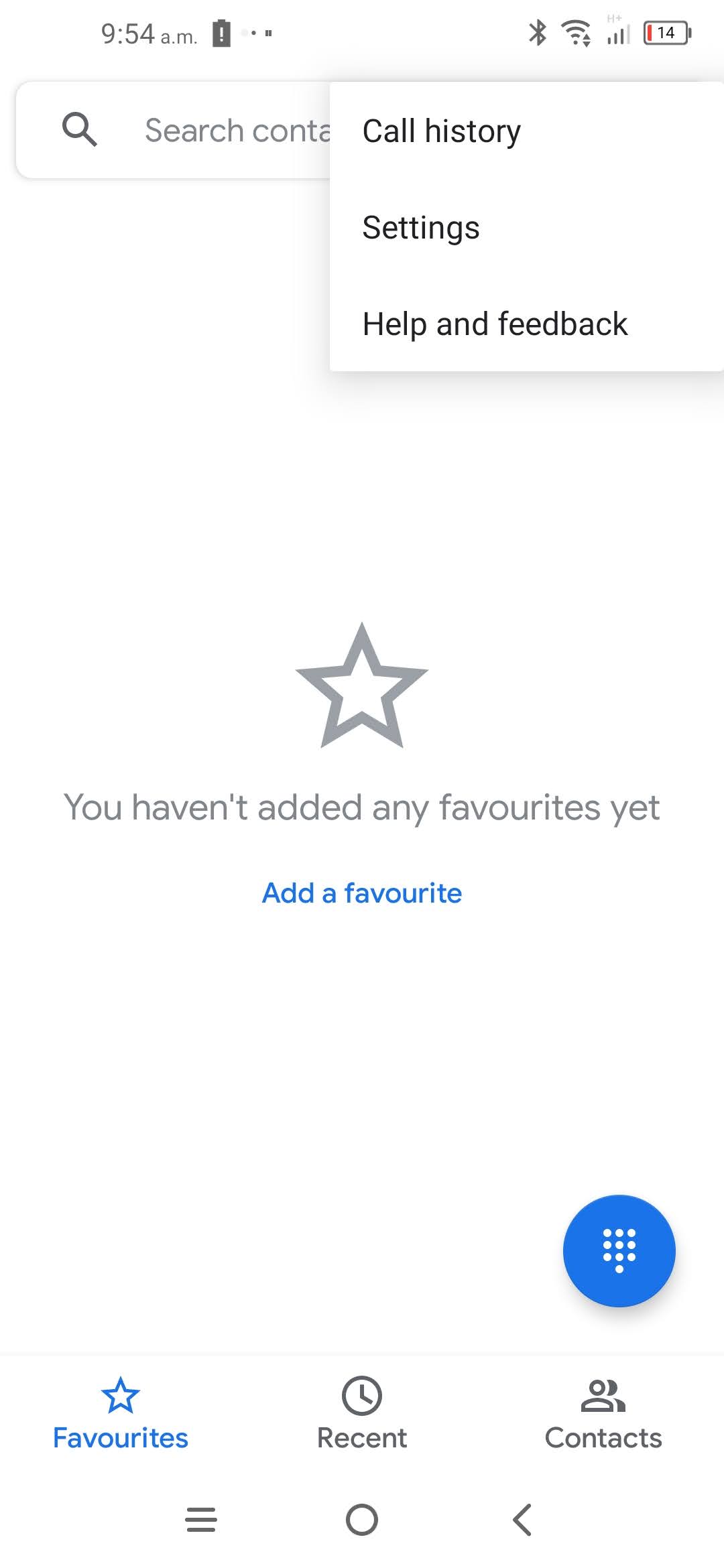
Touch Settings.
Step 4 of 11
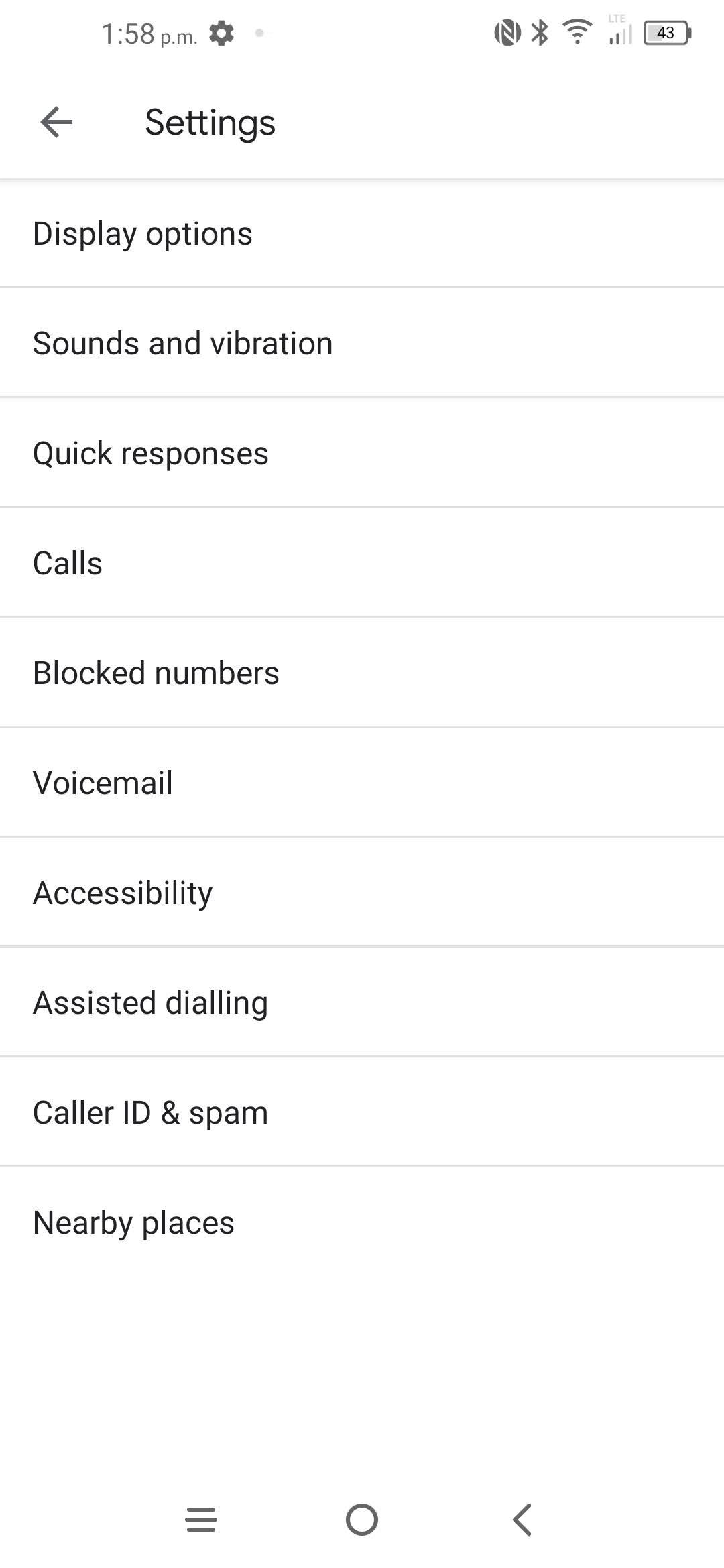
Touch Blocked numbers.
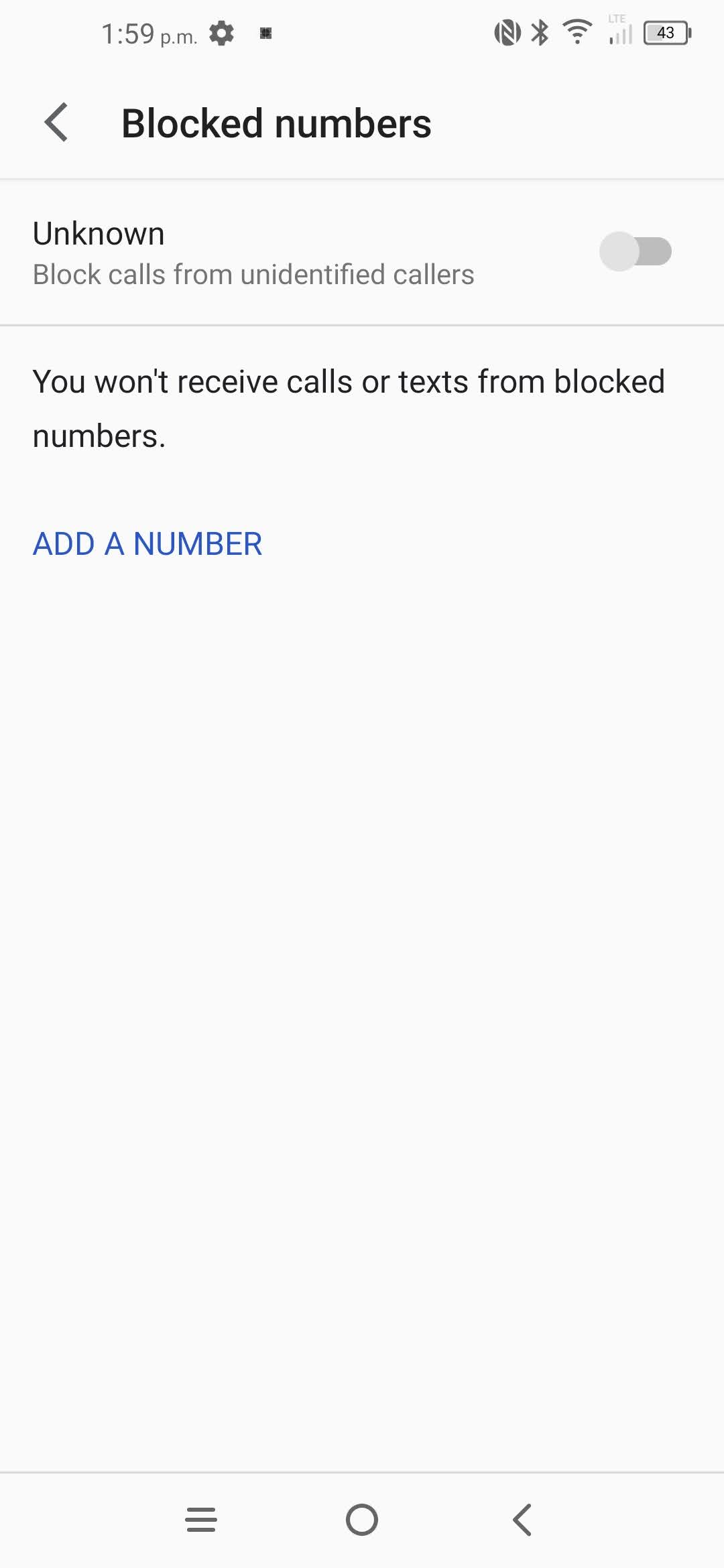
Step 5 of 11
To add a phone number to the block list: touch ADD A NUMBER.
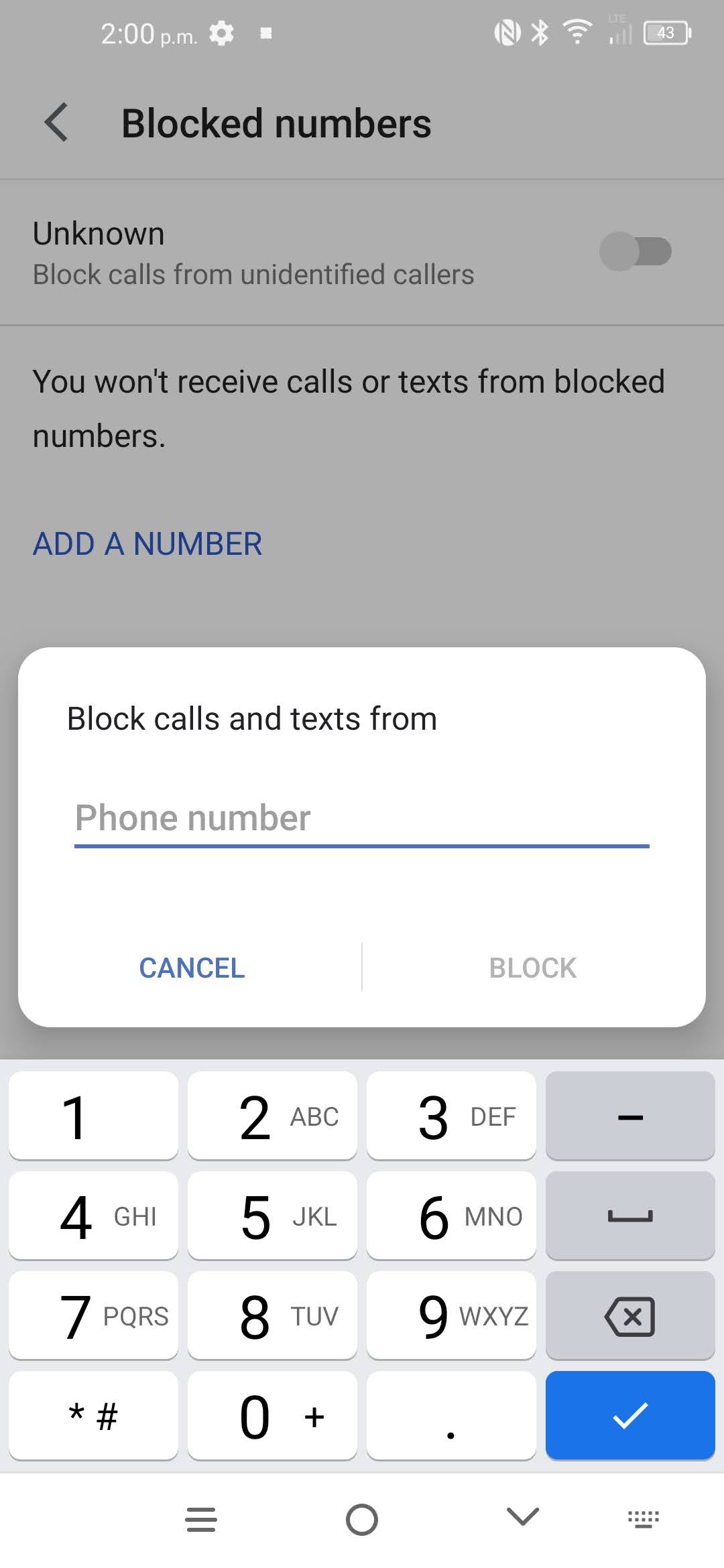
Step 6 of 11
Enter the desired phone number.
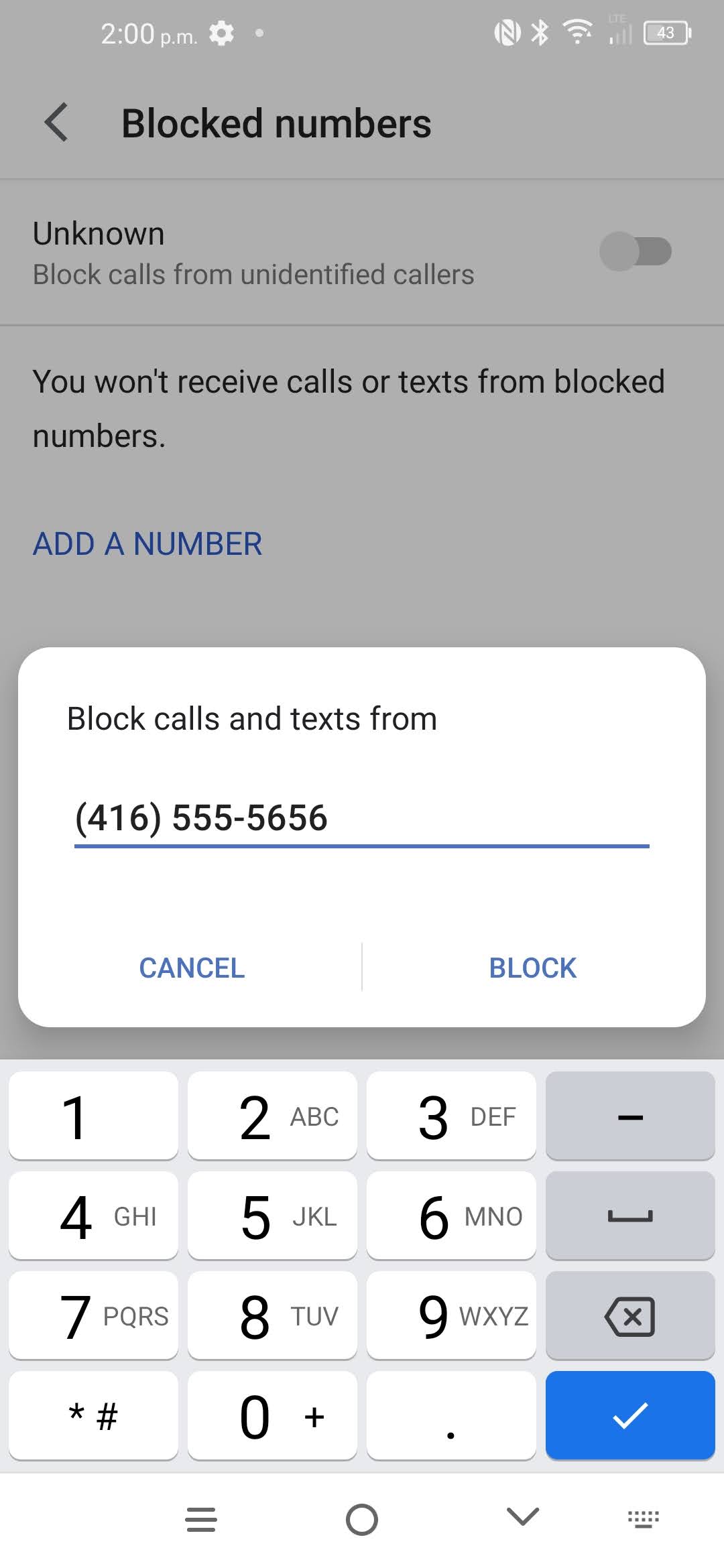
Step 7 of 11
Touch BLOCK.
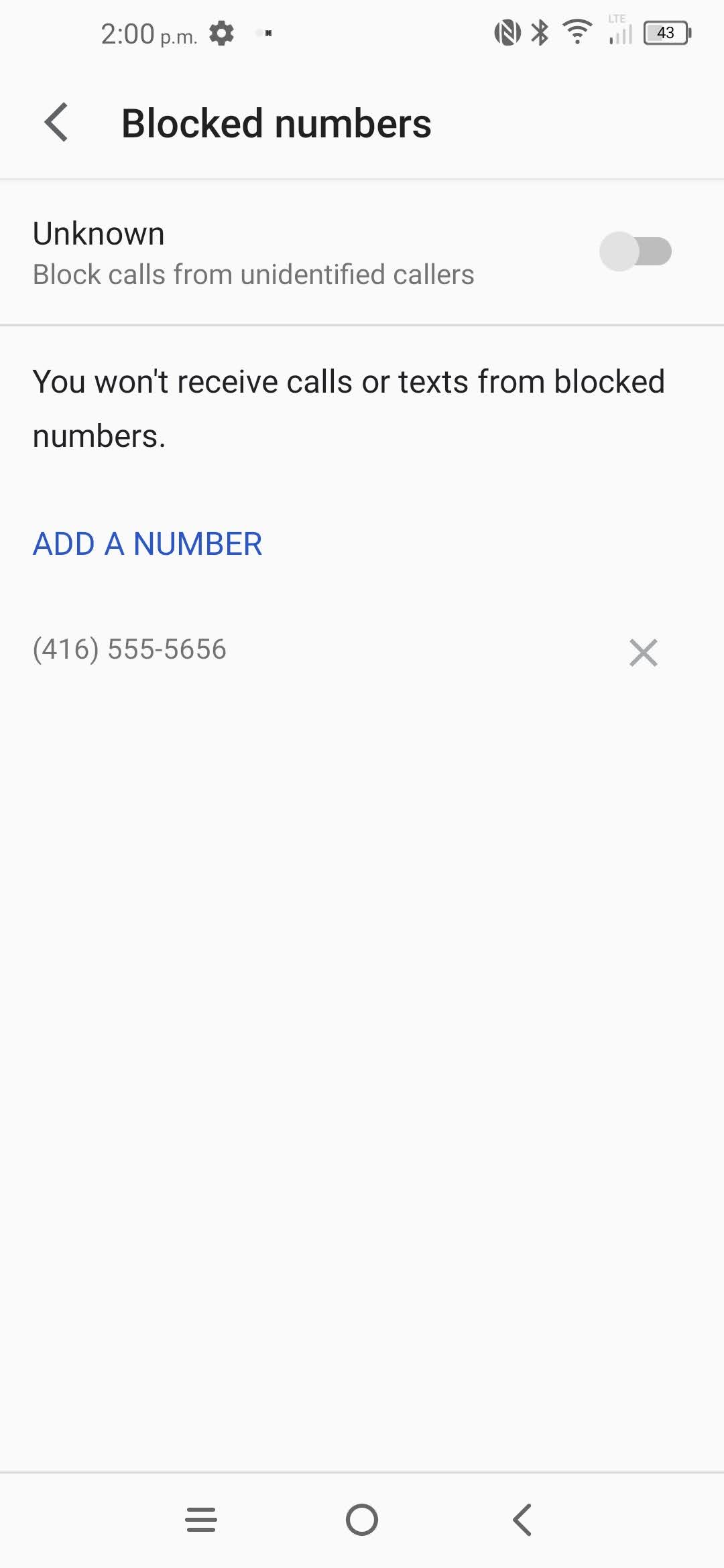
Step 8 of 11
The phone number has been added.

Step 9 of 11
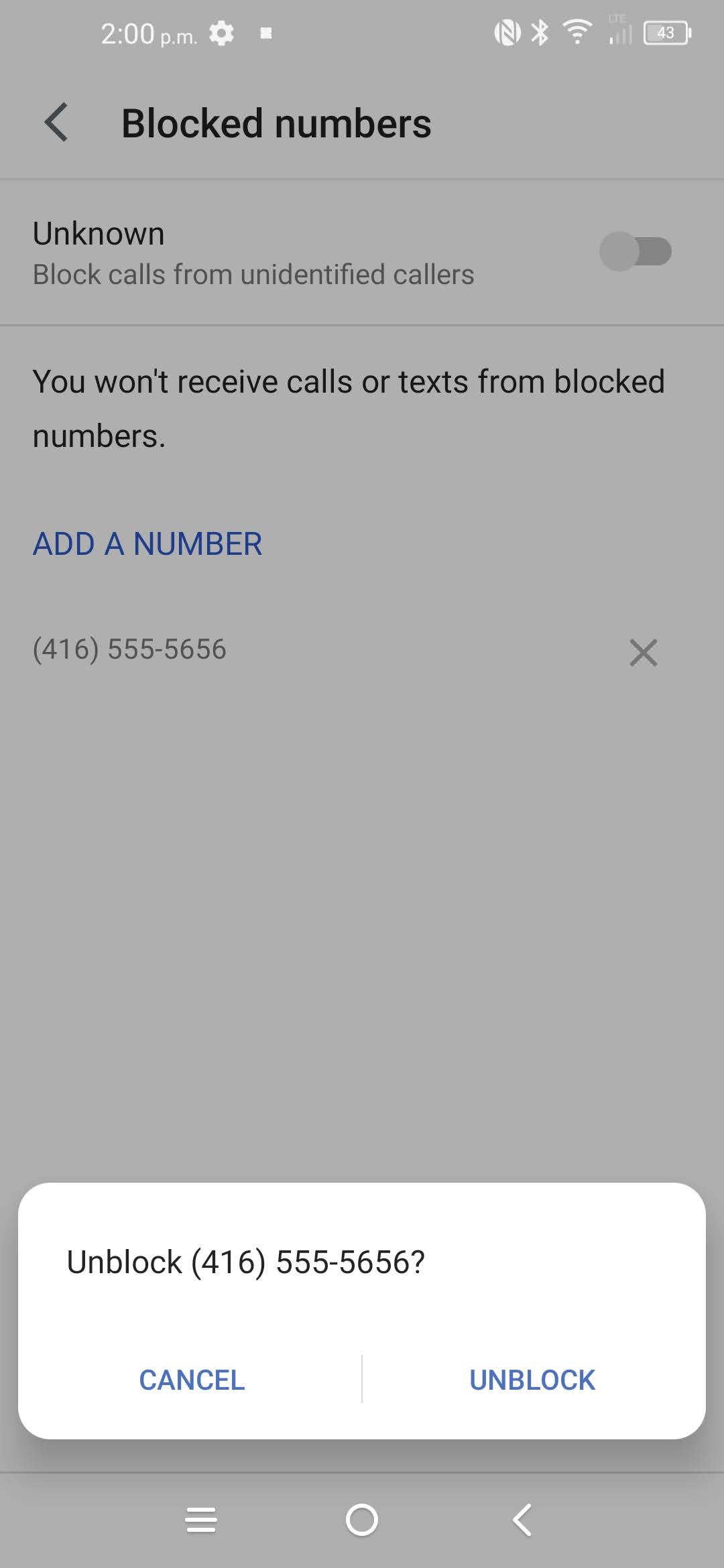
To remove a phone number from the block list: touch the x icon next to the phone number.
Step 10 of 11
Touch UNBLOCK.
 <
< Step 11 of 11
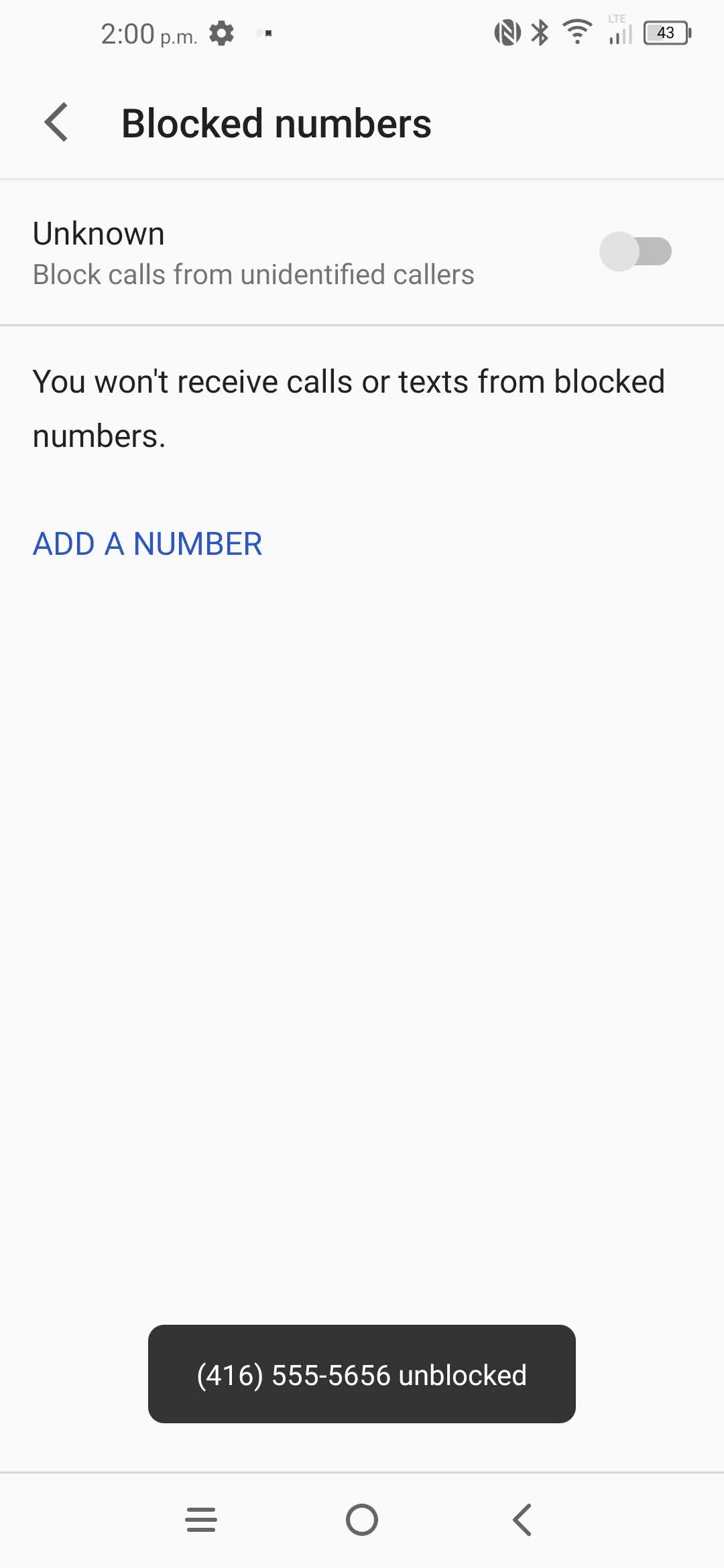
The phone number has been removed.
- Touch Phone.
- Touch the Menu icon.
- Touch Settings.
- Touch Blocked numbers.
- To add a phone number to the block list: touch ADD A NUMBER.
- Enter the desired phone number.
- Touch BLOCK.
- The phone number has been added.
- To remove a phone number from the block list: touch the x icon next to the phone number.
- Touch UNBLOCK.
- The phone number has been removed.
Applicable to:
TCL 50 XE NXTPAPER 5G, 60 XE NXTPAPER 5G, 10L, 10 Pro, 20S, 20 Pro.