How to send text messages and multimedia messages on my Samsung smartphone
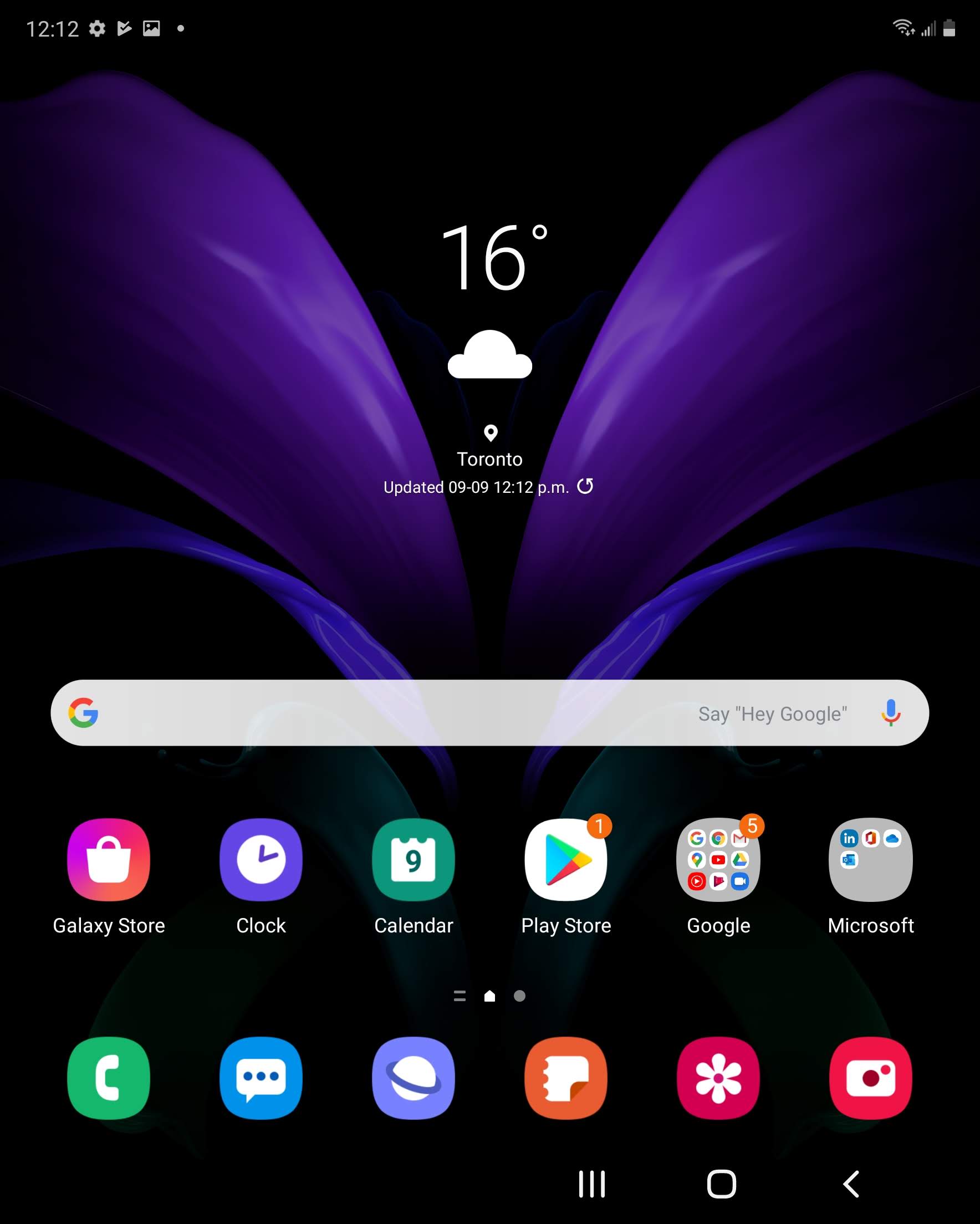
Step 1 of 9
Swipe up or down to view the apps.

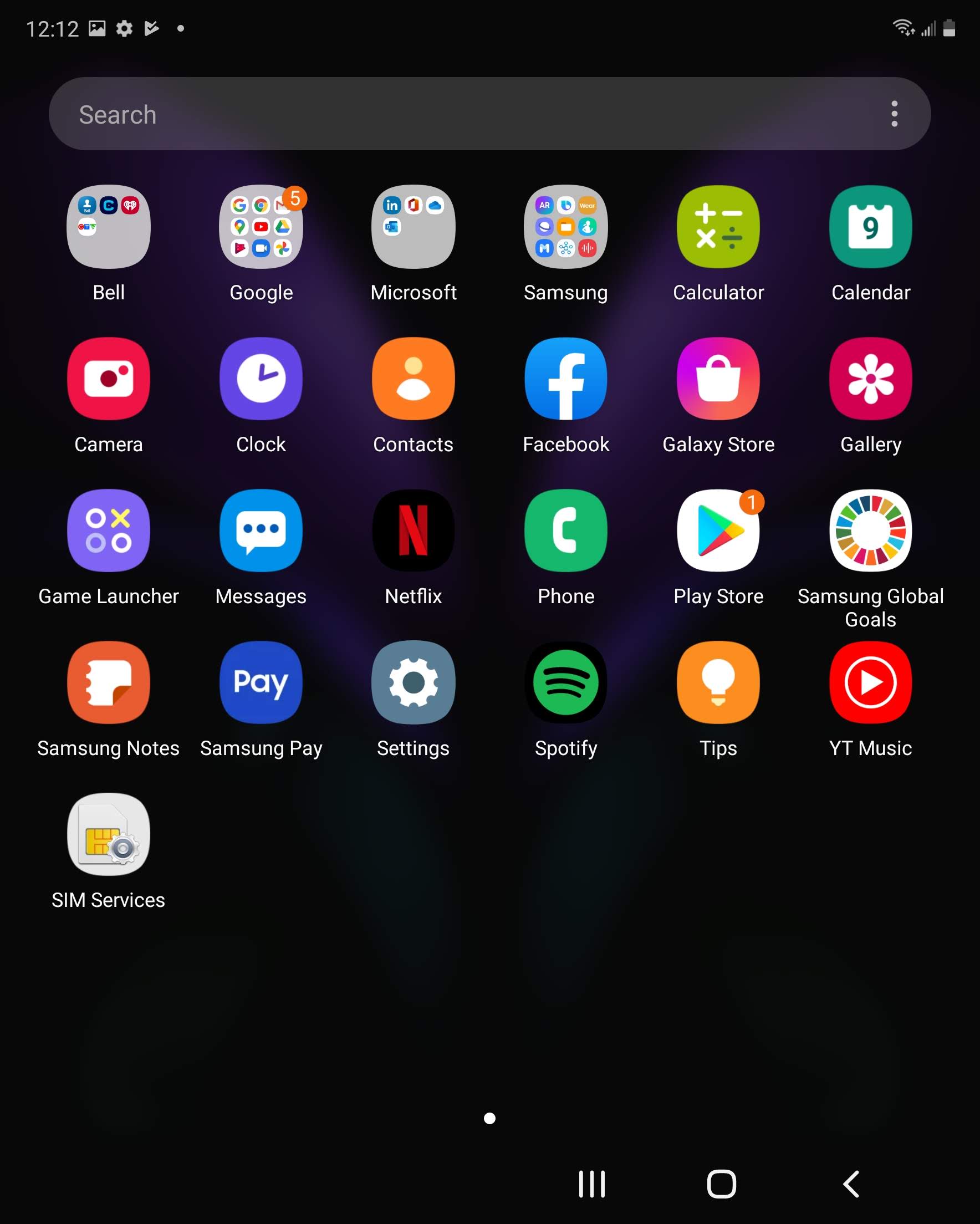
Step 2 of 9
Touch Messages.

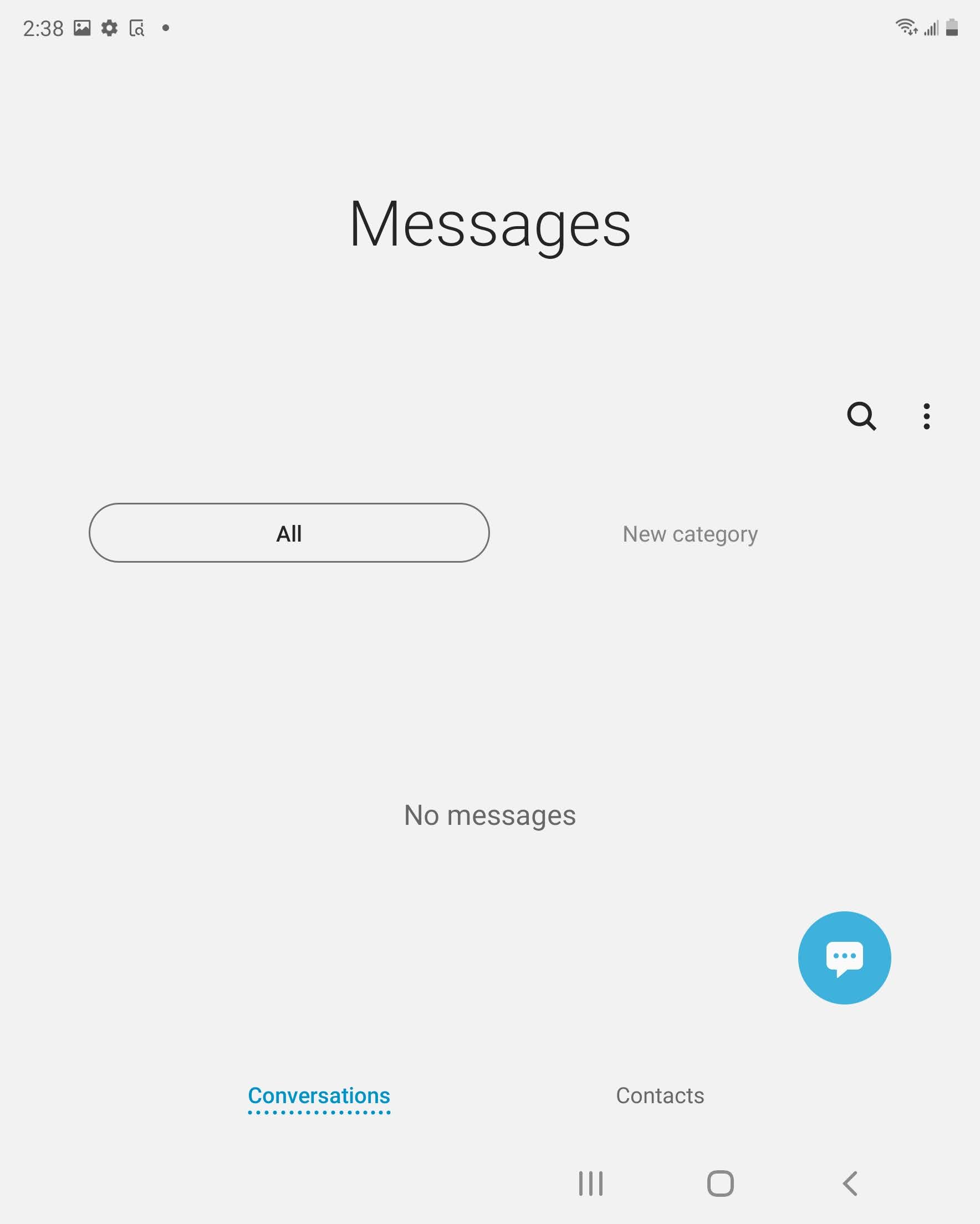
Step 3 of 9
Touch the Compose icon.
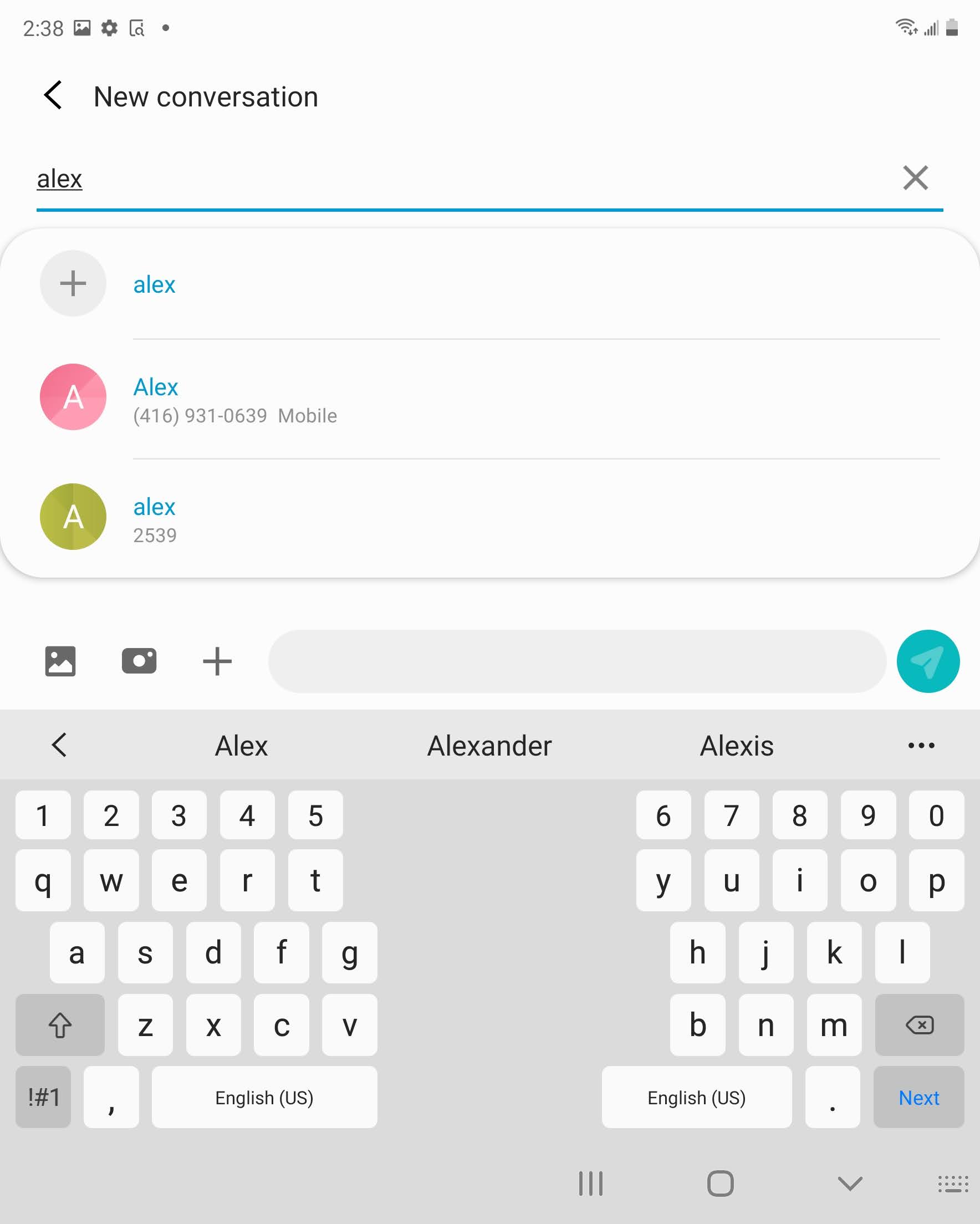
Step 4 of 9
Enter the recipientʼs mobile phone number or select someone from your contacts list.
Step 5 of 9
Enter your message.

Step 6 of 9
Touch the Send icon to send the text message or touch the > and then the picture icon to make this a multimedia message.
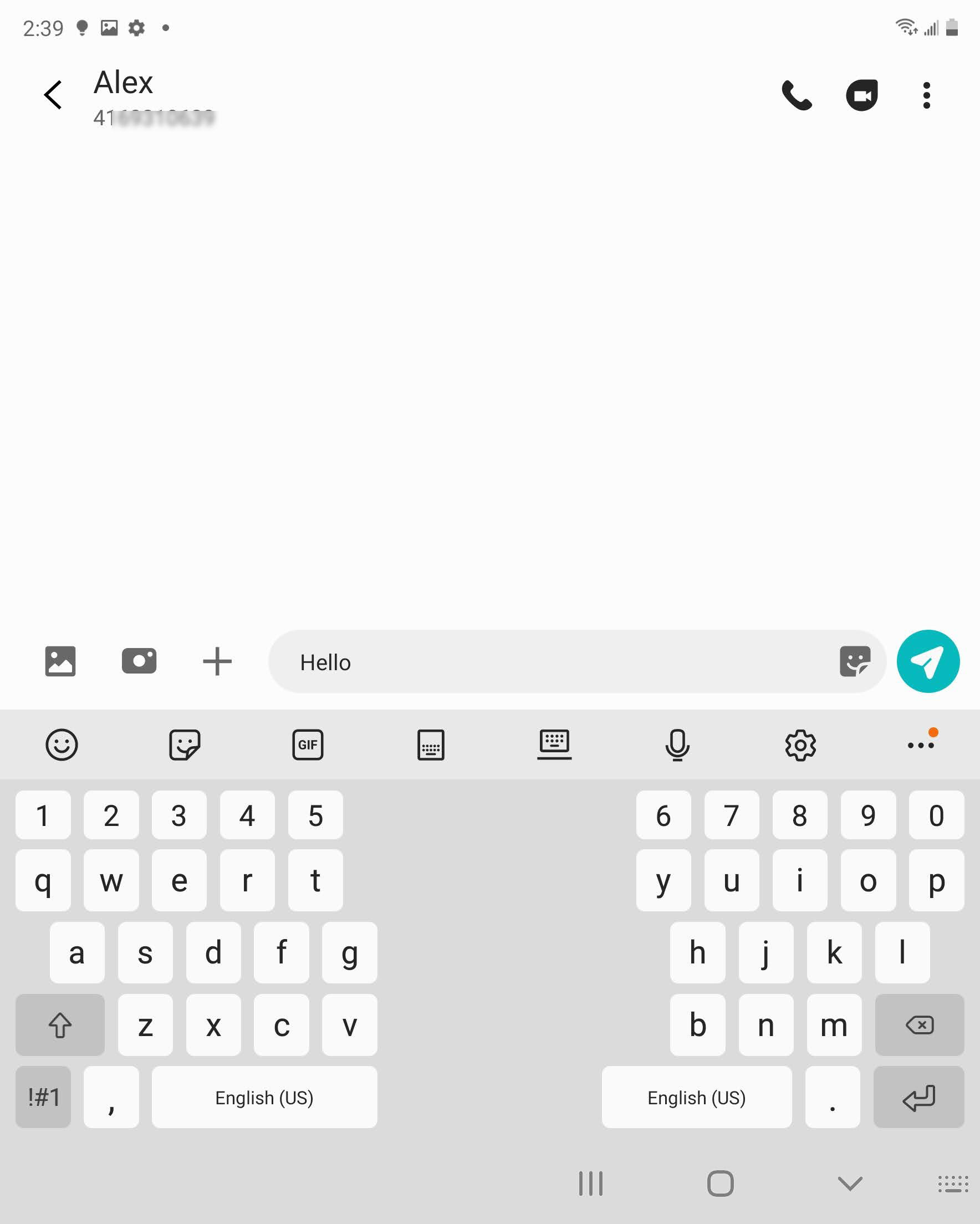

Step 7 of 9
Touch a photo to attach it.
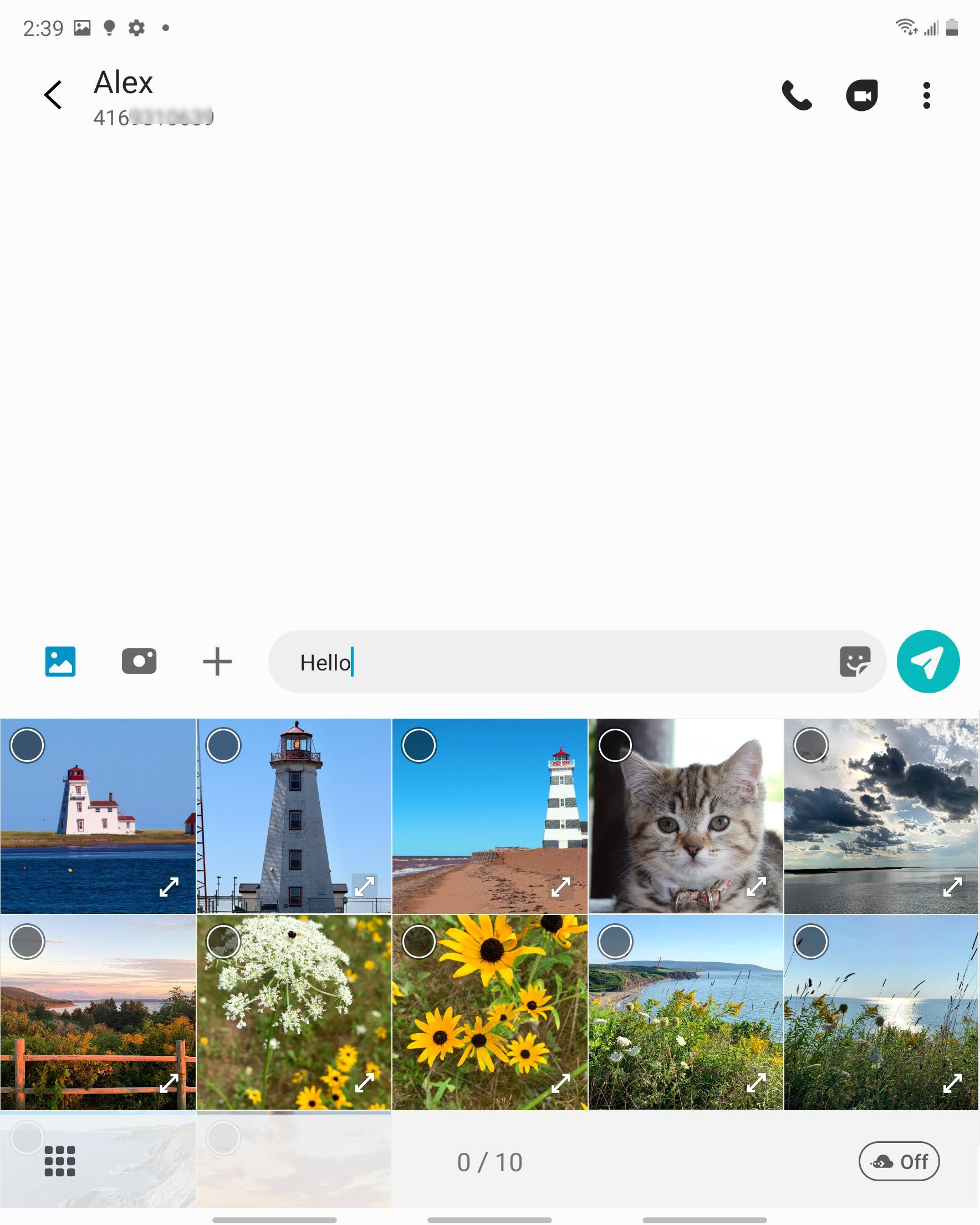
Step 8 of 9
Touch the Send icon.
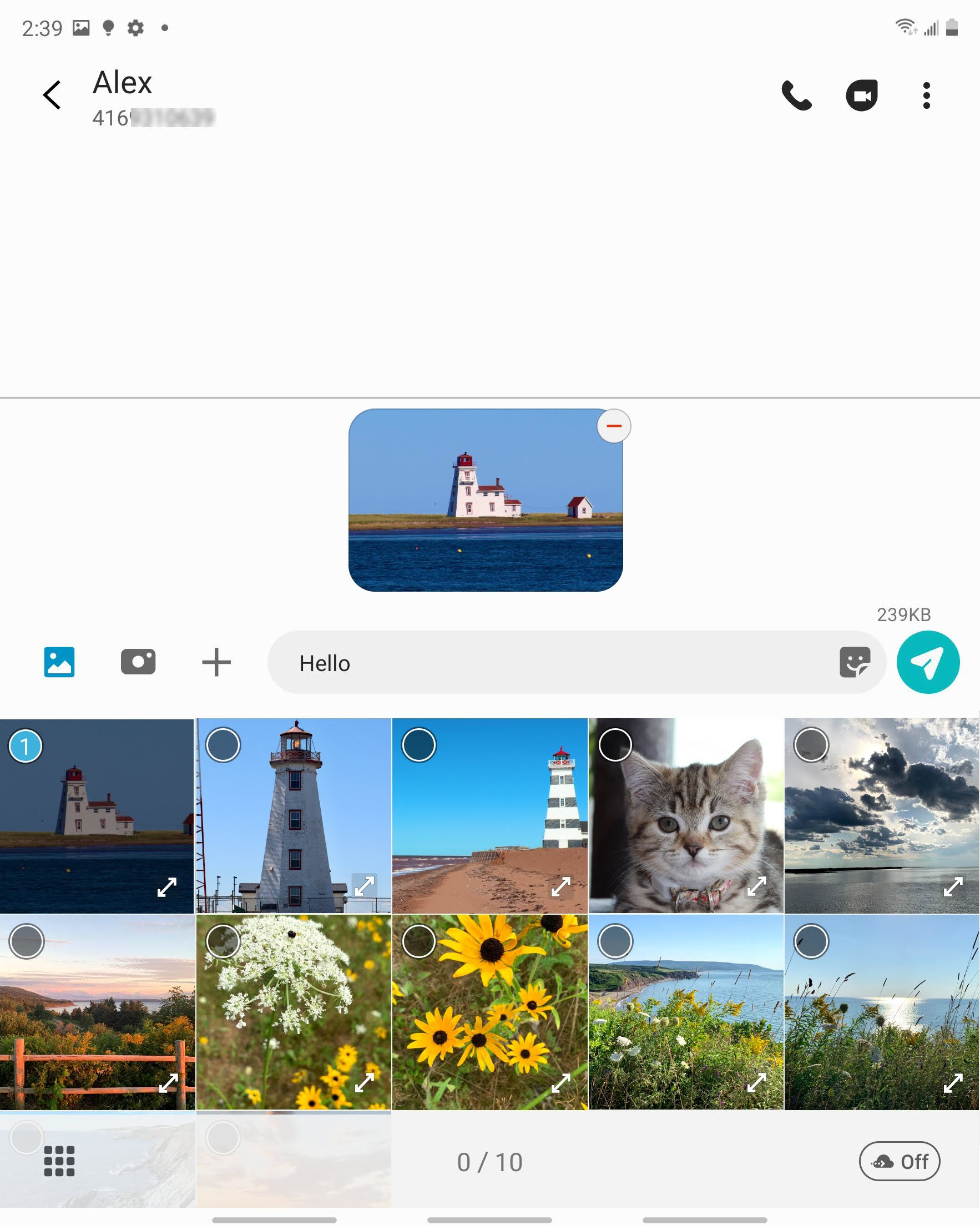
Step 9 of 9
The message has been sent.
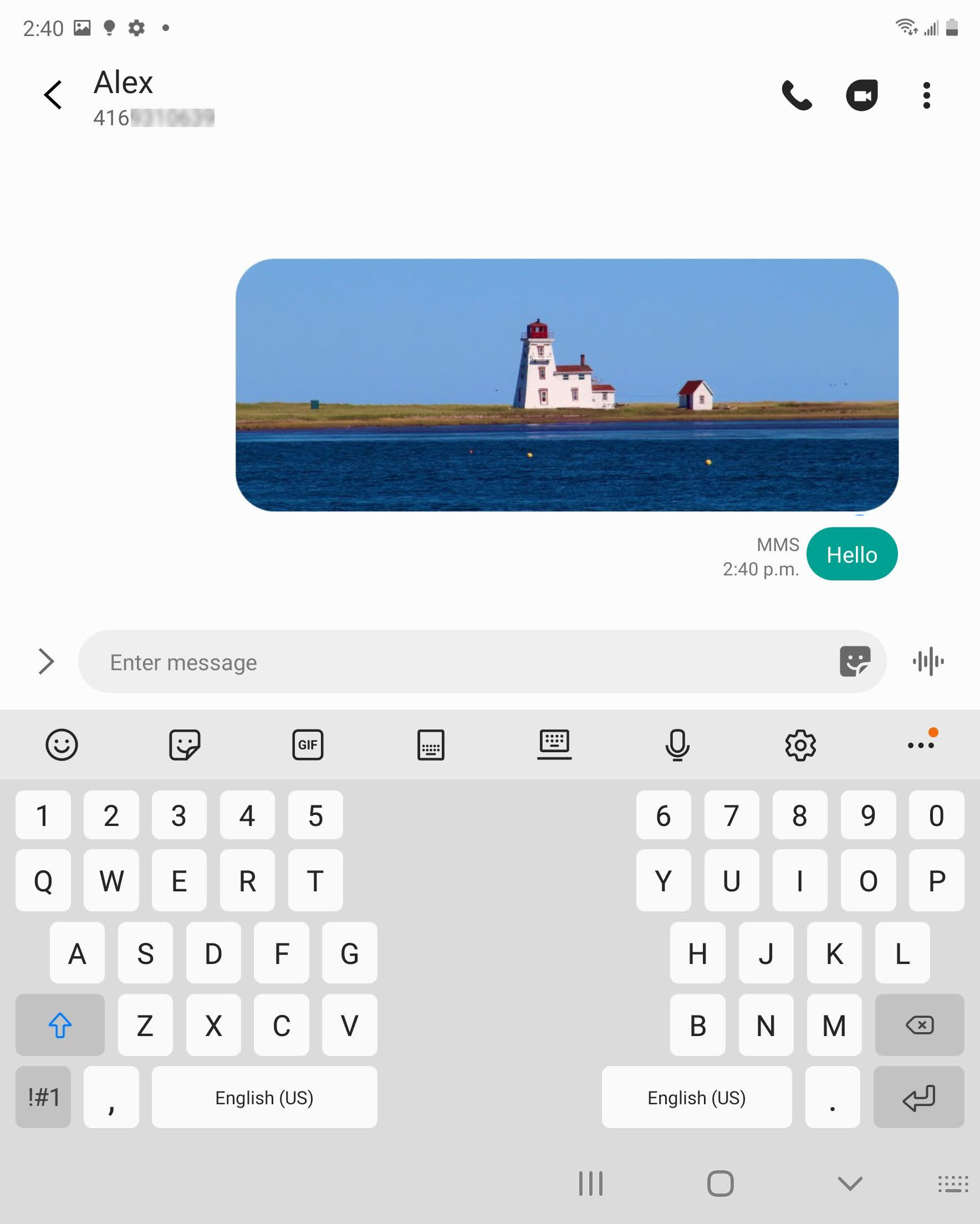
- Swipe up or down to view the apps.
- Touch Messages.
- Touch the Compose icon.
- Enter the recipientʼs mobile phone number or select someone from your contacts list.
- Enter your message.
- Touch the Send icon to send the text message or touch the > and then the picture icon to make this a multimedia message.
- Touch a photo to attach it.
- Touch the Send icon.
- The message has been sent.
Applicable to:
Samsung Galaxy Z Fold2 5G, Fold3 5G