How to display or hide my caller ID on my LG smartphone
Step 1 of 8
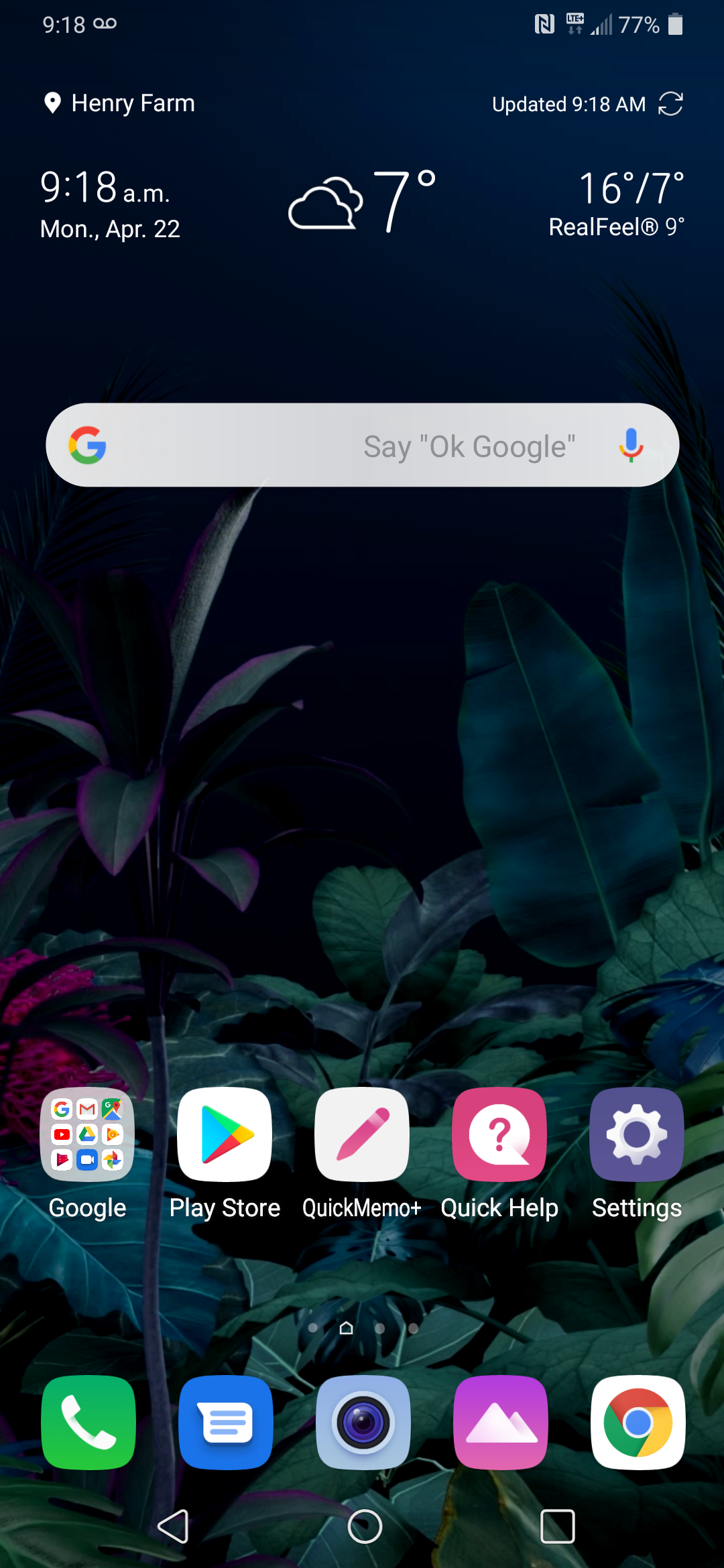
Touch Phone.

Step 2 of 8
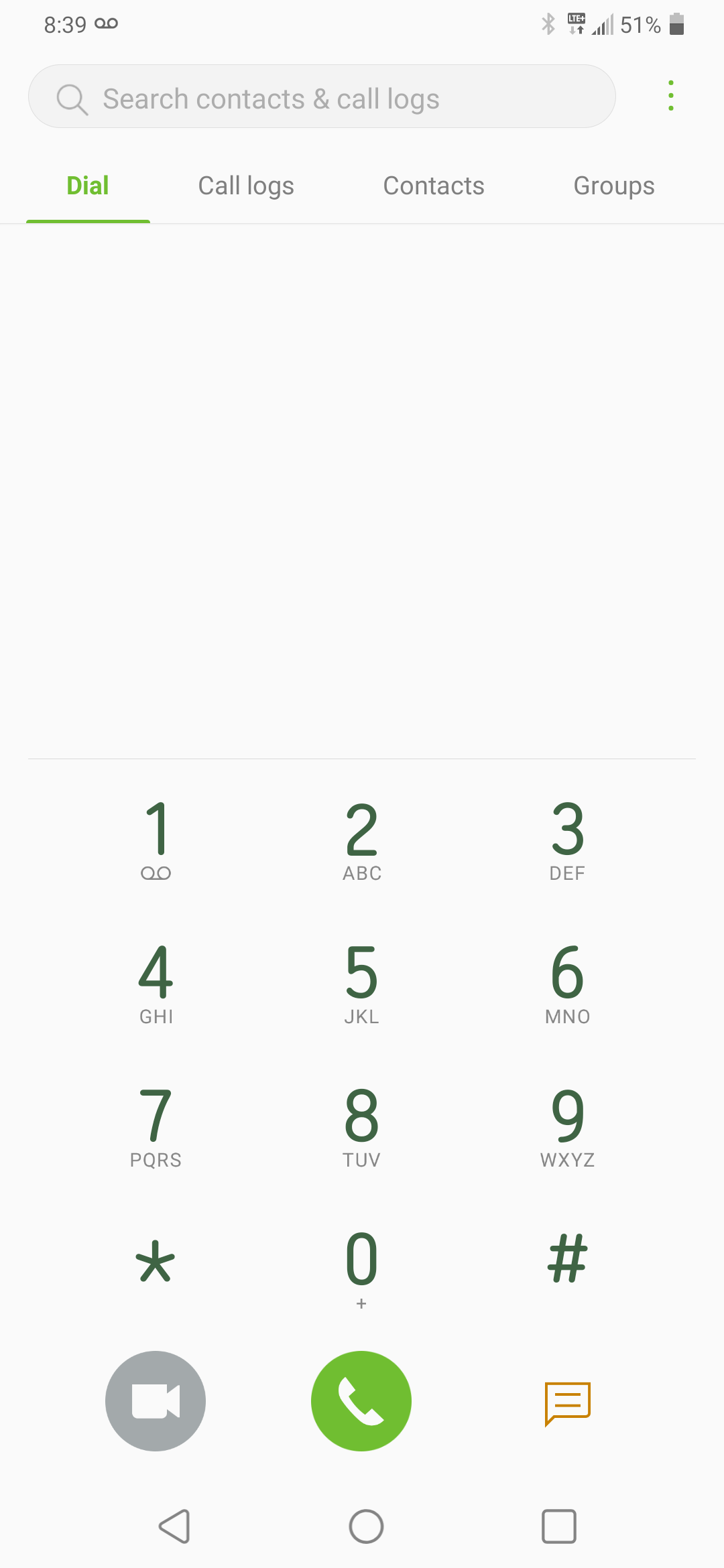
Touch the Menu icon.
Step 3 of 8
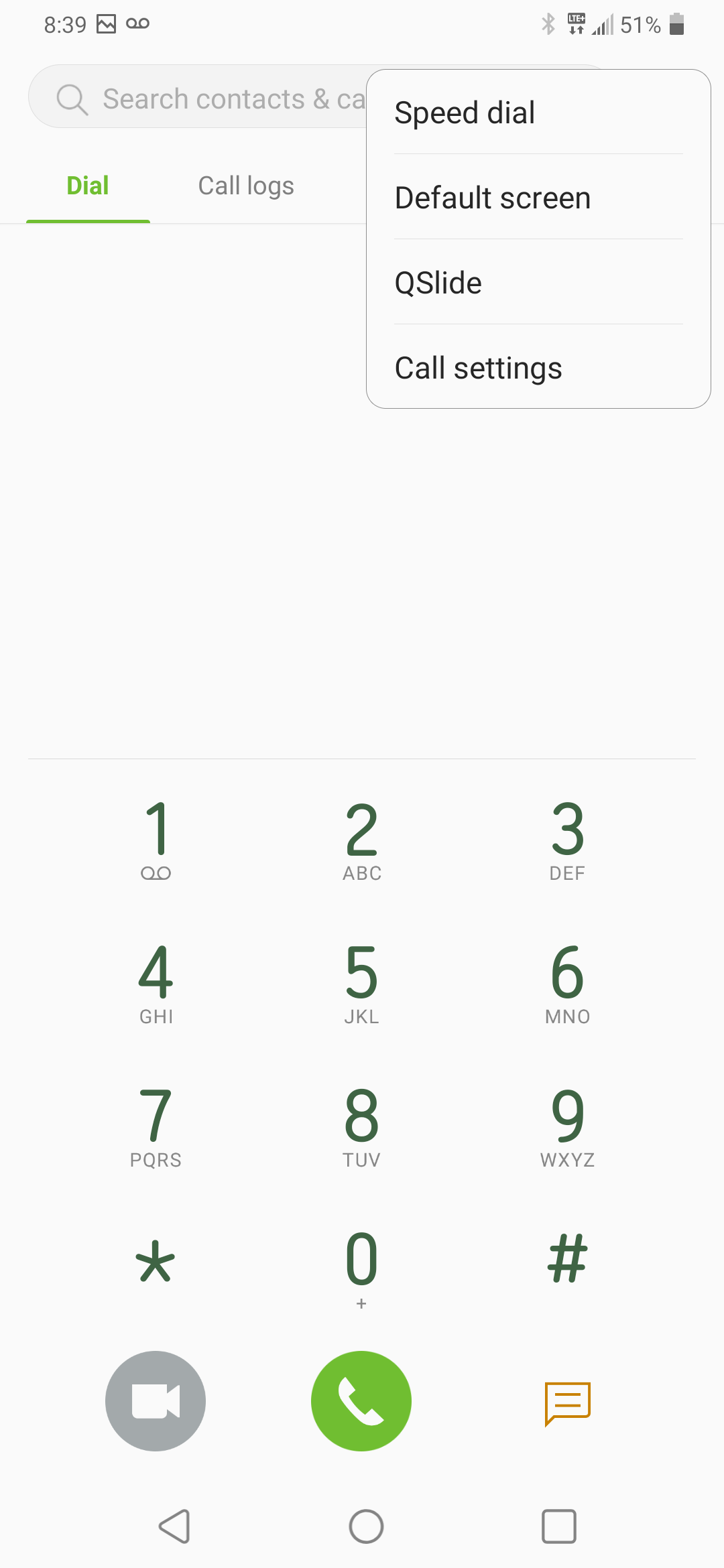
Touch Call settings.
Step 4 of 8
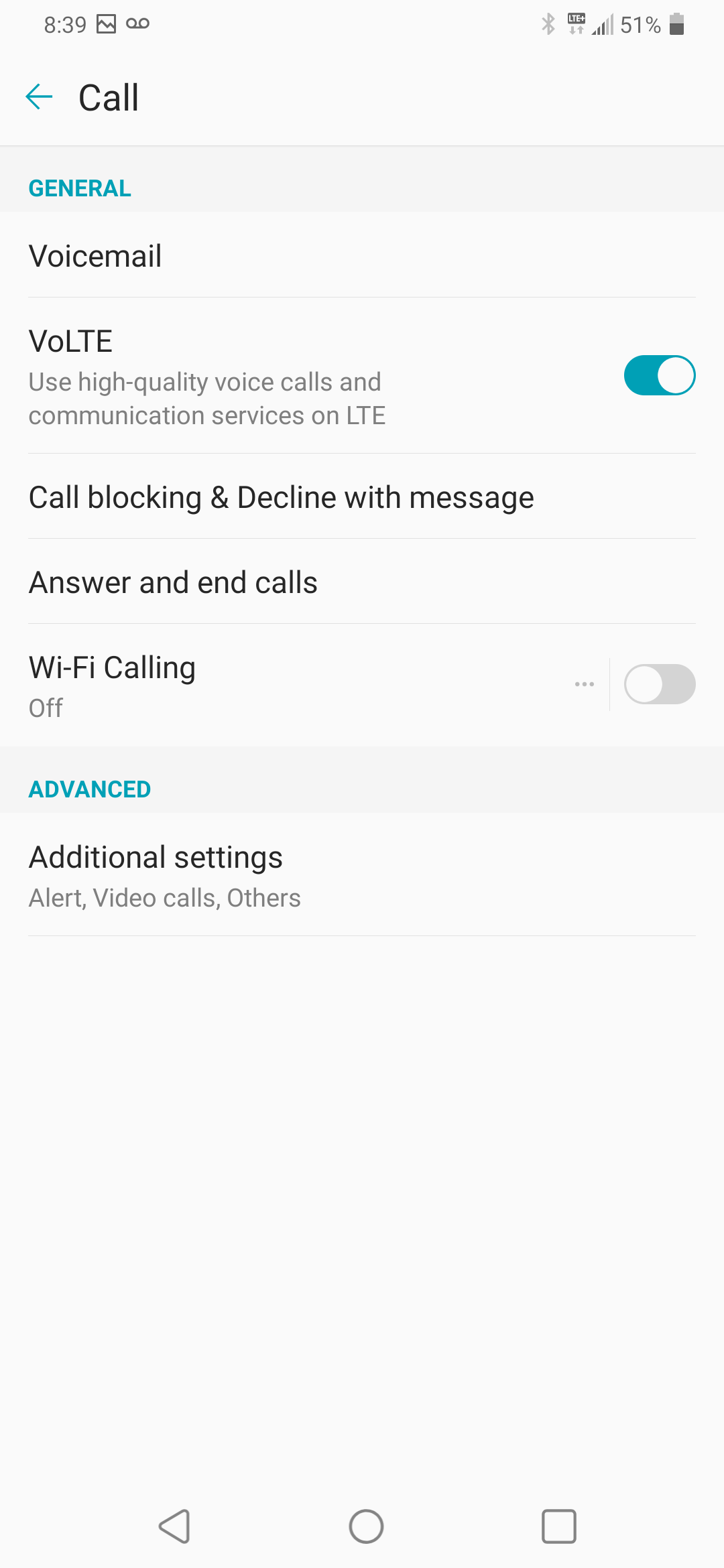
Touch Additional settings.
Step 5 of 8
Touch Other settings.
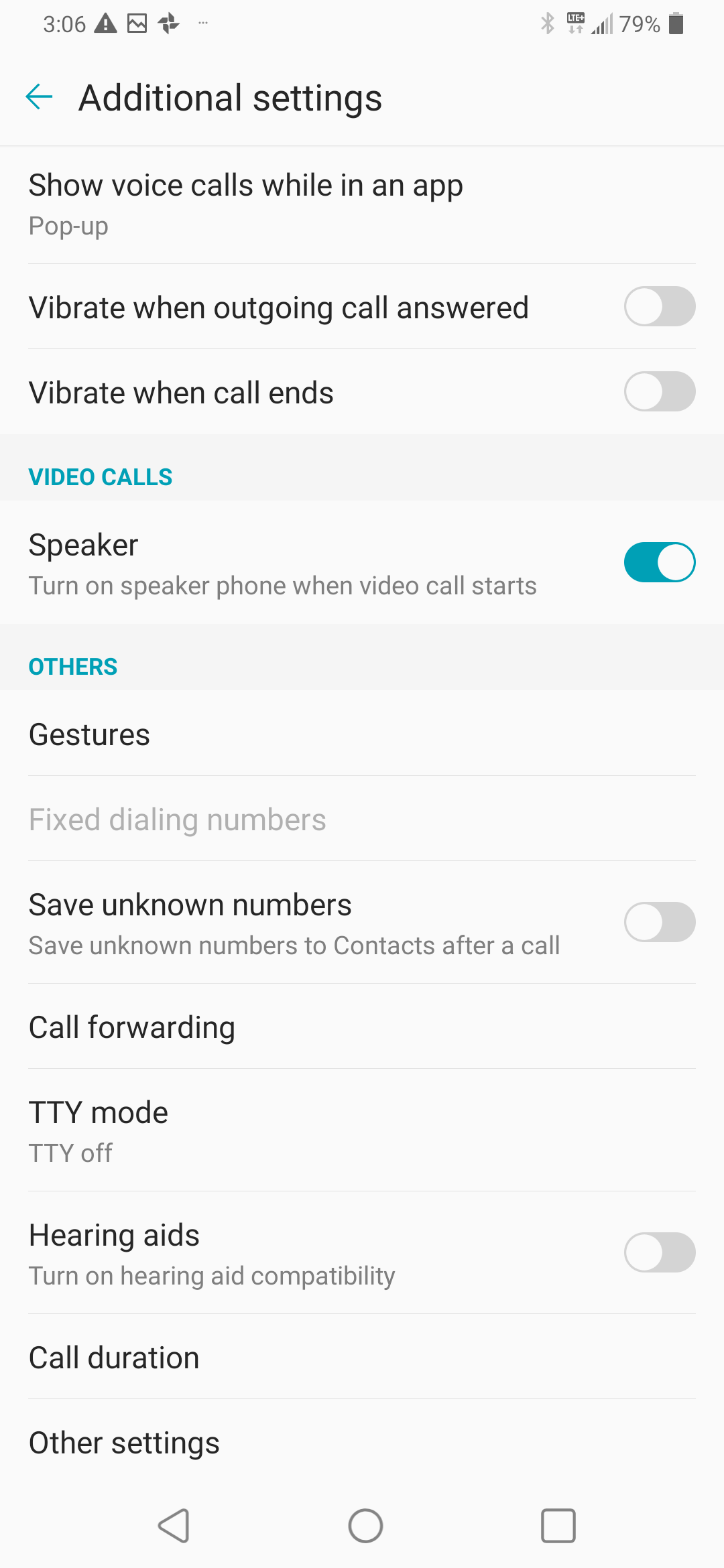
Step 6 of 8
Touch Caller ID.
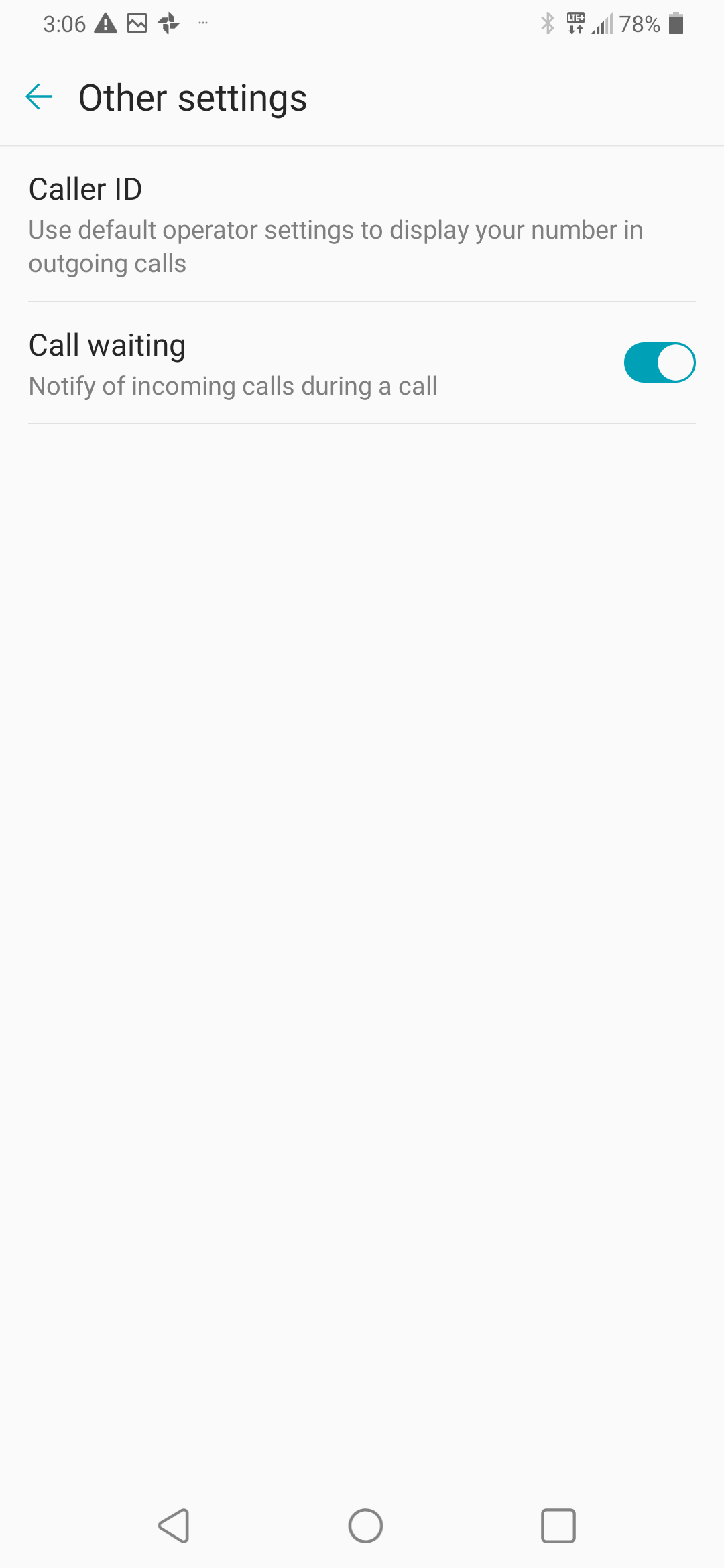
Step 7 of 8
Touch the desired option (e.g., Hide number).
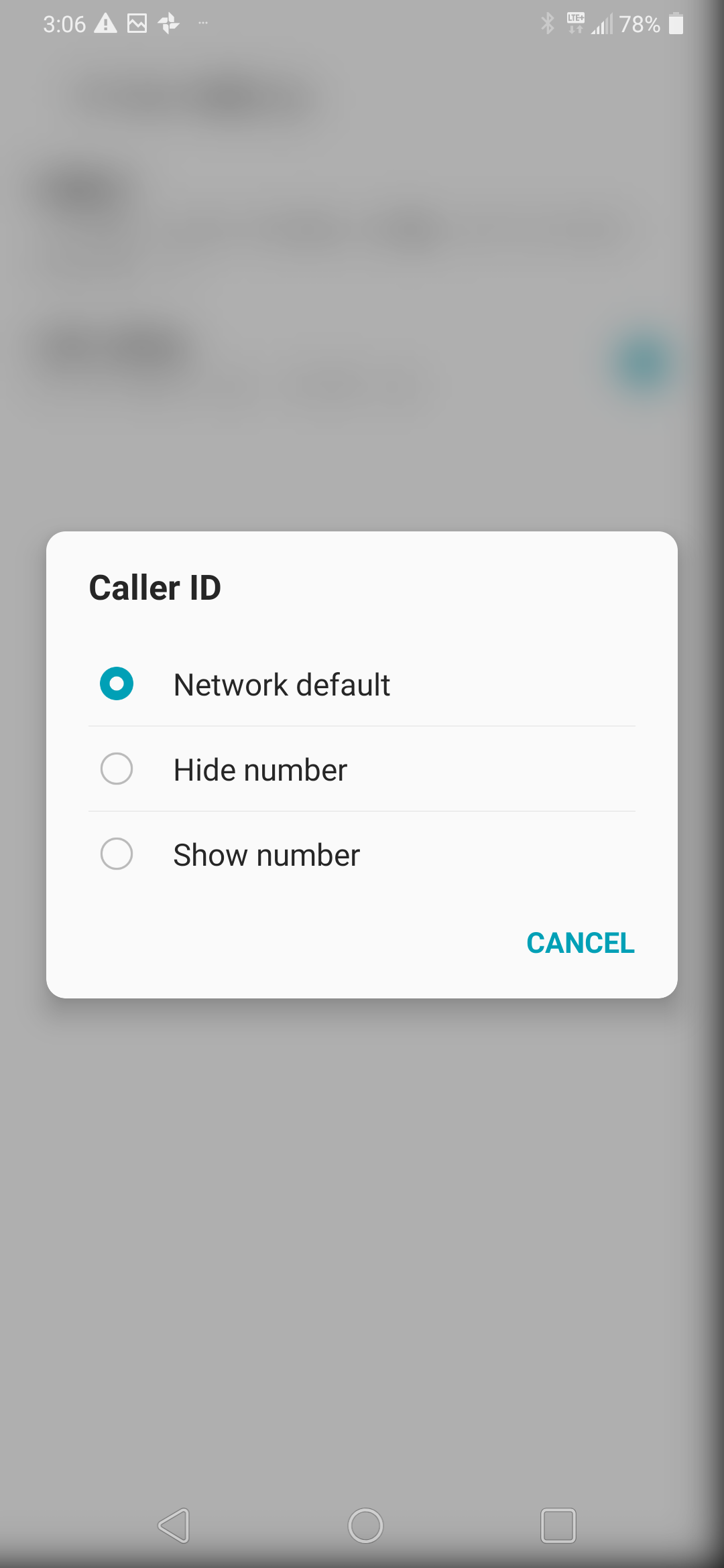
Step 8 of 8
The caller ID setting has been changed.
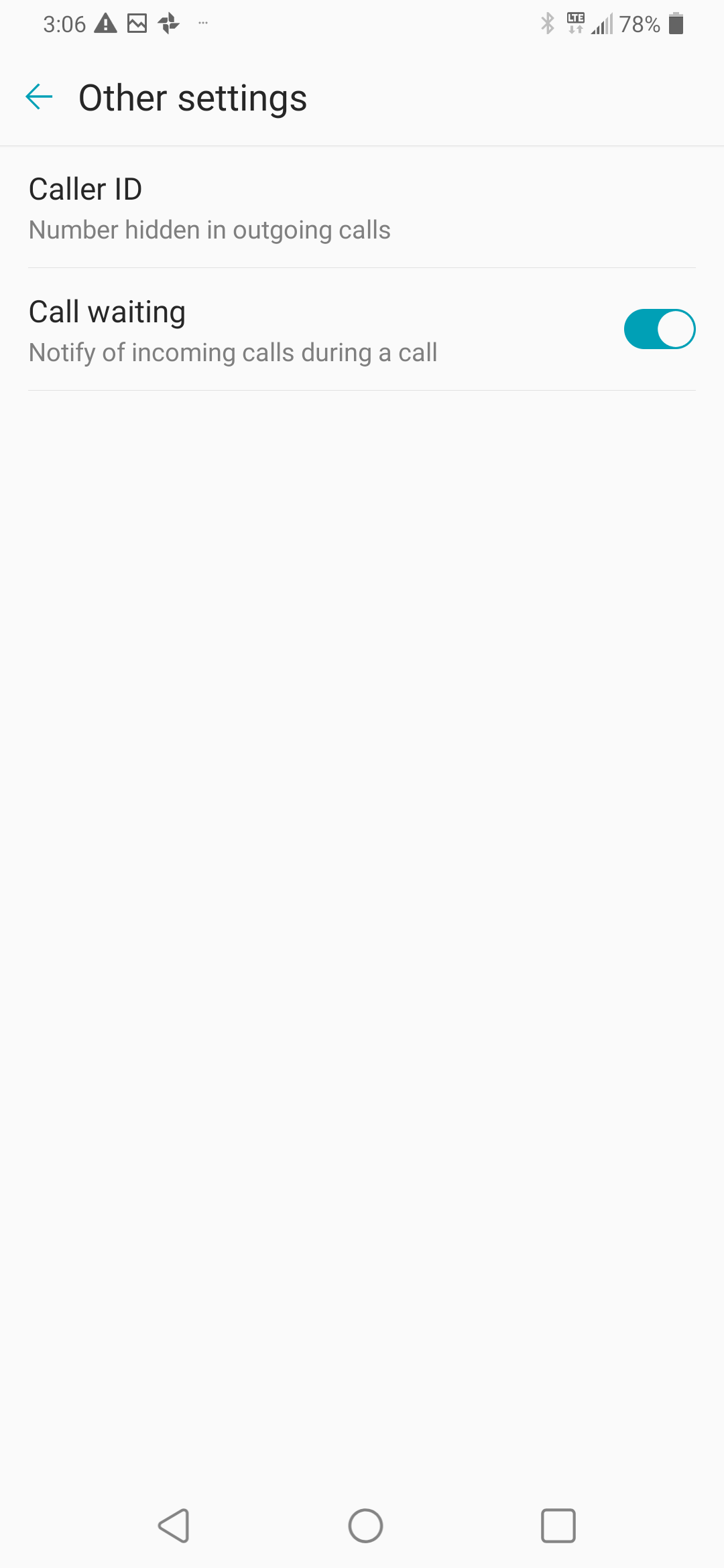

- Touch Phone.
- Touch the Menu icon.
- Touch Call settings.
- Touch Additional settings.
- Touch Other settings.
- Touch Caller ID.
- Touch the desired option (e.g., Hide number).
- The caller ID setting has been changed.
Applicable to:
LG Velvet 5G, K31, K32, K41s, K61, V60 ThinQ.