How to set up call blocking (call rejections) on my Huawei smartphone
Step 1 of 13
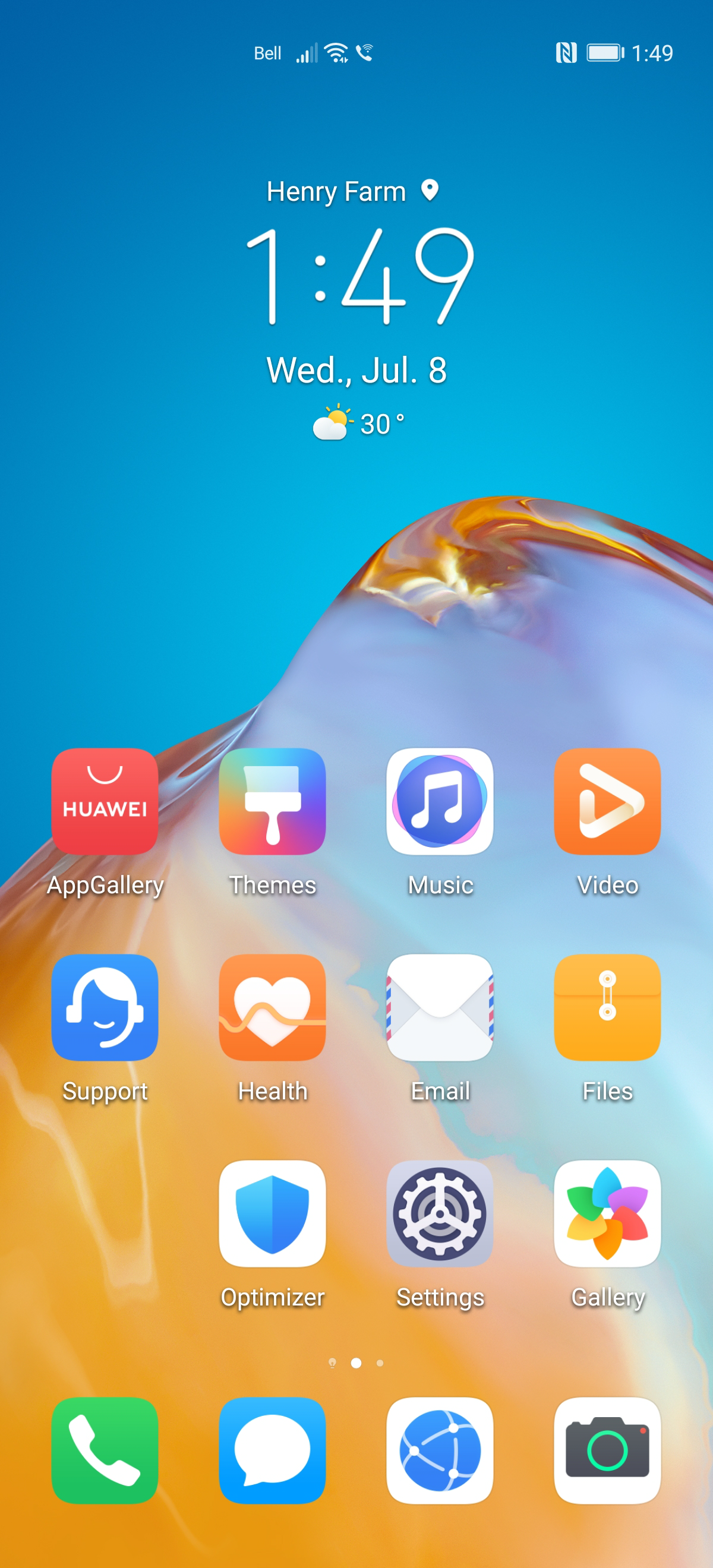
Touch Phone.

Step 2 of 13
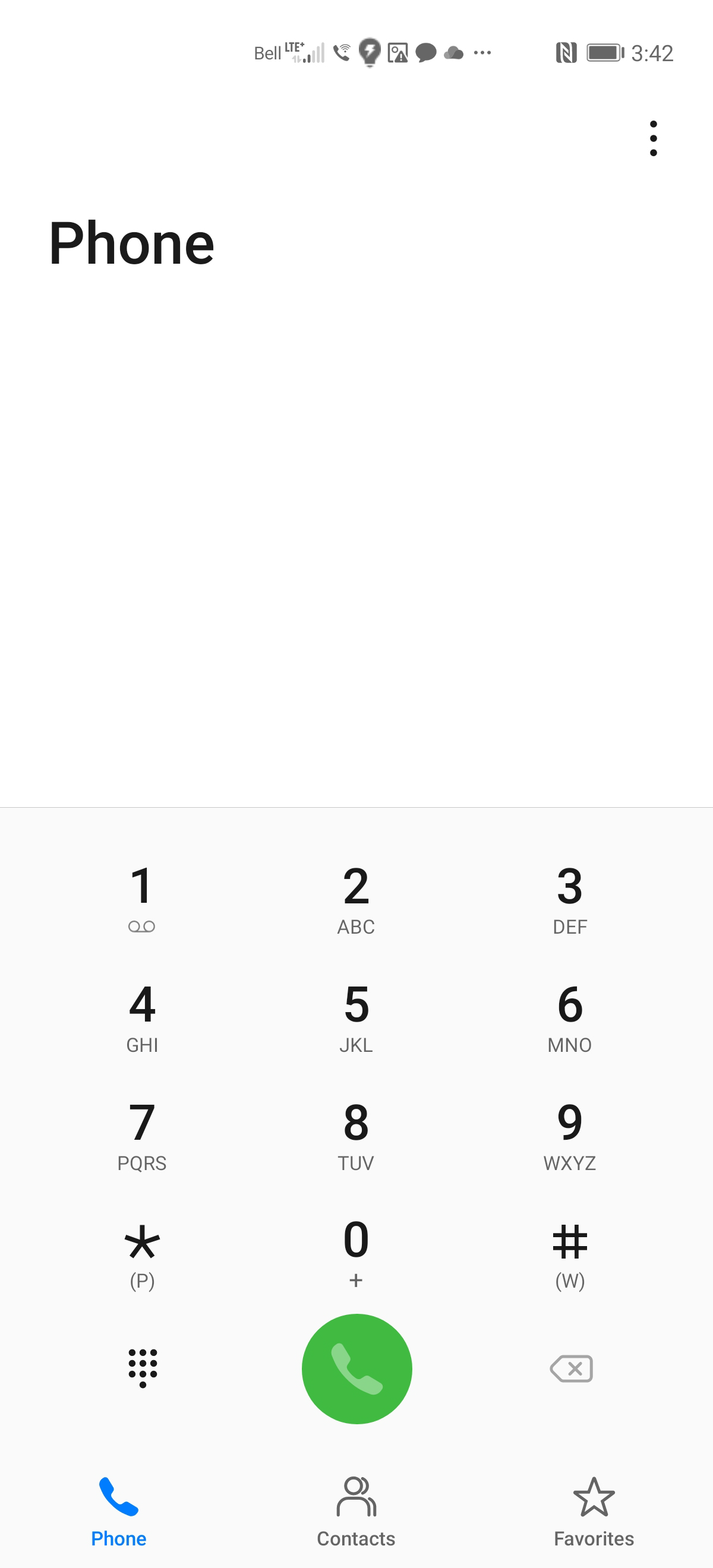
Touch the Menu icon.
Step 3 of 13
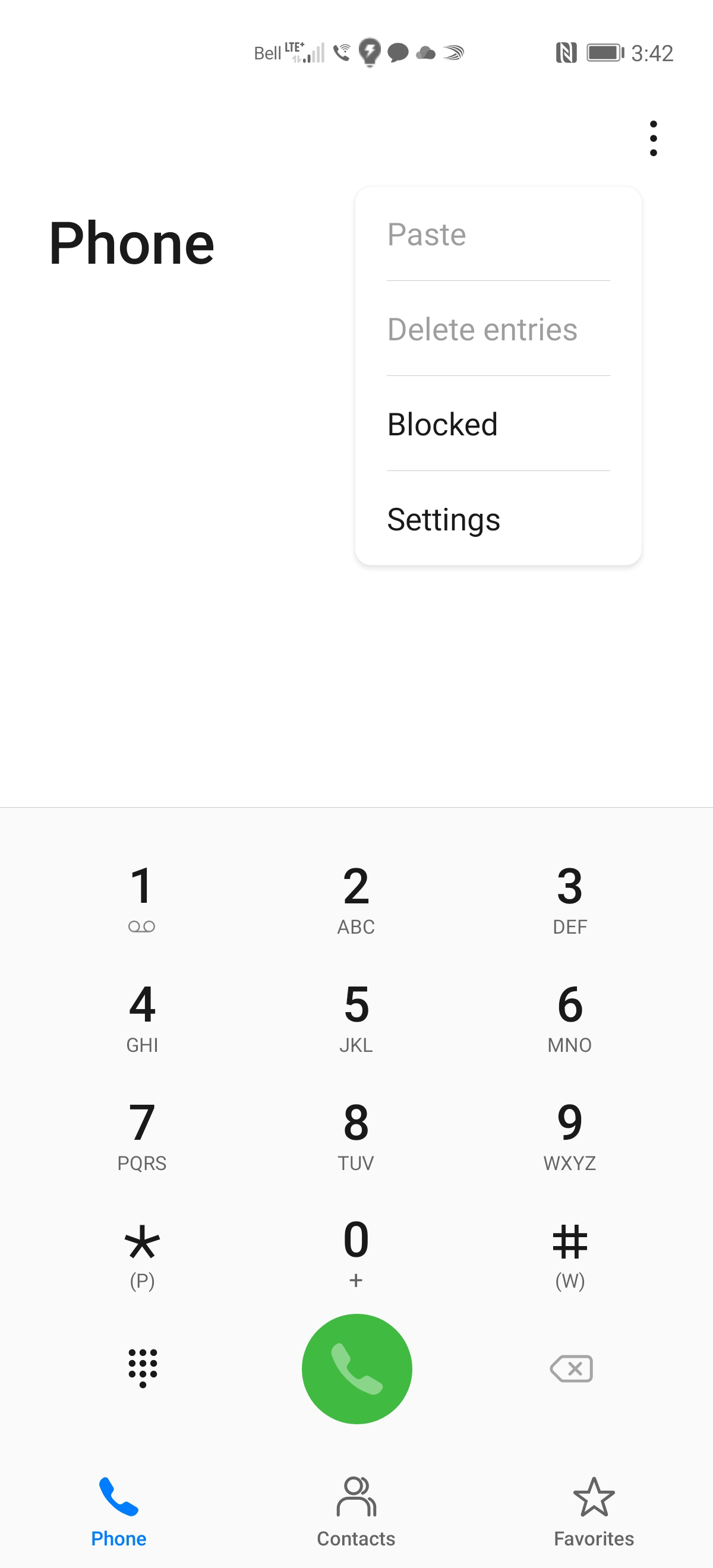
Touch Blocked.
Step 4 of 13
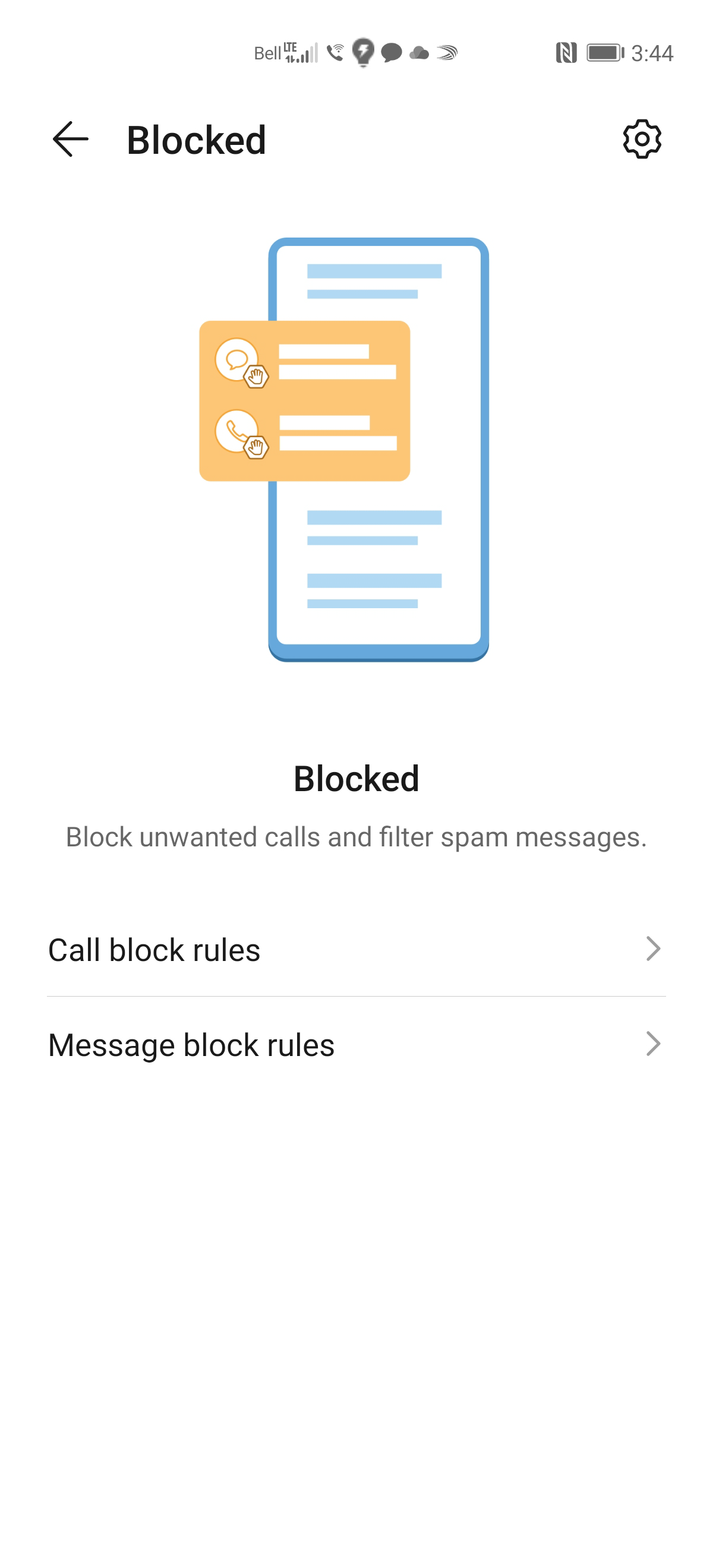
Touch the Settings icon.
Step 5 of 13
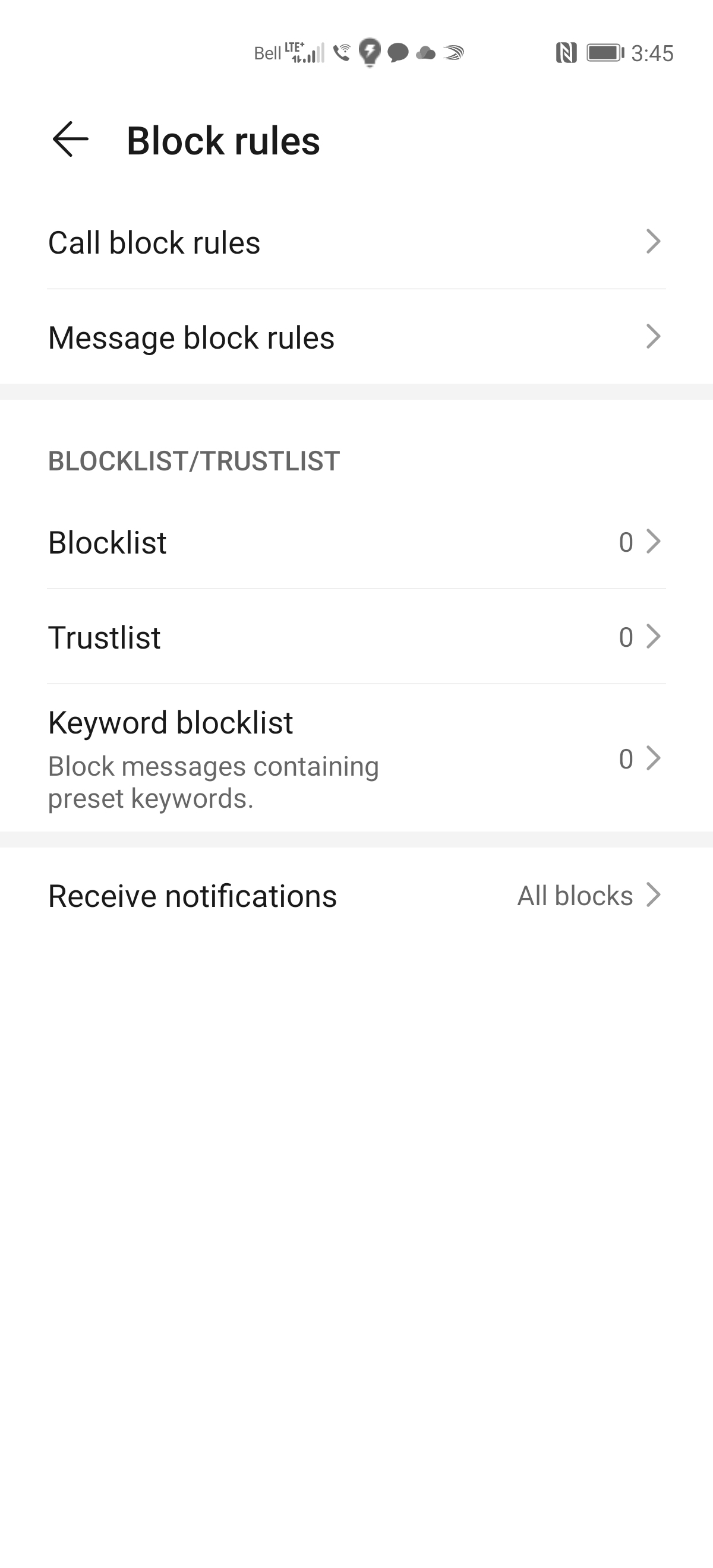
Touch Blocklist.
Step 6 of 13
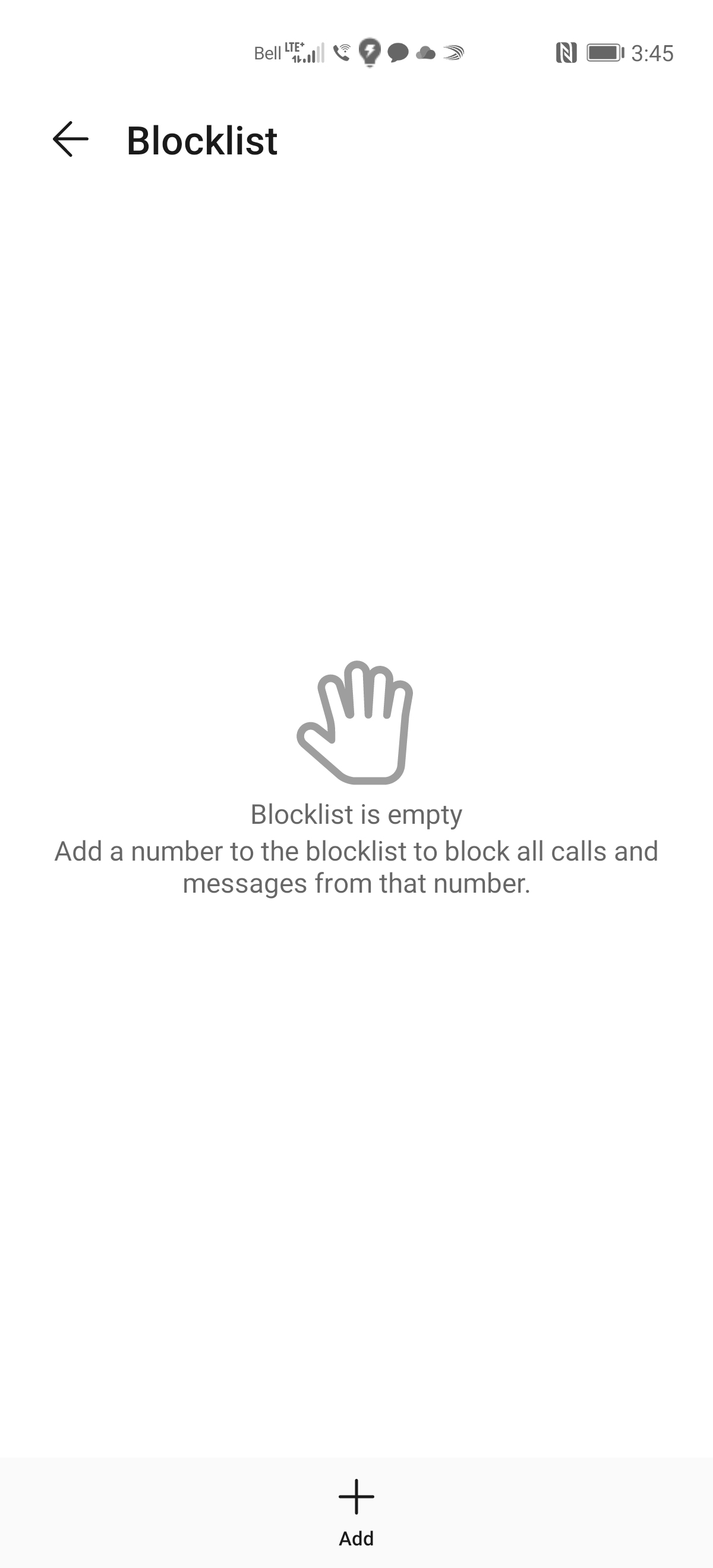
To add a phone number to the block list: touch + Add.
Step 7 of 13
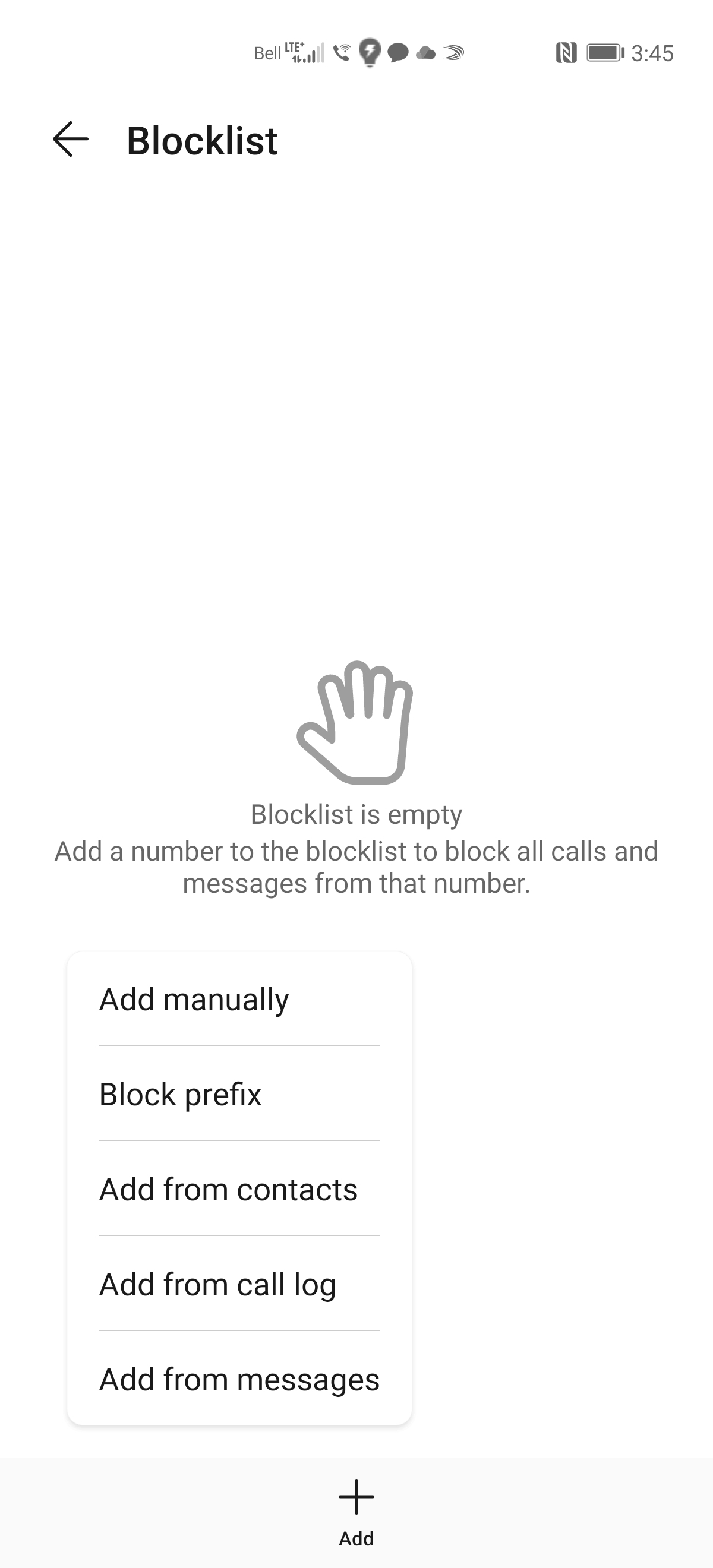
Choose to add the number manually or add from contacts, call log or messages. In this example we will choose Add manually.
Step 8 of 13
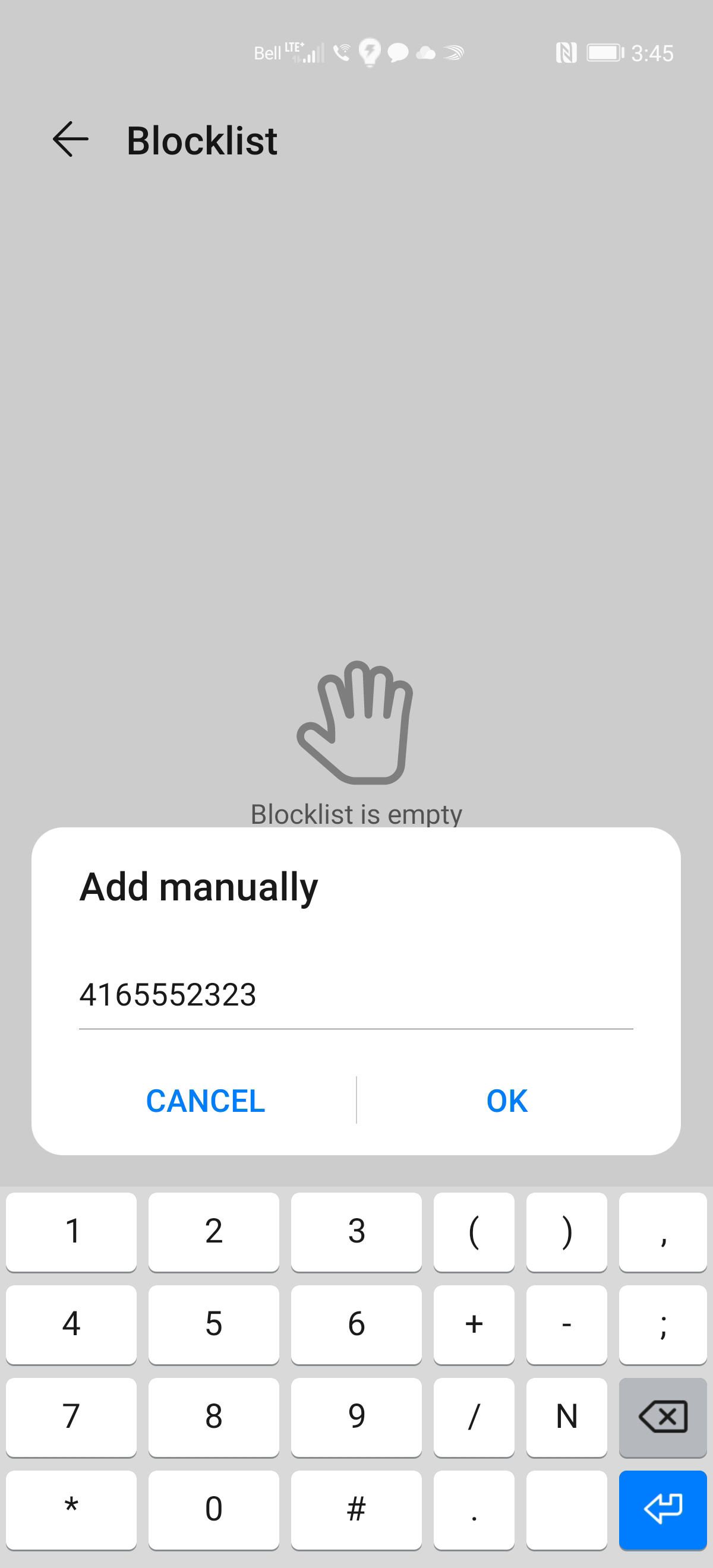
Enter the desired phone number and touch OK.
Step 9 of 13
The phone number has been added.
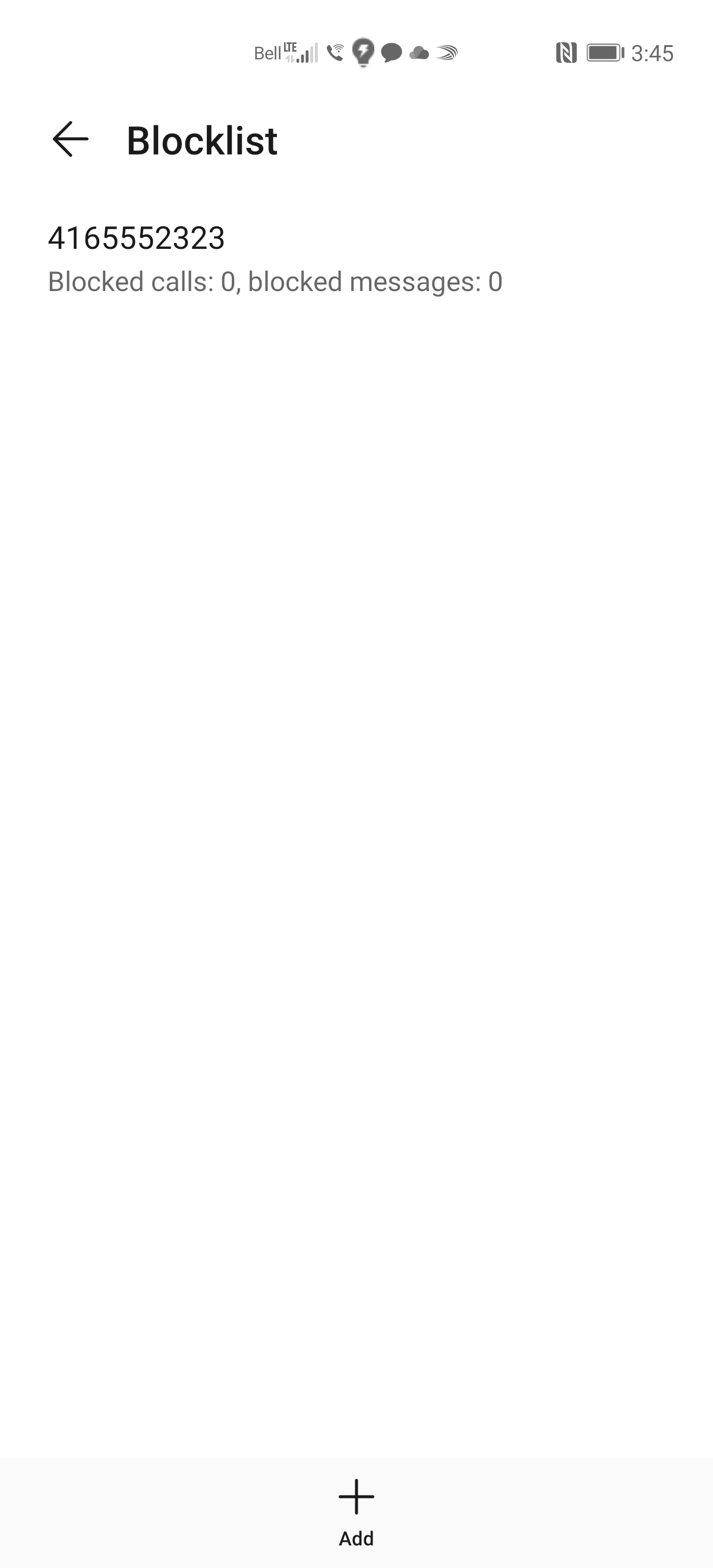
Step 10 of 13
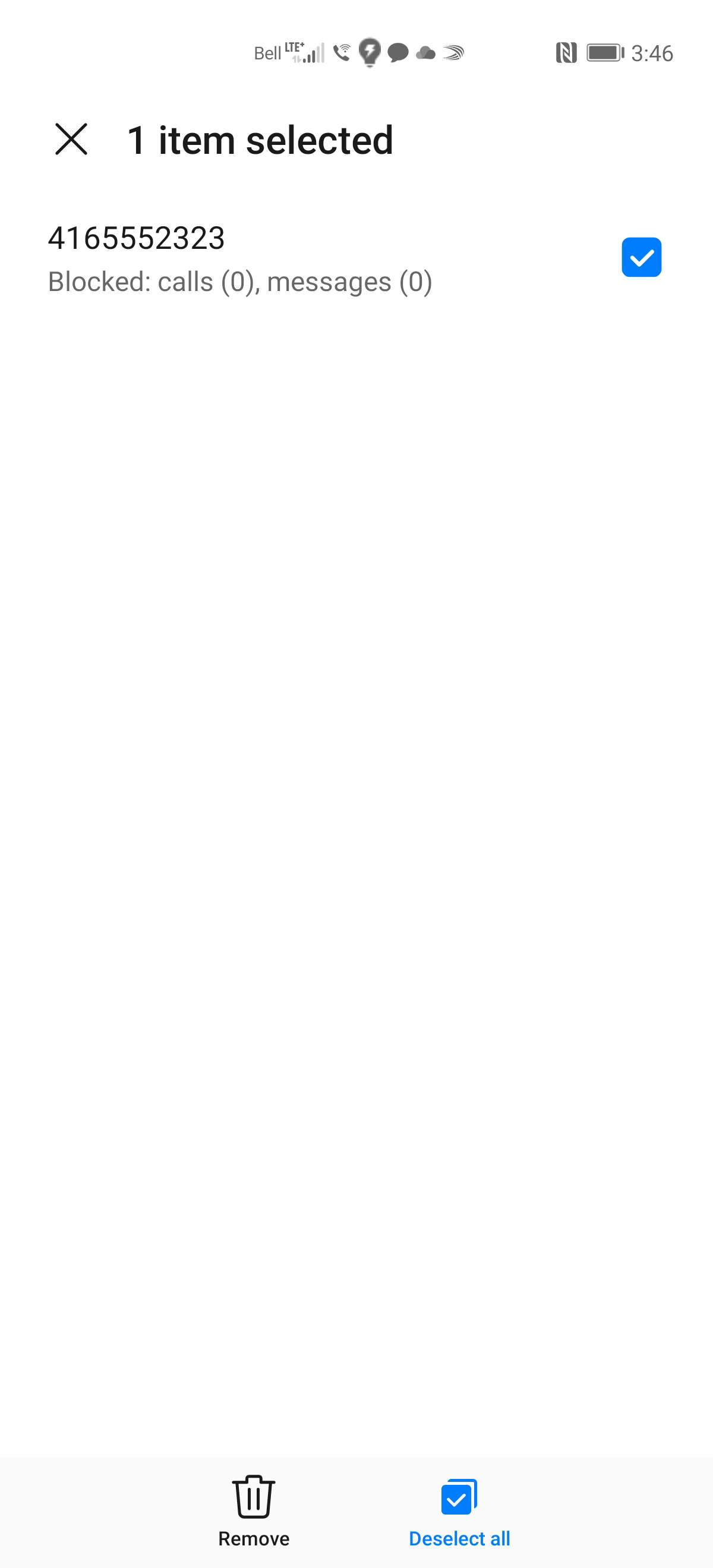
To remove a phone number from the block list: touch and hold down on the phone number.
Step 11 of 13
A checkmark will appear beside the phone number. Touch Remove.
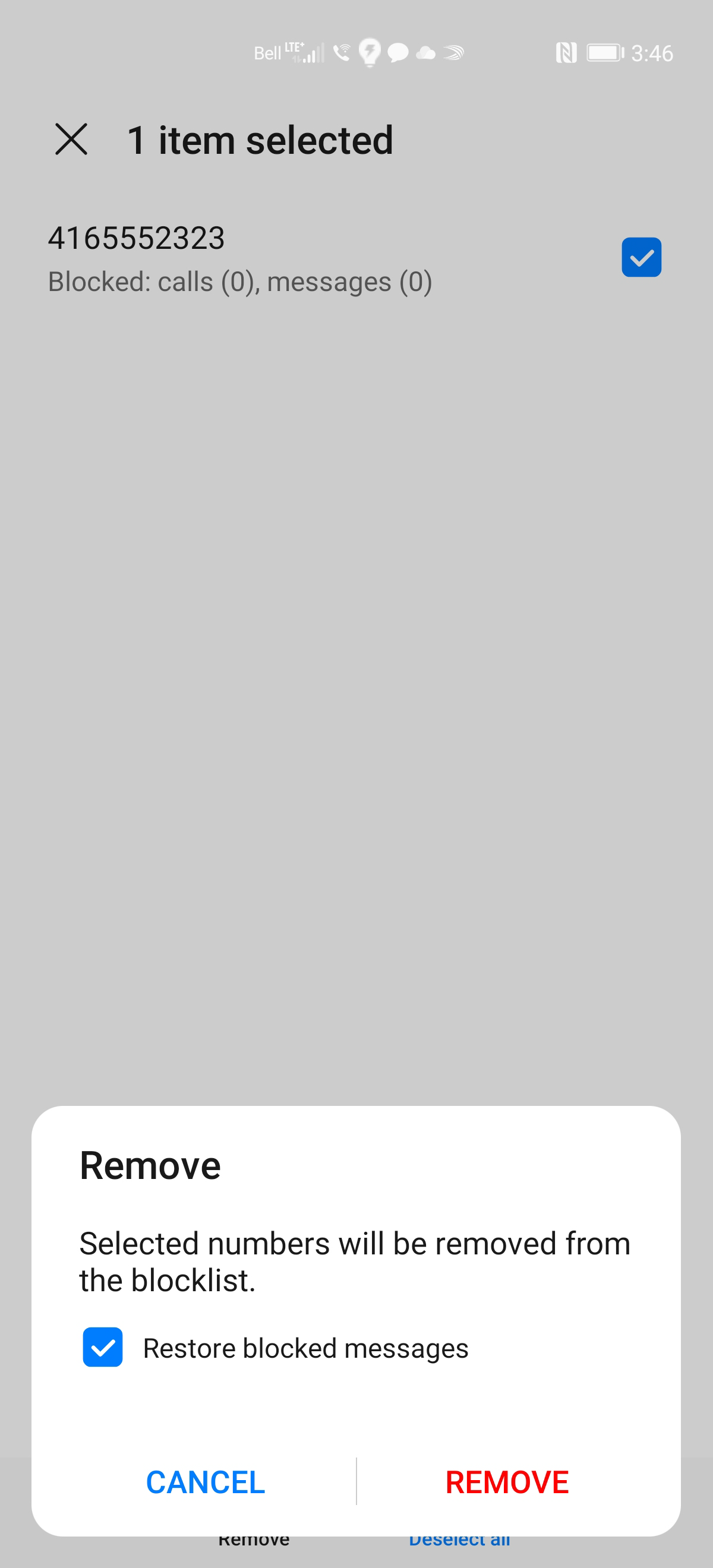
Step 12 of 13
Touch REMOVE.
Step 13 of 13
The phone number has been removed.
- Touch Phone.
- Touch the Menu icon.
- Touch Blocked.
- Touch the Settings icon.
- Touch Blocklist.
- To add a phone number to the block list: touch + Add.
- Choose to add the number manually or add from contacts, call log or messages. In this example we will choose Add manually.
- Enter the desired phone number and touch OK.
- The phone number has been added.
- To remove a phone number from the block list: touch and hold down on the phone number.
- A checkmark will appear beside the phone number. Touch Remove.
- Touch REMOVE.
- The phone number has been removed.