How to share my Apple iPhone Internet connection with a computer
Step 1 of 6
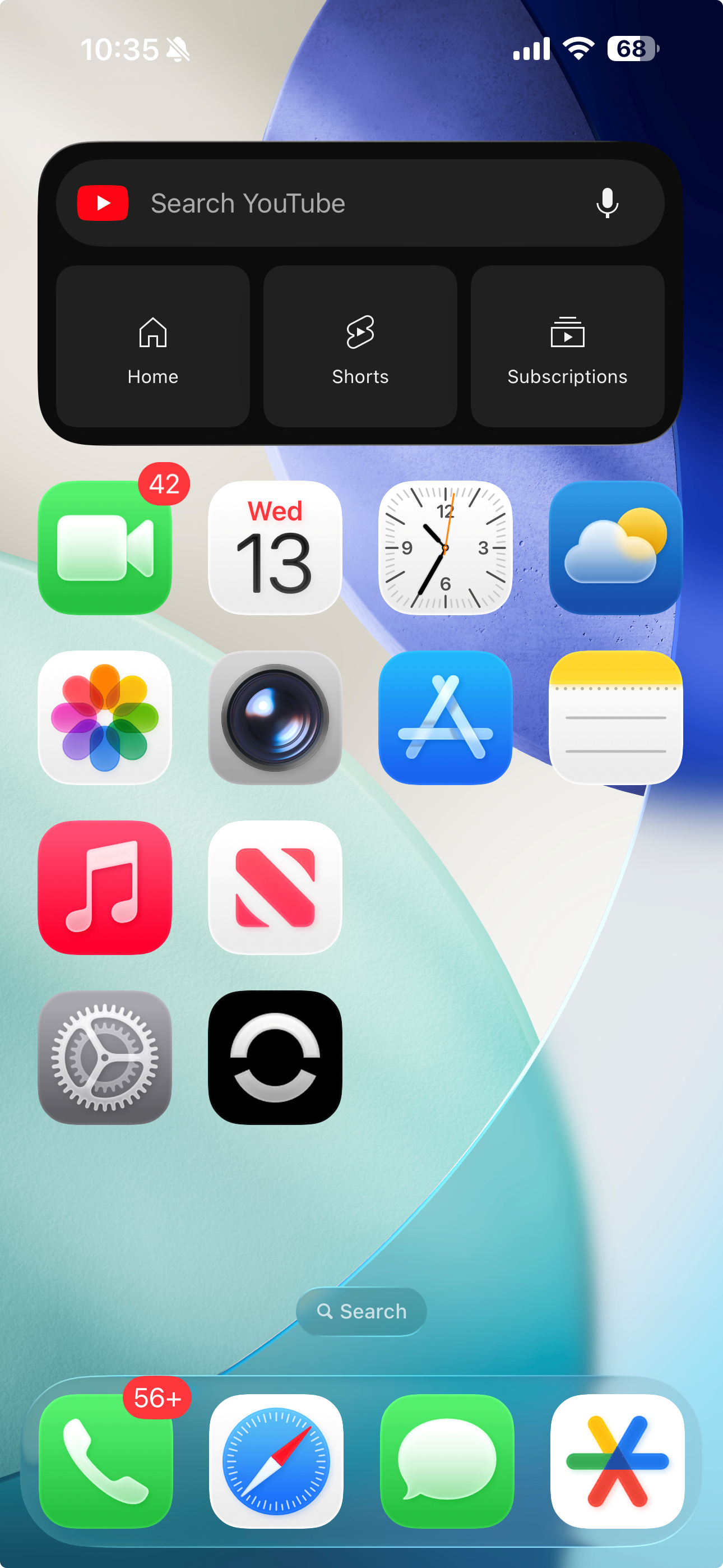
Touch Setting.

Step 2 of 6
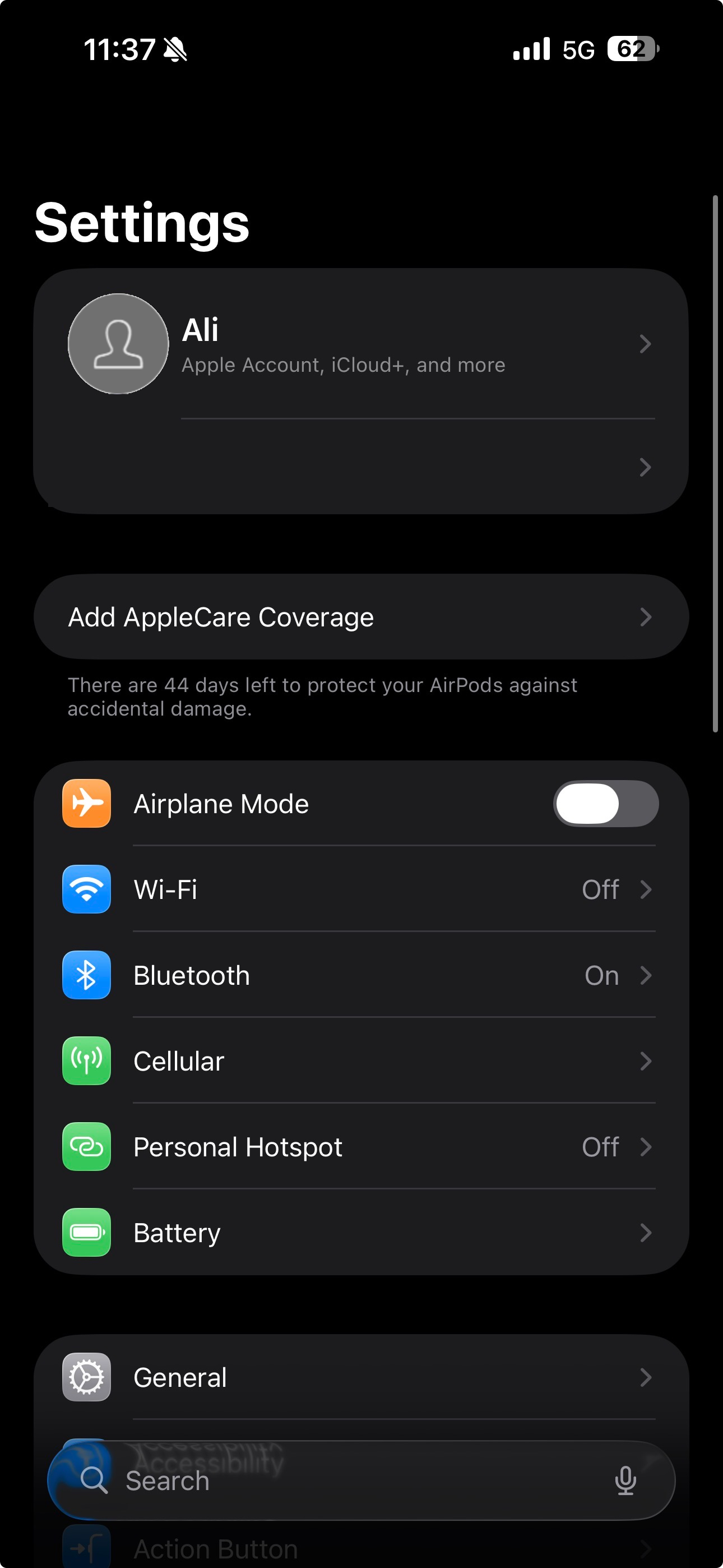
Touch Cellular.
Step 3 of 6
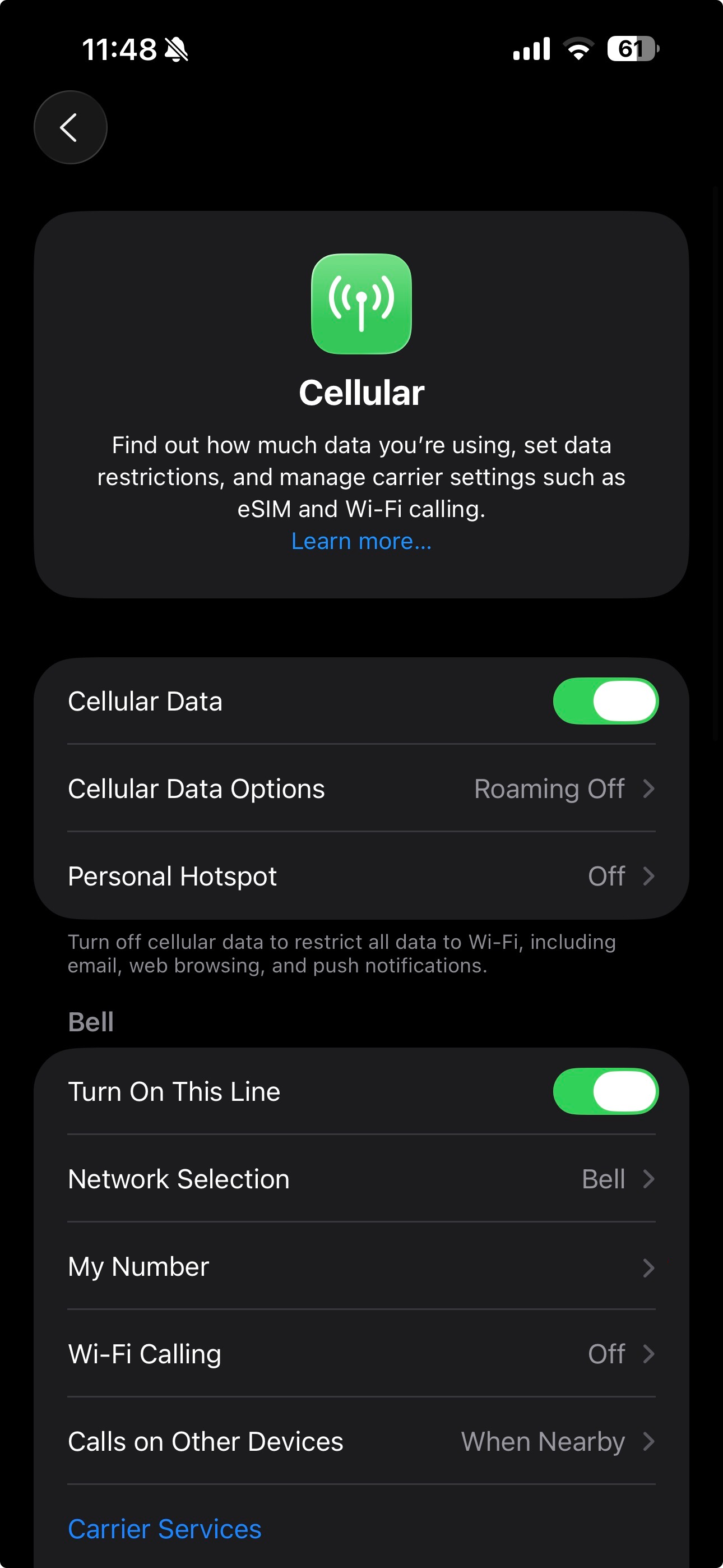
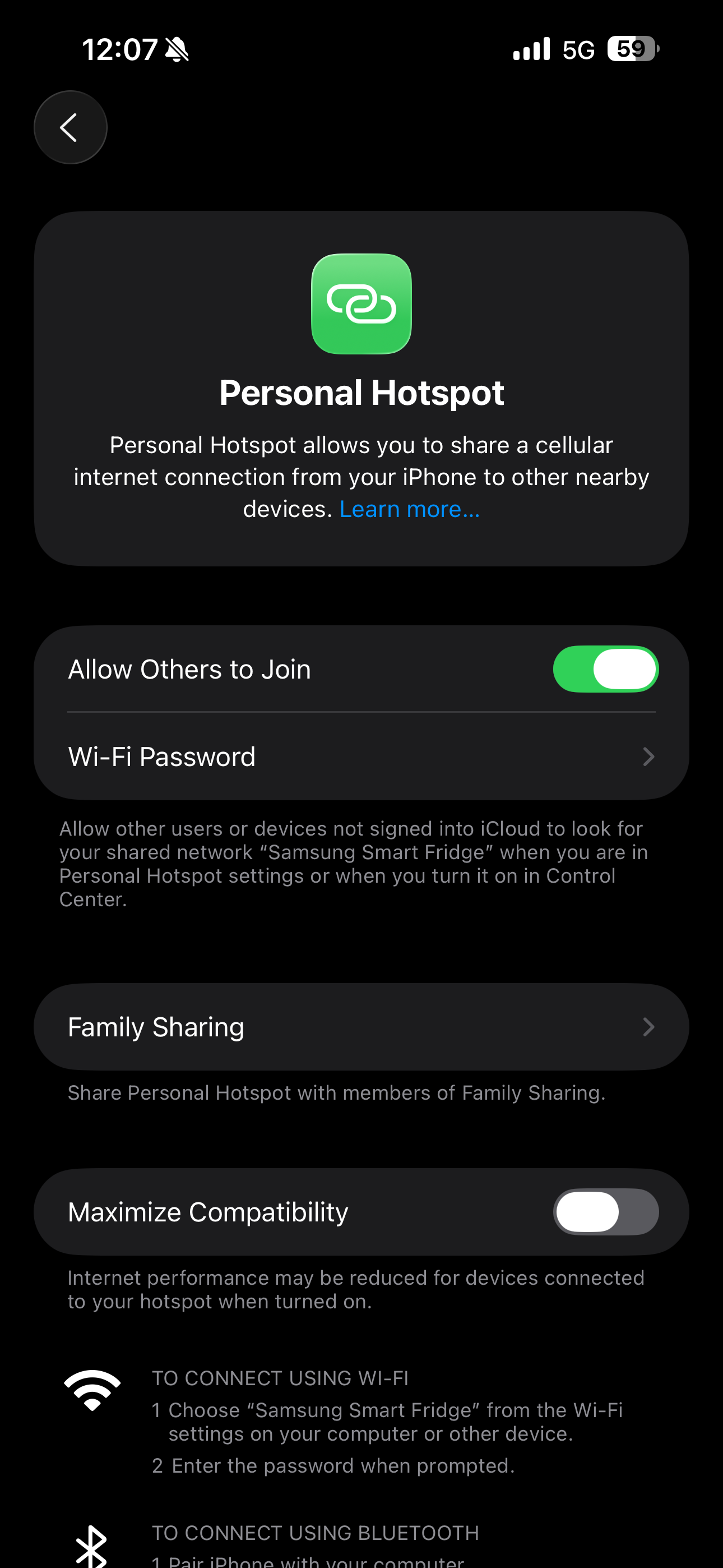
Touch Personal Hotspot.
Step 4 of 6
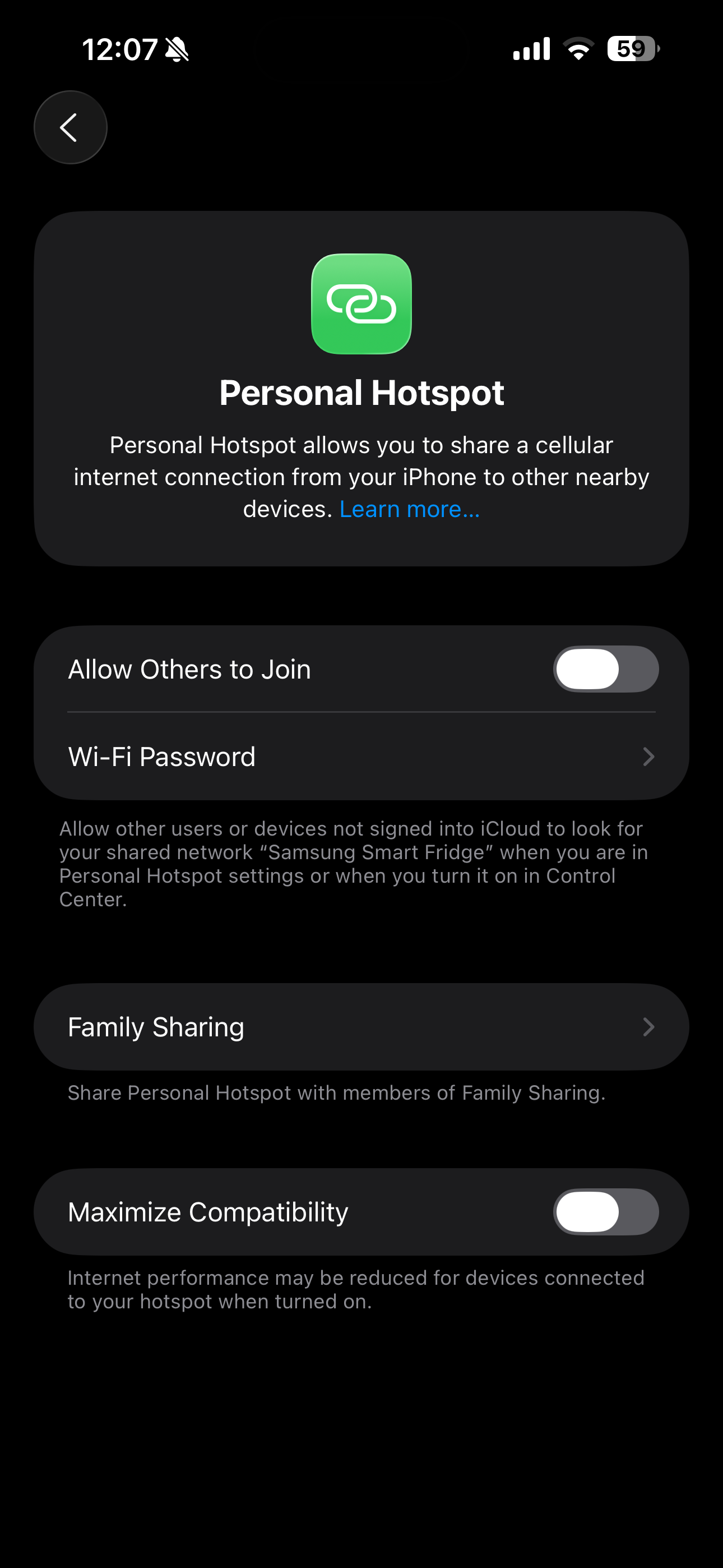
Touch the slider to activate the Personal Hotspot.
Step 5 of 6
The Apple iPhone is now tethered.
Step 6 of 6
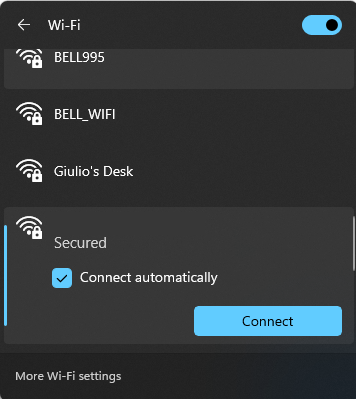
On the computer, open wifi settings and find your device name then connect to it using the password set on your device.
- Touch Setting.
- Touch Cellular.
- Touch Personal Hotspot.
- Touch the slider to activate the Personal Hotspot.
- The Apple iPhone is now tethered.
- On the computer, open wifi settings and find your device name then connect to it using the password set on your device.
Applicable to:
iPhone 11, 11 Pro, 11 Pro Max, 12, 12 Pro, 12 Mini, 12 Pro Max, 13, 13 Pro, 13 Mini, 13 Pro Max, 14, 14 Plus, 14 Pro, 14 Pro Max, 15, 15 Plus, 15 Pro, 15 Pro Max, 16, 16 Plus, 16 Pro, 16 Pro Max, 17, 17 Pro, 17 Pro Max, Air.