How to turn the Nubia/ZTE MF275R on and off
Step 1 of 4
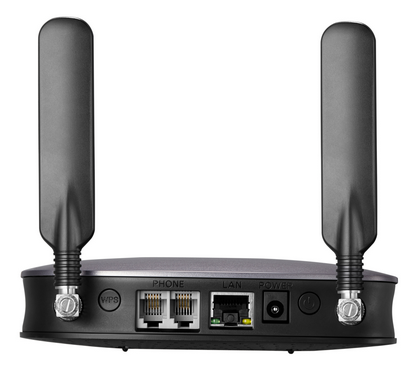
Turn the Nubia/ZTE MF275R around so you can see the back of the device.
Step 2 of 4
Connect the power supply if the battery is not charged.


Step 3 of 4
Press the Power button to turn the Nubia/ZTE MF275R on. The power indicator on the top of the Nubia/ZTE MF275R will go green.


Step 4 of 4
Press the Power button again to turn the Nubia/ZTE MF275R off.
- Turn the Nubia/ZTE MF275R around so you can see the back of the device.
- Connect the power supply if the battery is not charged.
- Press the Power button to turn the Nubia/ZTE MF275R on. The power indicator on the top of the Nubia/ZTE MF275R will go green.
- Press the Power button again to turn the Nubia/ZTE MF275R off.