Bell MTS - UPS-1215
This service is only available to MTS customers in Manitoba.
To find support for your region, please select your province.
How to check the battery status of Your UPS-1215
-
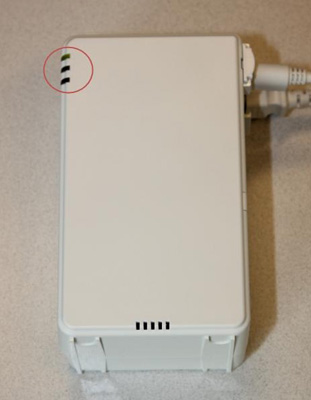
Find the indicator lights on the outside of your UPS device (the lights are
on the top left hand corner of the front of the unit).
-
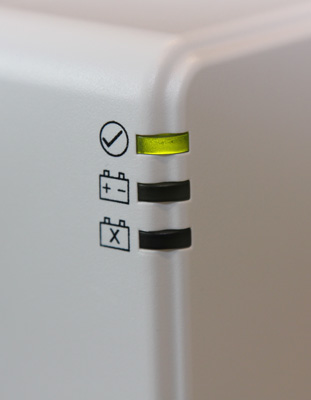
If only the top (System Status) light is lit, your battery is fine and you
do not need to replace your battery at this time. We recommend you monitor
your battery periodically.
-
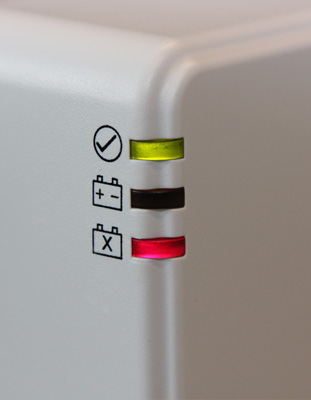
If the bottom (Replace Battery) light is lit, your battery needs to be
replaced. Please
Replace the battery of your UPS-1215.
How to getting a new battery for your UPS-1215
When Bell MTS installed the battery backup system in your home, your battery was covered by a manufacturer's warranty. We recommend that you check your battery to see if it is still under warranty.
The warranty information is on a sticker which is placed on the side or on the top of the battery itself. In order to check this sticker, you will need to open your UPS and remove your battery. Please refer to the instructions for How to Monitor Your Battery Backup System/Uninterruptible Power Supply (UPS) unit. If your battery has a manufacturer's warranty sticker, please contact the battery manufacturer using the phone number or website provided on the sticker to get a replacement battery. If your battery does not have a manufacturer's warranty sticker, please contact us.
For information regarding the disposal of your old battery please visit: http://www.gov.mb.ca/sd/wastewise/ .
How to replace the battery of your UPS-1215
- Leave the UPS plugged in (if you unplug the UPS, you will disconnect the Bell MTS services in your home).
-
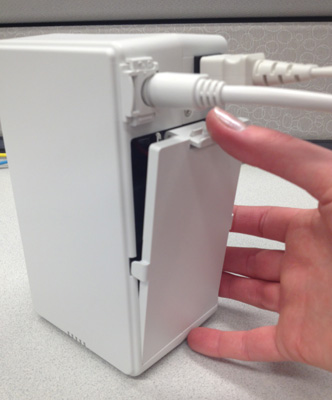
Grasp the right side of the unit with your index finger over the clasp of
the UPS door.
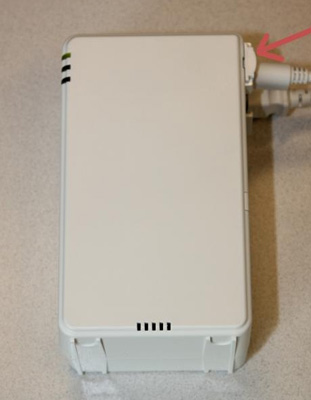
- Push the clasp downwards.
-
Pull door open/away from the unit to reveal the battery.
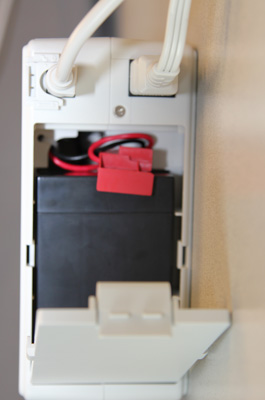
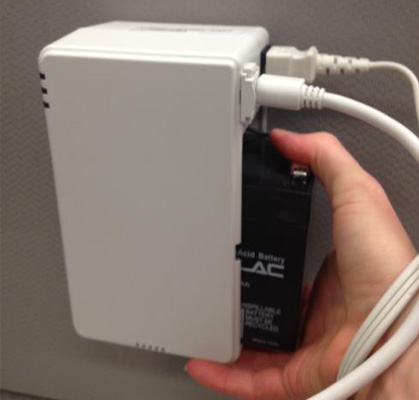
- Place your index finger on the top of the battery and your thumb under the UPS unit.
-
Slide the battery out of the unit.
-
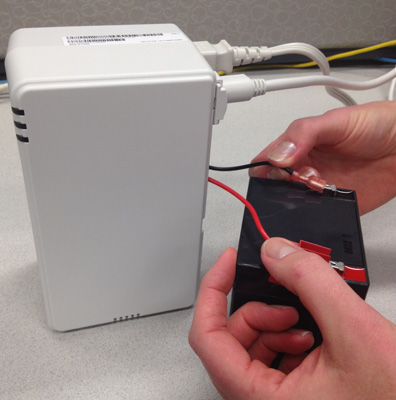
Once battery is out of its position, remove the two leads from the two
battery terminals.
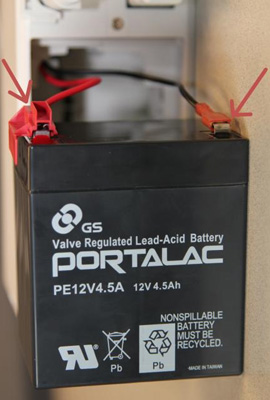
Note:
- For instructions on how to obtain a new battery, please see Getting a New Battery.
- Remove any packaging from your new battery.
-
Connect the leads from UPS to their corresponding terminal on the new
battery.
- The lead with the extra red plastic covering corresponds to the red terminal.
-
The other lead corresponds to the black terminal.
-
Slide the new battery back into its position in the UPS (the leads/terminal
should be at the top of the battery, in order for the battery to fit
properly back into its position).
-
Once your new battery is in place, replace the door on the UPS by inserting
the bottom hinges first and then pressing the top clasp down and inwards to
secure the door closed.