How to set up your replacement 9500 Whole Home PVR
9500 - Whole Home PVR
Steps to follow: 13
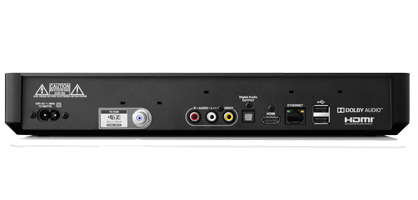
1. Disconnect your old receiver and connect the replacement using the same cables.
If your remote is not working, you can use the buttons on the front panel of your receiver to complete these steps. Parental locks and controls are not transferred to the new receiver upon replacement and should be added if required.
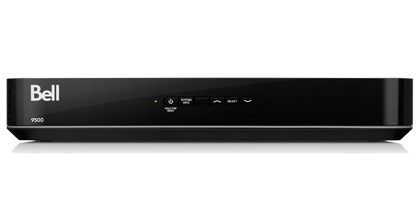
2. Turn your receiver and TV on.

If your remote is not working, you can use the buttons on the front panel of your receiver to complete these steps. Parental locks and controls are not transferred to the new receiver upon replacement and should be added if required.
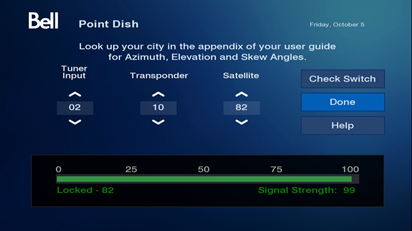
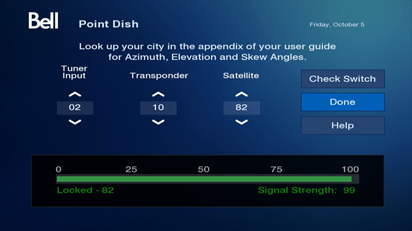
3. Wait about 2 to 4 minutes until the Point Dish screen is displayed.
If you see a different screen, ensure your TV is set to the right input or source. Try using your TV's remote to cycle through the different inputs/sources until the screen appears.
If you see a different screen, ensure your TV is set to the right input or source. Try using your TV's remote to cycle through the different inputs/sources until the screen appears.
If your remote is not working, you can use the buttons on the front panel of your receiver to complete these steps. Parental locks and controls are not transferred to the new receiver upon replacement and should be added if required.
4. Select Check Switch with your Bell Satellite TV remote.
If you are not on the Point Dish screen, press menu then 6-1-1 with your remote (or use the front panel buttons) to access it.
If you are not on the Point Dish screen, press menu then 6-1-1 with your remote (or use the front panel buttons) to access it.
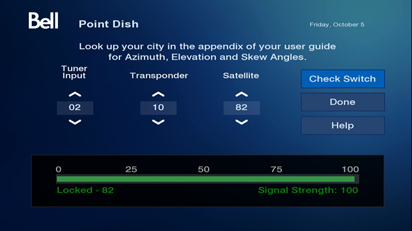

If your remote is not working, you can use the buttons on the front panel of your receiver to complete these steps. Parental locks and controls are not transferred to the new receiver upon replacement and should be added if required.
5. Select Test.
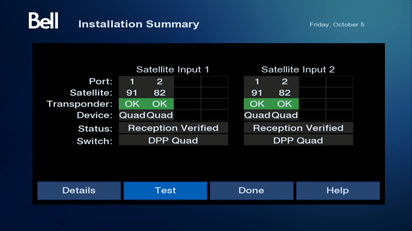
If your remote is not working, you can use the buttons on the front panel of your receiver to complete these steps. Parental locks and controls are not transferred to the new receiver upon replacement and should be added if required.
6. Wait about 1 to 5 minutes until the receiver completes the test. When done, the Installation Summary screen will appear.
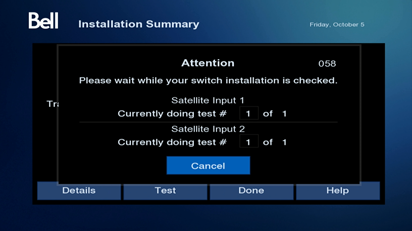
If your remote is not working, you can use the buttons on the front panel of your receiver to complete these steps. Parental locks and controls are not transferred to the new receiver upon replacement and should be added if required.
7. Select Done.
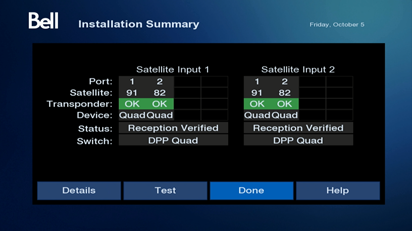
If your remote is not working, you can use the buttons on the front panel of your receiver to complete these steps. Parental locks and controls are not transferred to the new receiver upon replacement and should be added if required.
8. Press back/exit on your remote.
If your remote is not working, you can use the buttons on the front panel of your receiver to complete these steps. Parental locks and controls are not transferred to the new receiver upon replacement and should be added if required.
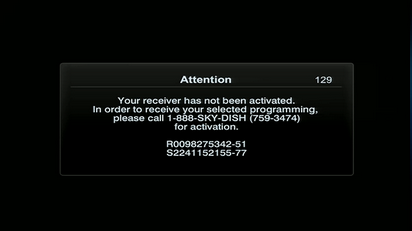
9. If you see Attention 129 on your TV, call 1 866 337-4617 to authorize your receiver.
If your remote is not working, you can use the buttons on the front panel of your receiver to complete these steps. Parental locks and controls are not transferred to the new receiver upon replacement and should be added if required.
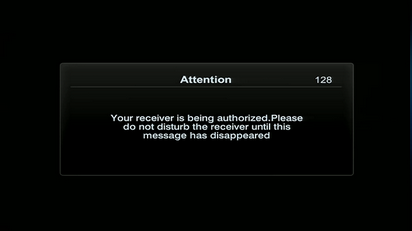
10. When you see Attention 128, please wait about 4 minutes while your receiver is being authorized.
If your remote is not working, you can use the buttons on the front panel of your receiver to complete these steps. Parental locks and controls are not transferred to the new receiver upon replacement and should be added if required.
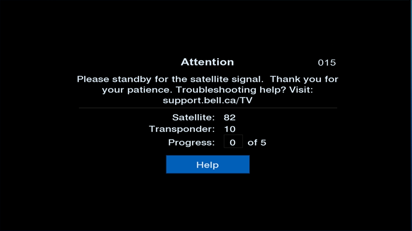
11. Attention 015 will be displayed for a few minutes once your receiver has been authorized.
If your remote is not working, you can use the buttons on the front panel of your receiver to complete these steps. Parental locks and controls are not transferred to the new receiver upon replacement and should be added if required.
12. Attention 330 will be displayed for a few minutes to download the programming guide.
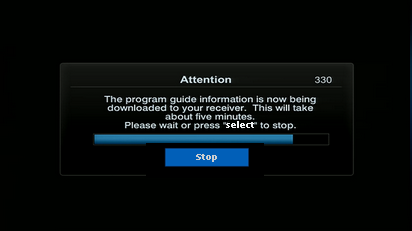
If your remote is not working, you can use the buttons on the front panel of your receiver to complete these steps. Parental locks and controls are not transferred to the new receiver upon replacement and should be added if required.
13. Once the download has been completed, your receiver will tune in to channel 271 and will be ready to use.
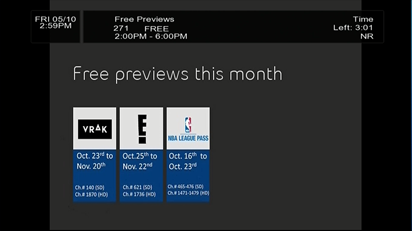
If your remote is not working, you can use the buttons on the front panel of your receiver to complete these steps. Parental locks and controls are not transferred to the new receiver upon replacement and should be added if required.