Getting started with the Bell Fibe TV app on a computer
How to log in to the Bell Fibe TV app on a computer
Thanks to automatic login, you don’t need to log in to watch the Fibe TV app when you’re at home. Using your Bell Internet service, it can recognize that the Fibe TV app is available at your address.
However, this means that if you visit someone that also has a Bell TV service and Bell Internet, you’ll automatically be logged in to that person’s Bell TV service, and vice versa.
You can prevent the app from logging you in automatically by logging out and then entering your credentials manually into the app.
If you’re not automatically logged in, follow the steps below.
- Using a browser, to go to tv.bell.ca.
- Auto login: Click Easiest to automatically log in while connected to your Bell home network. You will be logged in automatically and can now use the app.
- Manual login: Click Best.
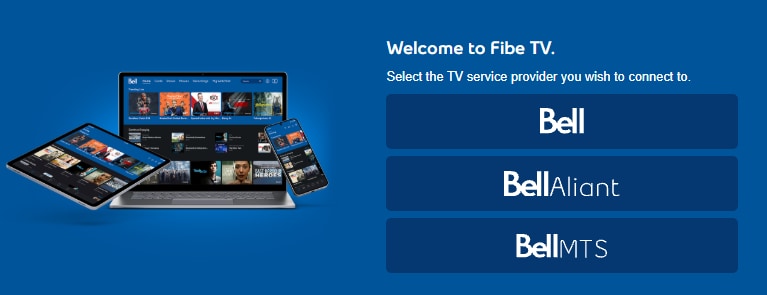
- If this screen appears, select your TV service provider.
- Enter your MyBell / MyAccount username.
- Click Continue.
- Enter your MyBell / MyAccount password.
- Click Log in.
Using the Fibe TV app on a computer
Learn how to set up, navigate, and manage the Fibe TV app on your smart TV. Find instructions for filtering the guide, managing watchlists, and managing recordings.
How to manage Fibe TV App settings on a computer
Learn how to access and manage your Bell Fibe TV App settings on a computer to customize your viewing profile.
Additional resources
Frequently asked questions
- Recordings scheduled (through your Satellite TV receiver or Fibe TV app) prior to June 1, 2025, are no longer available through the Fibe TV app, and can be accessed only through your Satellite TV receiver.
- As of June 1, 2025, recordings will remain solely on the device or app they were scheduled on.
New Bell customers can use the Fibe TV app as soon their Bell Internet service is installed.
Existing customers who currently have Fibe 15 Bell Internet service or higher can use the Fibe TV app immediately. However, any programming changes made after ordering the Fibe TV app will only appear after 48 hours.
If you currently do not have Fibe 15 or higher, you can use the Fibe TV app once your upgraded Bell Internet service is installed.
All Fibe TV app customers also need to register for MyBell.


Join the conversation in our community forums
Find even more support by searching topics or posting questions in our forum.
 Join the conversation by scanning the QR code.