How to use my Bell Satellite TV remote control
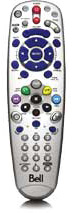
Your Bell Satellite TV remote control comes programmed to work with your receiver and has a variety of features. This article will help you get more acquainted with some of the basic features of your remote.
NOTE: Not applicable to 9500 and 7500 receivers. Not all functions are available on all receivers.
Reminder: To control your TV, VCR, DVD player, or another device, your remote needs to be programmed for that device. Find out how to program your remote here.
Remote features
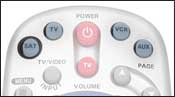
SAT/TV/VCR/AUX
These buttons let you select which device the remote will control.
These buttons let you select which device the remote will control.
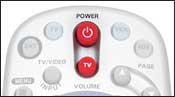
POWER buttons
The larger red button is the power button for the mode (SAT/TV/VCR/AUX) currently selected. The smaller red button is the power button for your TV.
The larger red button is the power button for the mode (SAT/TV/VCR/AUX) currently selected. The smaller red button is the power button for your TV.
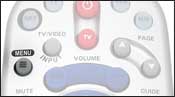
MENU
Displays the menu for the device you are controlling.
Displays the menu for the device you are controlling.
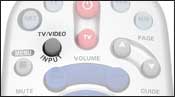
TV/VIDEO
Changes your TV's video modes.
Changes your TV's video modes.
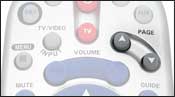
PAGE UP/DOWN
Let you navigate the programming guide one page at a time. When watching a show, use these buttons to change the picture format (HD-capable receivers only).
Let you navigate the programming guide one page at a time. When watching a show, use these buttons to change the picture format (HD-capable receivers only).
VOLUME buttons
Increases or decreases the volume of your TV or surround sound system.
Increases or decreases the volume of your TV or surround sound system.
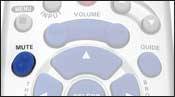
MUTE
Mutes the volume.
Mutes the volume.
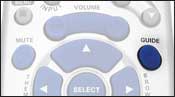
GUIDE
Displays the programming guide.
Displays the programming guide.
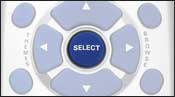
SELECT
Confirms a selection.
Confirms a selection.
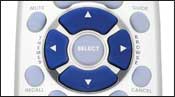
Arrow buttons
Change the channel and let you navigate the programming guide. The right arrow brings up the browse banner. The left arrow lets you search for shows by theme.
Change the channel and let you navigate the programming guide. The right arrow brings up the browse banner. The left arrow lets you search for shows by theme.
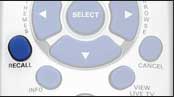
RECALL
Returns you to the last channel you were watching.
Returns you to the last channel you were watching.
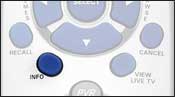
INFO
Displays program information. If you're in the programming guide or browse banner, it will display the information for the highlighted program.
Displays program information. If you're in the programming guide or browse banner, it will display the information for the highlighted program.
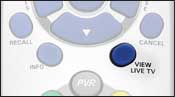
VIEW LIVE TV
Returns you to live TV from almost any menu.
Returns you to live TV from almost any menu.
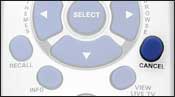
CANCEL
Returns you to the previous menu and lets you clear certain on-screen messages.
Returns you to the previous menu and lets you clear certain on-screen messages.
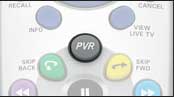
PVR
When pressed once, displays the My Recordings page. When pressed a second time, displays your daily schedule.
When pressed once, displays the My Recordings page. When pressed a second time, displays your daily schedule.
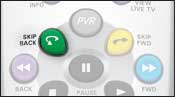
SKIP BACK
Skips the program you're watching back by 10 seconds.
Skips the program you're watching back by 10 seconds.
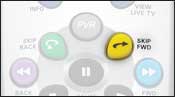
SKIP FWD
Skips forward by 30 seconds when watching a pre-recorded program.
Skips forward by 30 seconds when watching a pre-recorded program.
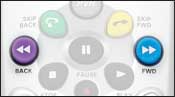
BACK/FWD
Let you rewind or fast forward a program at speeds of up to 300x.
Let you rewind or fast forward a program at speeds of up to 300x.
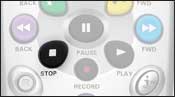
STOP
Stops a recorded event from playing. If you're watching a live program and have paused it, STOP takes you back to live TV.
Stops a recorded event from playing. If you're watching a live program and have paused it, STOP takes you back to live TV.
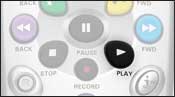
PLAY
Plays a paused recording or a recording from the My Recordings list.
Plays a paused recording or a recording from the My Recordings list.
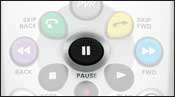
PAUSE
Pauses and unpauses a recorded or live program.
Pauses and unpauses a recorded or live program.
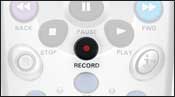
RECORD
Records a program instantly, or lets you set-up a recurring event timer.
Records a program instantly, or lets you set-up a recurring event timer.
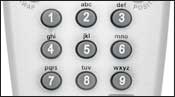
Numbered buttons
Let you enter a channel number in the programming guide or while watching a program. Can also be used to navigate within the MENU.
Let you enter a channel number in the programming guide or while watching a program. Can also be used to navigate within the MENU.
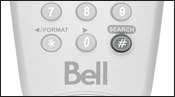
# (Pound)
Displays the Search menu. From there, you can search for a program by title or keyword.
Displays the Search menu. From there, you can search for a program by title or keyword.
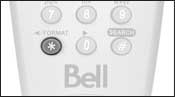
* (Star)
Lets you change the zoom mode of the channel you're watching on HD-capable receivers.
Lets you change the zoom mode of the channel you're watching on HD-capable receivers.
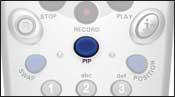
PIP
The PIP button on a dual-mode receiver will activate picture-in-picture mode, allowing you to watch two TV shows at once.
The PIP button on a dual-mode receiver will activate picture-in-picture mode, allowing you to watch two TV shows at once.
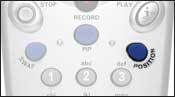
POSITION
While in picture-in-picture mode (PIP), use the POSITION button to adjust the position of the PIP window on your screen.
While in picture-in-picture mode (PIP), use the POSITION button to adjust the position of the PIP window on your screen.
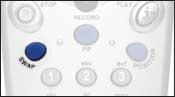
SWAP
Swaps the video in the main display with the video in the PIP window. This button is active only in single mode.
Swaps the video in the main display with the video in the PIP window. This button is active only in single mode.
.png)