Why are black bars appearing around the picture on my TV?
Why are black bars appearing around the picture on my HD TV and what can I do about them?
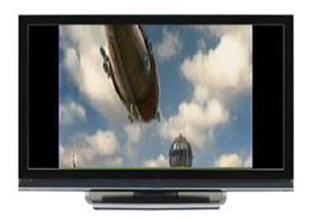
If you see black bars above and below, on either side, or all around the picture, it's because the program you're watching is being broadcast in a format that is different from what your TV is programmed to show (i.e. when watching a standard definition channel on an HD TV).
| Whole Home PVR 9500 / Whole Home receiver 7500/ 6500 HD receiver with slim remote |
|---|
|
|
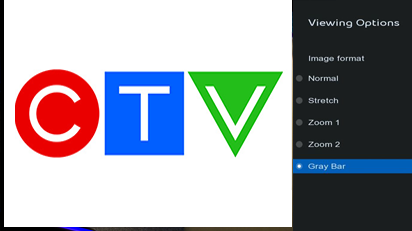
On your Bell Satellite TV remote, press options and select Image format to select an appropriate setting. Cycle through the image format options until you find one that works for the program you are watching. |
| 9400 and earlier models, 6500 with basic remote |
|---|
|
|
| On your Satellite TV remote, press FORMAT to cycle through the screen format options until you find one that works for the program you are watching. |
There are a variety of options to minimize the effect of the black bars on your screen.
You can configure separate picture format settings for HD channels and SD channels. For example, you may choose Normal for all HD channels and Full Zoom for all SD channels.
For HD channels:
- Normal: Presents the program with no modifications.
- Stretch: Stretches the image and makes it wider.
- Partial Zoom: Stretches the image horizontally and vertically.
- Zoom: Stretches the image horizontally and vertically even more.
- Gray Bar: Adds gray bars to the sides of the image instead of black bars.
For SD channels:
- Normal: Presents the program with no modifications.
- Full Zoom: Stretches the image horizontally and vertically.
Note: The settings you choose will apply to all channels (not just the one you're watching).
Why do the black bars appear differently on certain channels?
Black bars will appear differently depending on the channel and/or how the program was originally filmed.
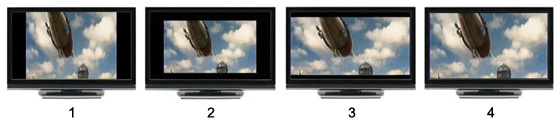
The examples below offer a brief explanation of the most common instances of black bars.
| Example 1 | Example 2 | Example 3 | Example 4 |
|---|---|---|---|
| Black bars on either side of your screen can usually be attributed to one of two things:
|
Black bars all around the picture will occur when:
|
Black bars above and below the picture will occur when you're watching a widescreen HD program that was filmed in a cinema widescreen format. A cinema widescreen format is wider than your HD TV screen. | When the program you're watching fits your screen perfectly, you're most likely watching a widescreen program on a high definition channel. |
| Example 1 |
|---|
| Black bars on either side of your screen can usually be attributed to one of two things:
|
| Example 2 |
|---|
Black bars all around the picture will occur when:
|
| Example 3 |
|---|
| Black bars above and below the picture will occur when you're watching a widescreen HD program that was filmed in a cinema widescreen format. A cinema widescreen format is wider than your HD TV screen. |
| Example 4 |
|---|
| When the program you're watching fits your screen perfectly, you're most likely watching a widescreen program on a high definition channel. |
.png)