How to use my Samsung smartphone as a portable Wi-Fi hotspot
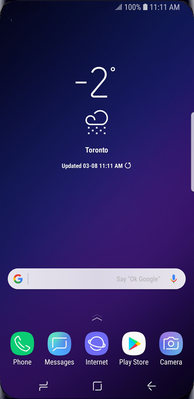
Step 1 of 13
Swipe up or down to view the apps.

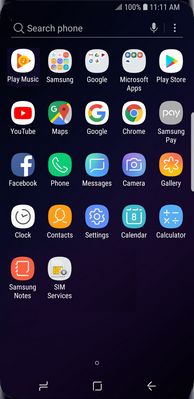
Step 2 of 13
Touch Settings.

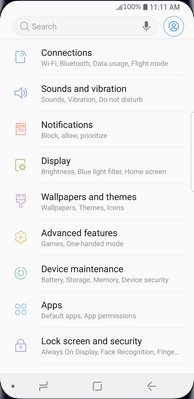
Step 3 of 13
Touch Connections.
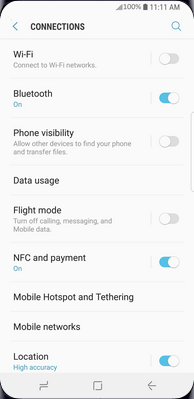
Step 4 of 13
Touch Mobile Hotspot and Tethering.
Step 5 of 13
Touch Mobile Hotspot.
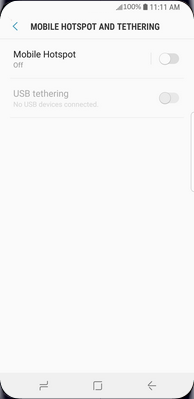
Step 6 of 13
Touch the Menu icon.
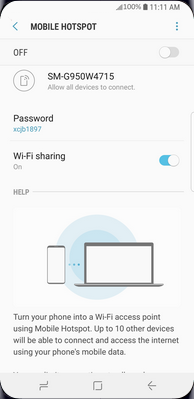
Step 7 of 13
Touch Configure Mobile Hotspot.
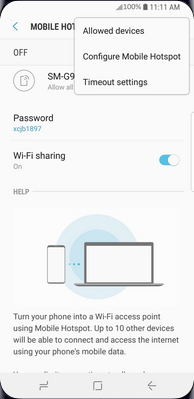
Step 8 of 13
To change the network name, delete the existing name and enter a new one.
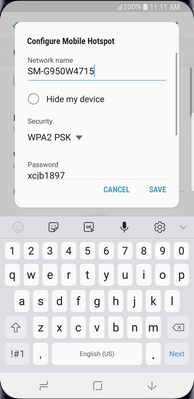
Step 9 of 13
Scroll to and touch Password.
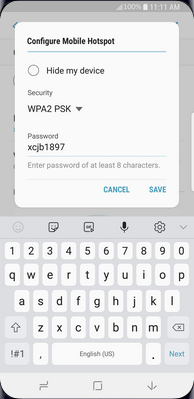
Step 10 of 13
To change the network password, delete the existing password and enter a new one.
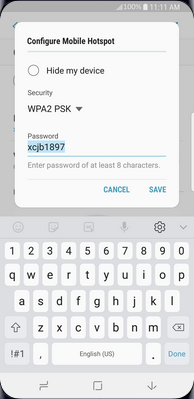
Step 11 of 13
Touch SAVE.
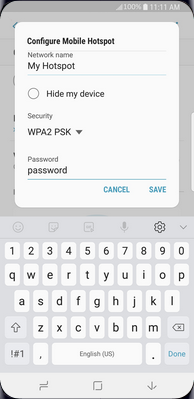
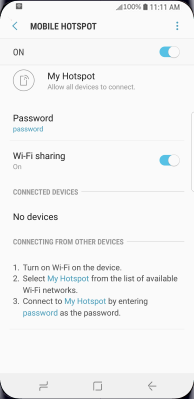
Step 12 of 13
To turn on the mobile hotspot, touch the slider.
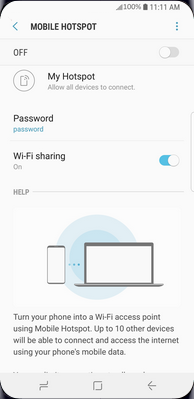
Step 13 of 13
The mobile hotspot is now active. Other devices can connect to it using the network name (step 8) and password (step 10).

- Swipe up or down to view the apps.
- Touch Settings.
- Touch Connections.
- Touch Mobile Hotspot and Tethering.
- Touch Mobile Hotspot.
- Touch the Menu icon.
- Touch Configure Mobile Hotspot.
- To change the network name, delete the existing name and enter a new one.
- Scroll to and touch Password.
- To change the network password, delete the existing password and enter a new one.
- Touch SAVE.
- To turn on the mobile hotspot, touch the slider.
- The mobile hotspot is now active. Other devices can connect to it using the network name (step 8) and password (step 10).