How to use call forwarding on my Samsung smartphone
Step 1 of 12
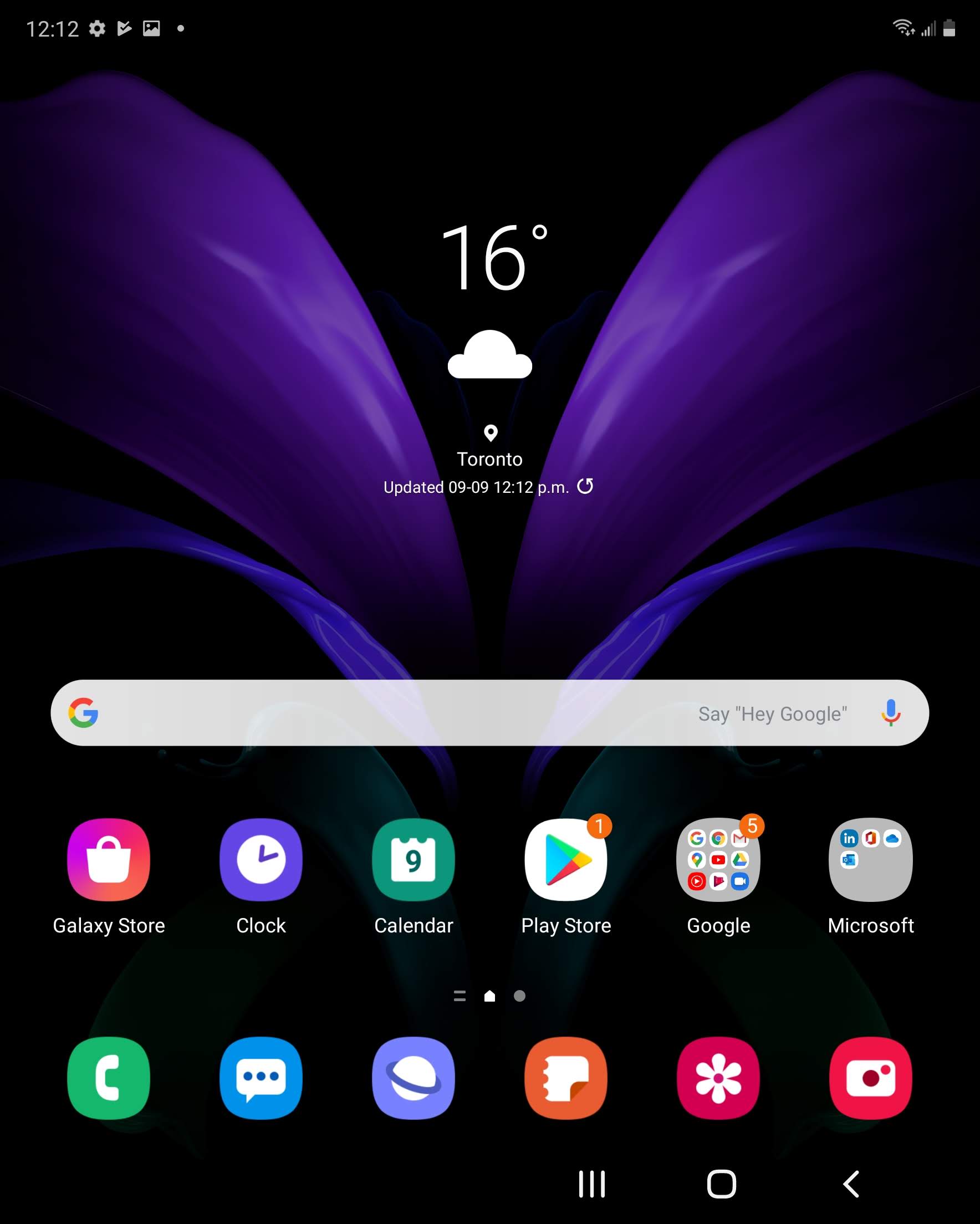
Swipe up or down to view the apps.

Step 2 of 12
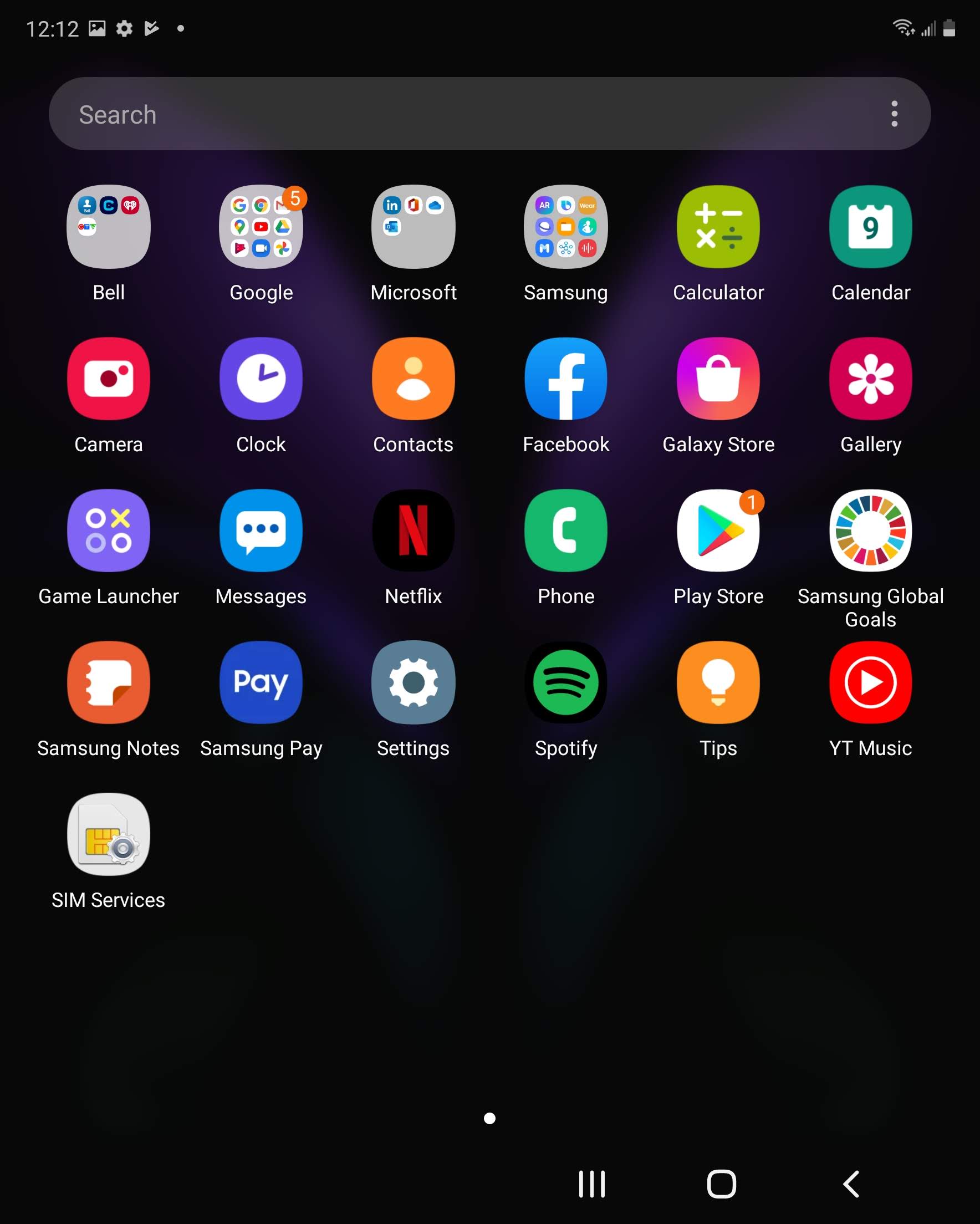
Touch Phone.

Step 3 of 12
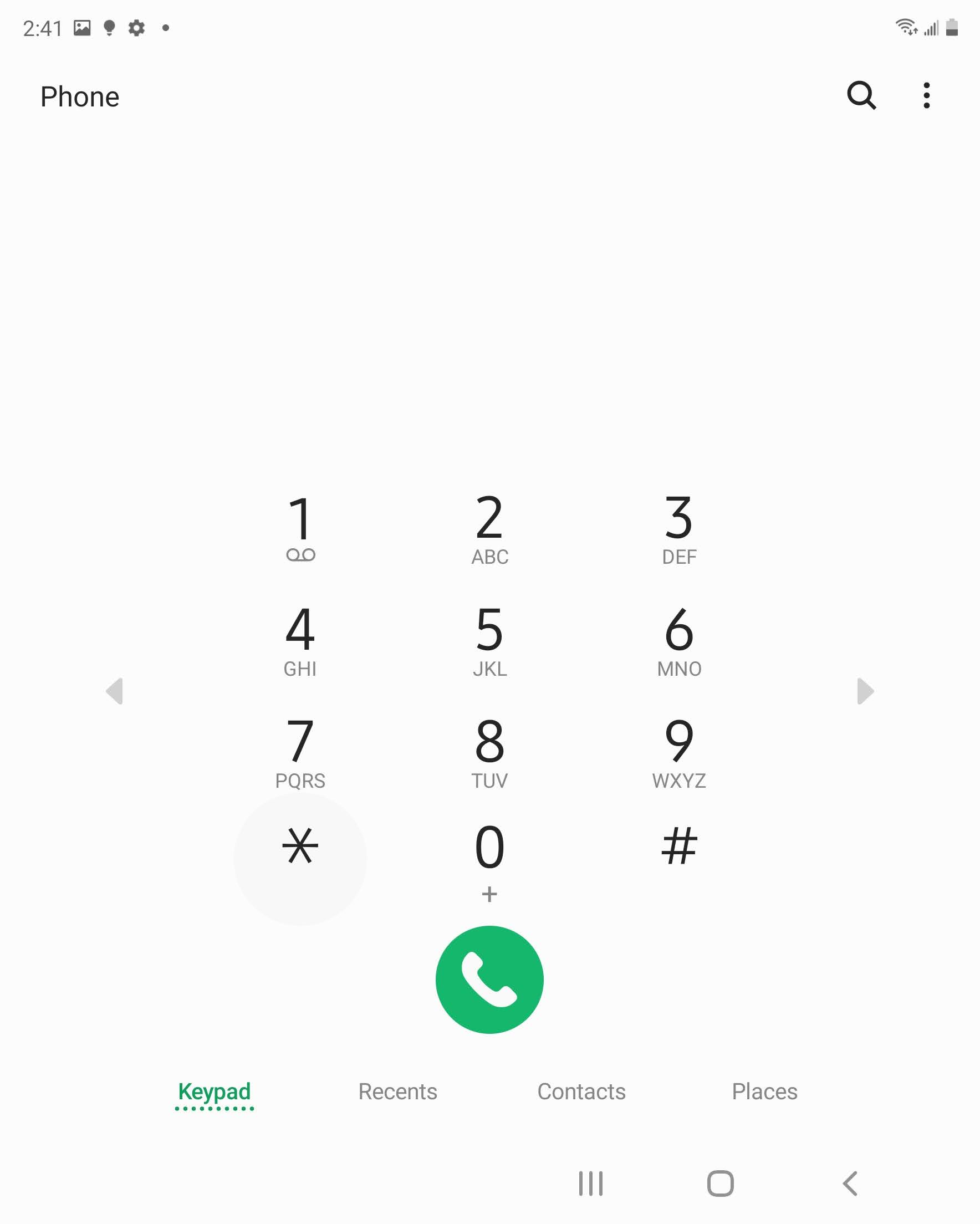
Touch the Menu icon.
Step 4 of 12
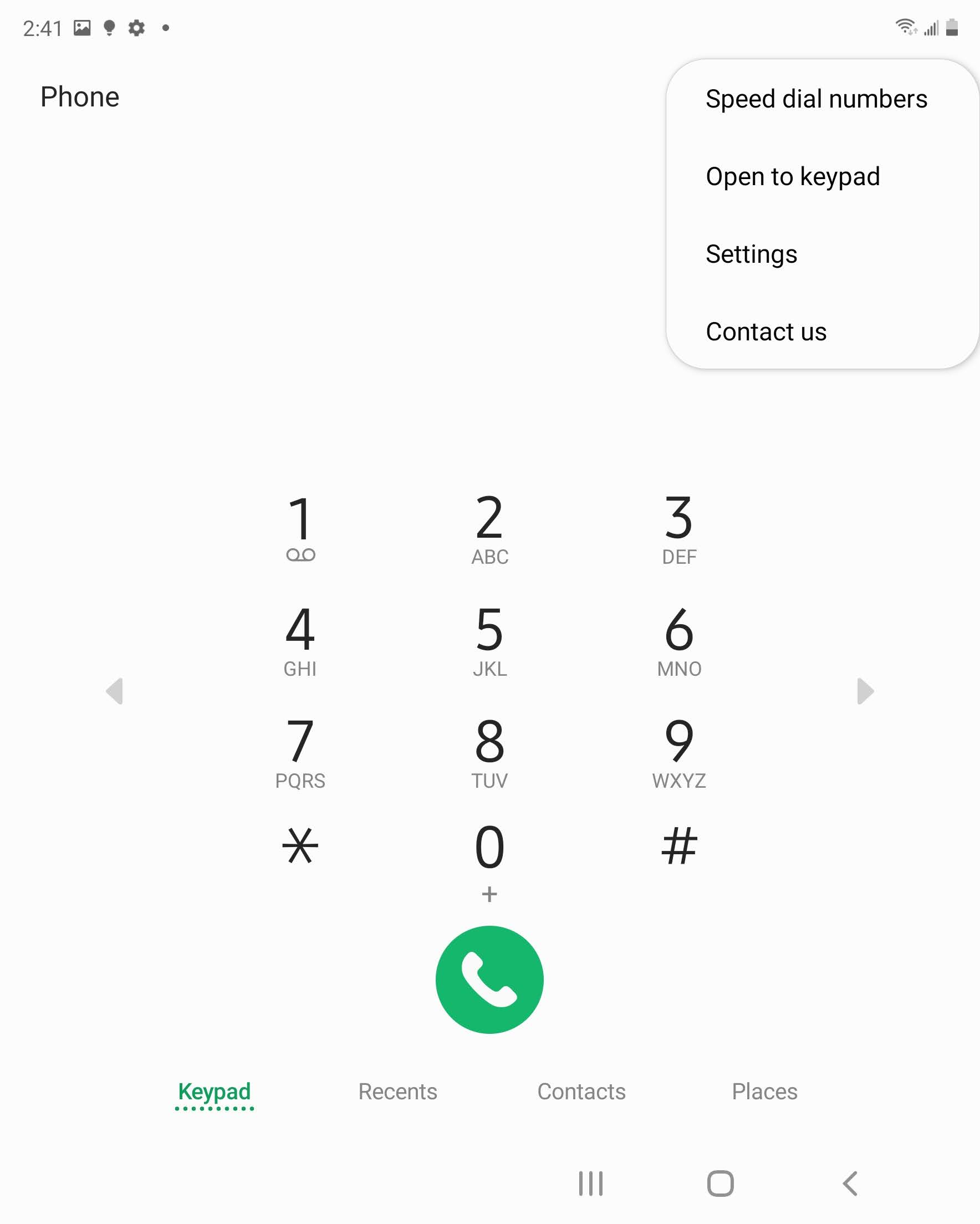
Touch Settings.
Step 5 of 12
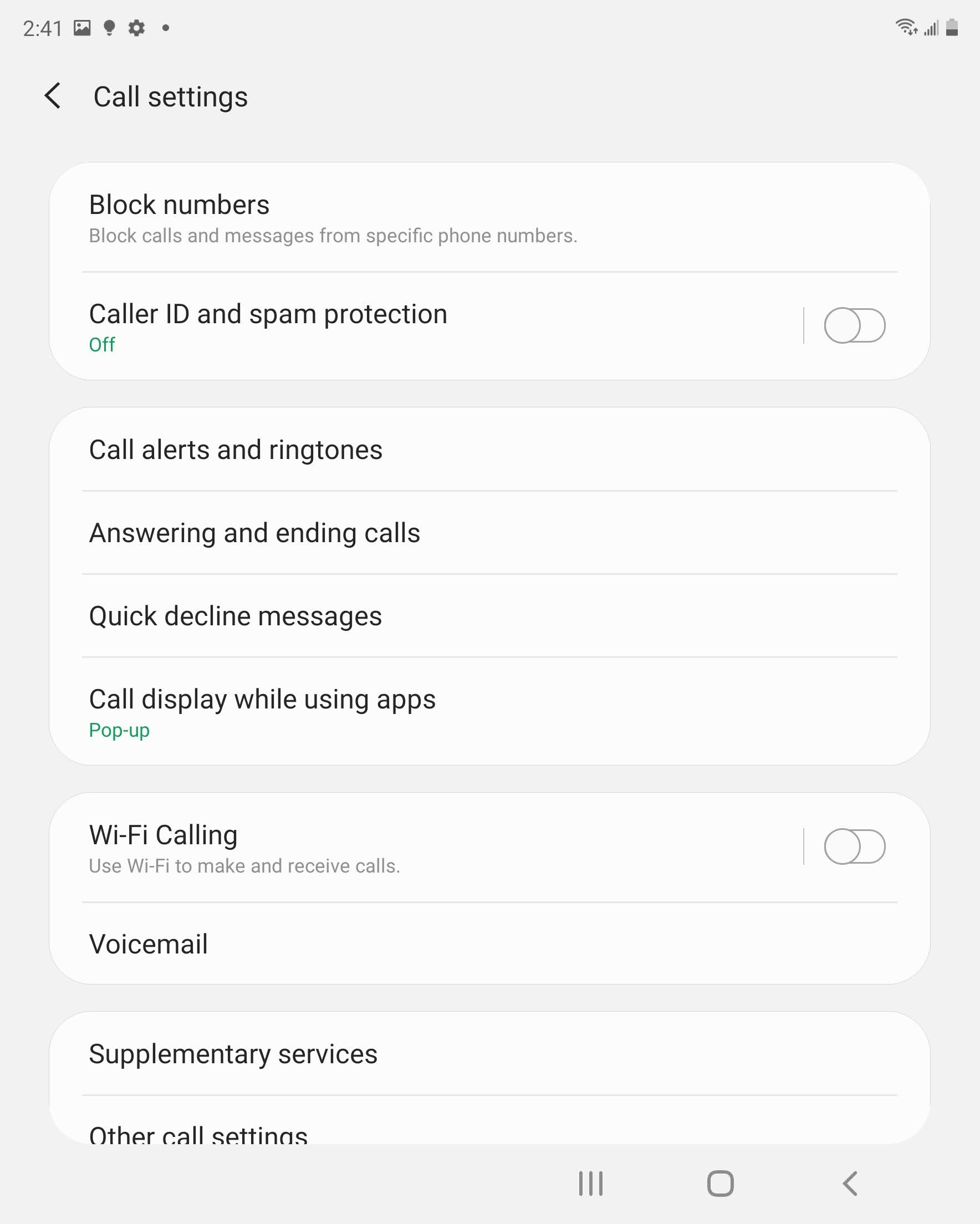
Scroll to and touch Supplementary services.
Step 6 of 12
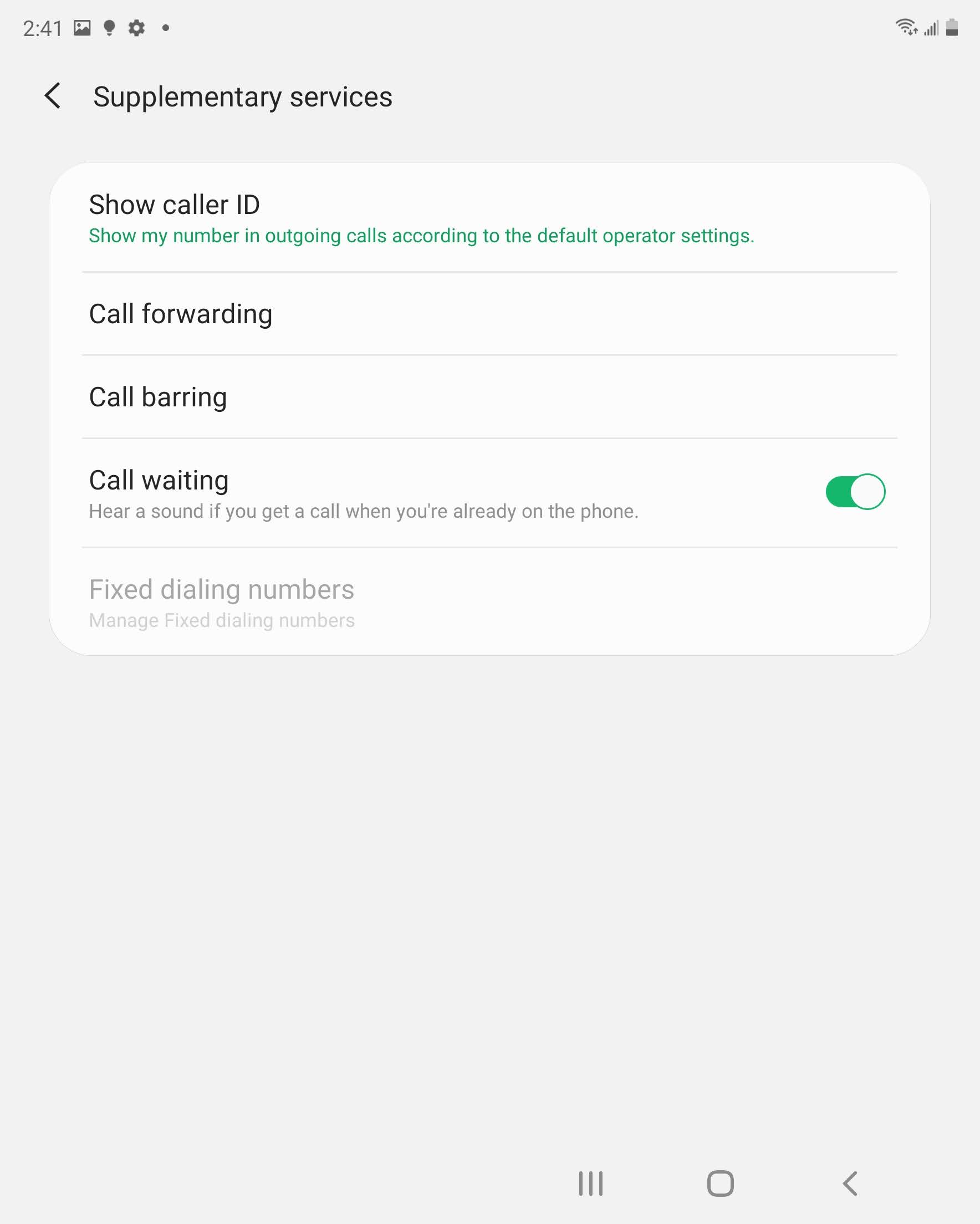
Touch Call forwarding.
Step 7 of 12
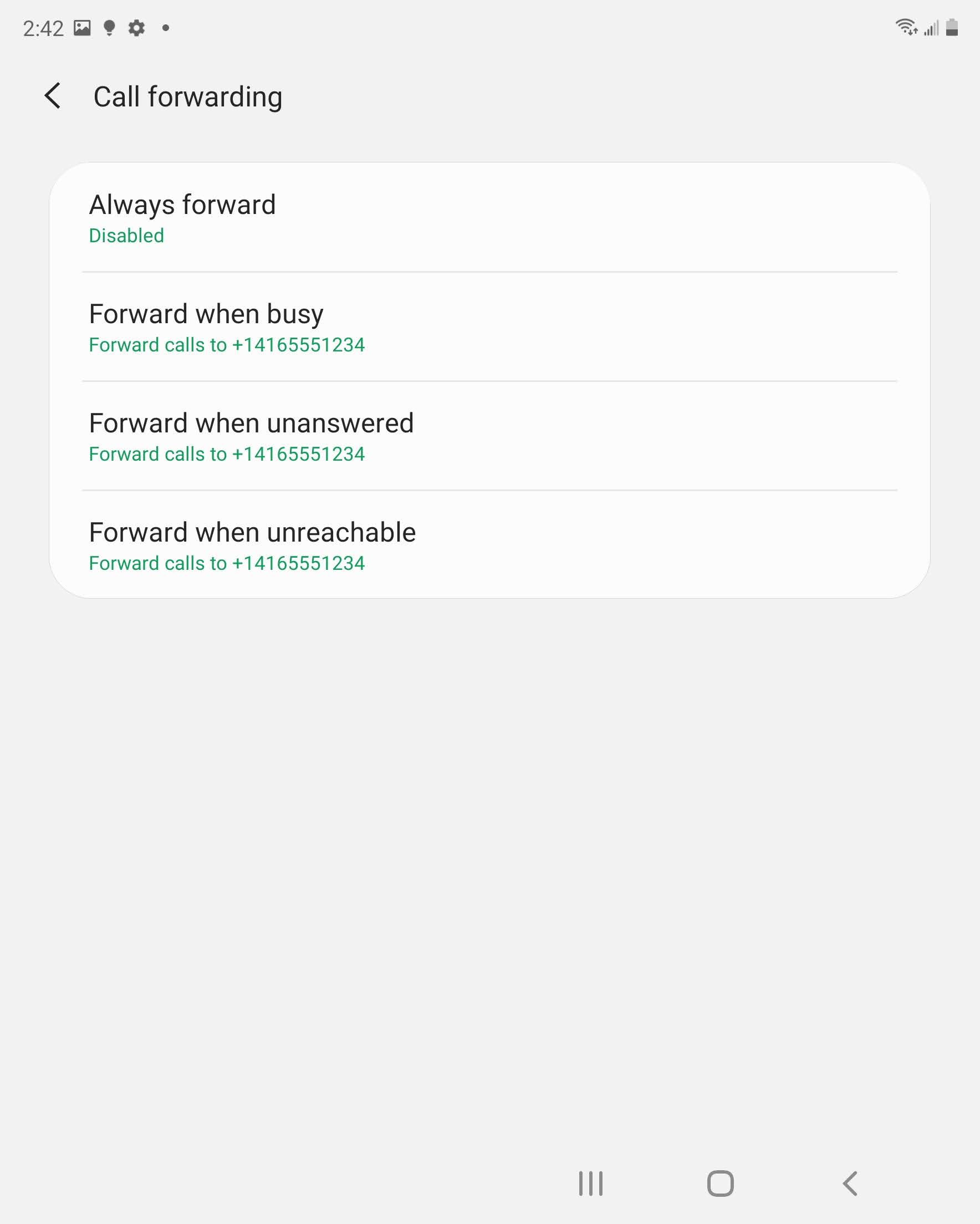
Touch the desired call forwarding option (e.g., Forward when busy).
Step 8 of 12
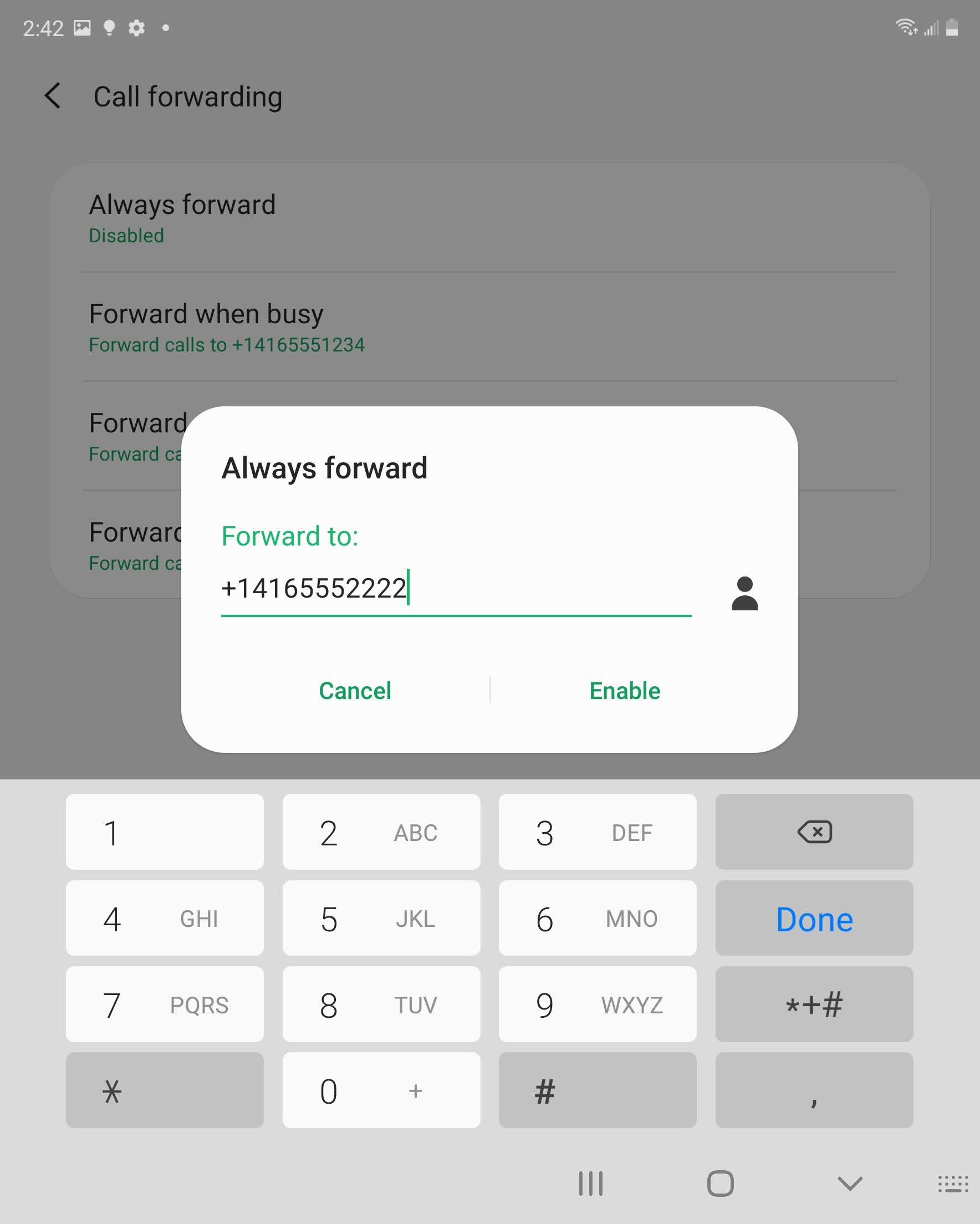
Enter the phone number.
Step 9 of 12
Touch ENABLE.
Step 10 of 12
Call forwarding has been set up.
To disable call forwarding, touch the desired call forwarding option.

Step 11 of 12
Touch DISABLE.
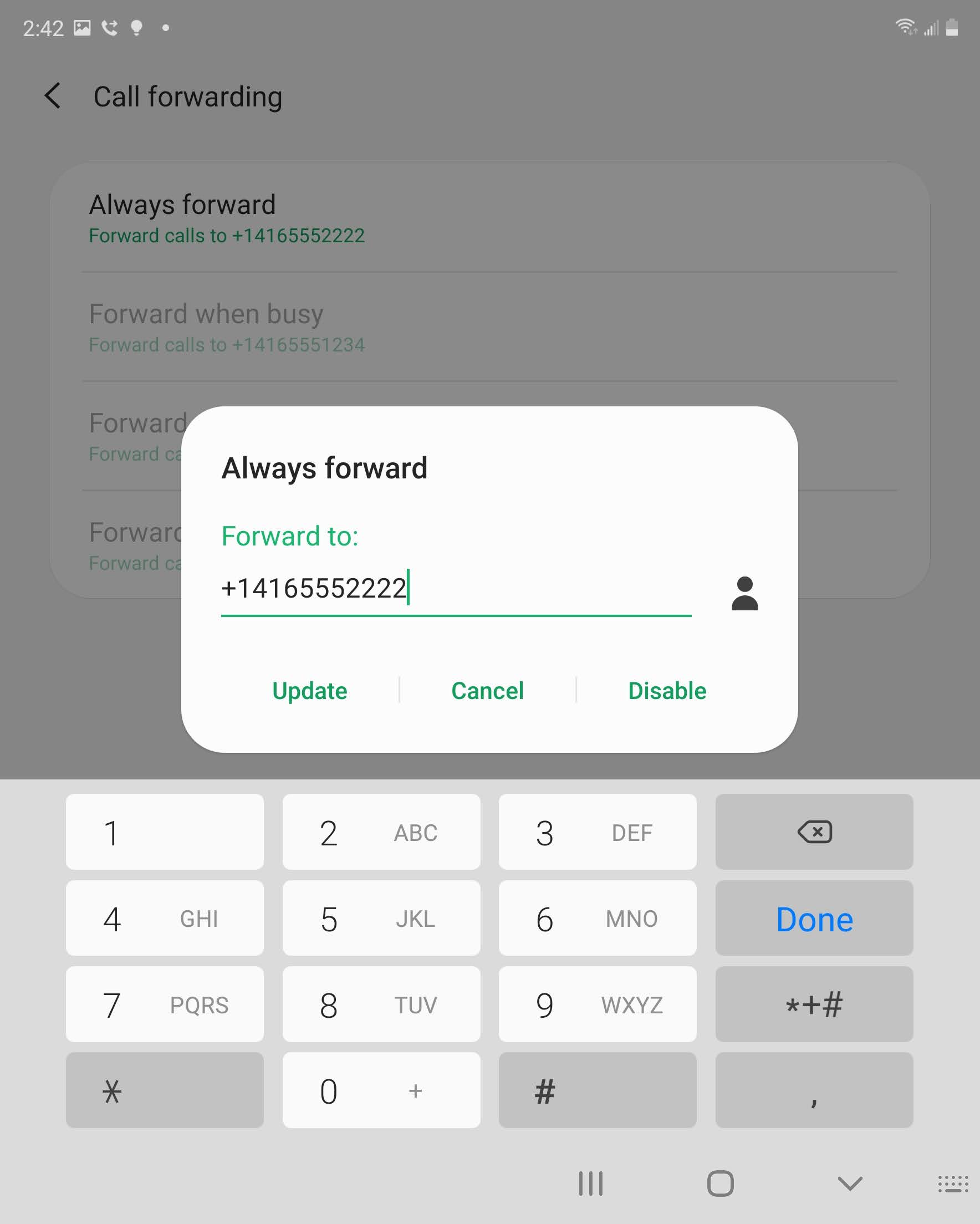
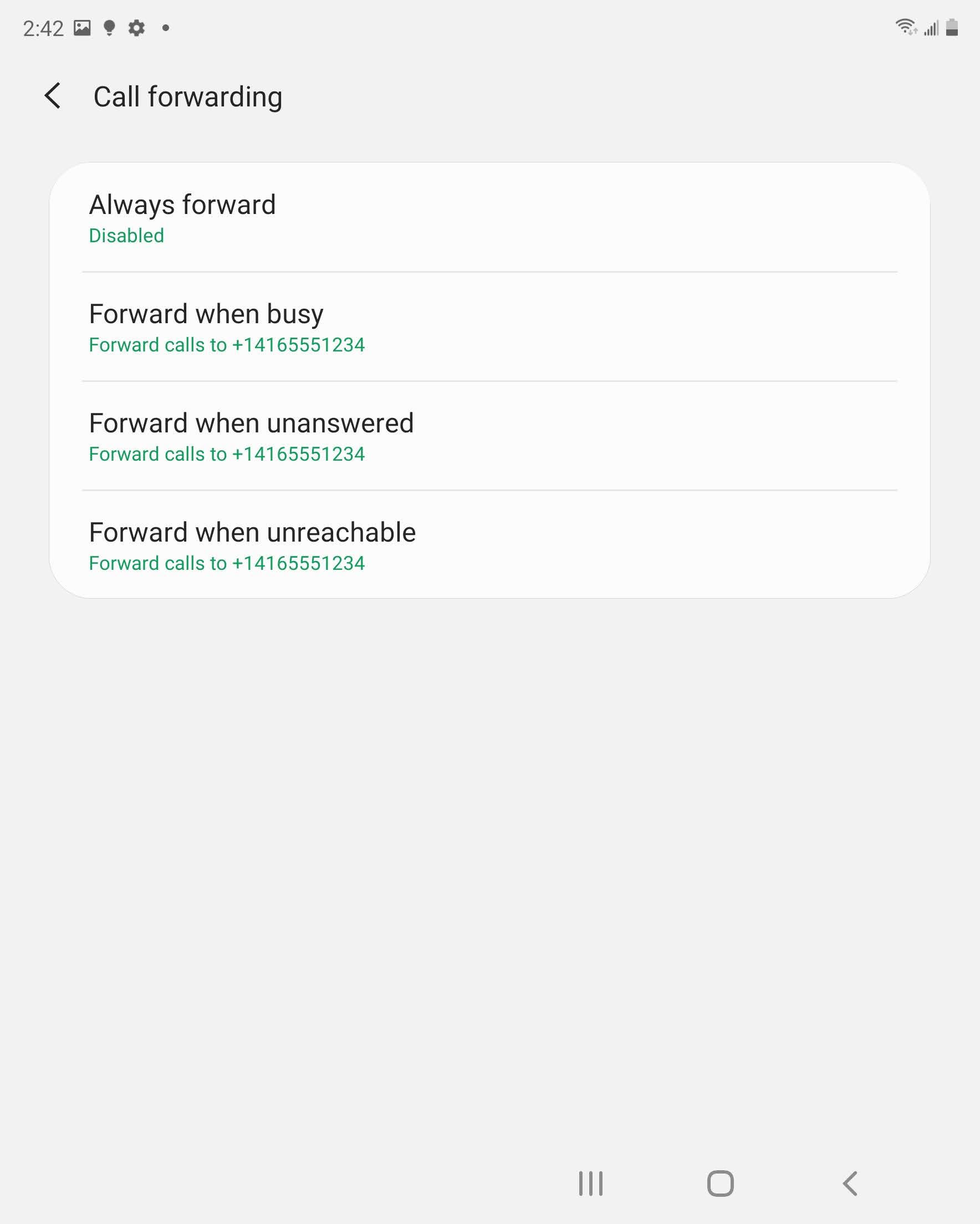
Step 12 of 12
Call forwarding has been disabled.
- Swipe up or down to view the apps.
- Touch Phone.
- Touch the Menu icon.
- Touch Settings.
- Scroll to and touch Supplementary services.
- Touch Call forwarding.
- Touch the desired call forwarding option (e.g., Forward when busy).
- Enter the phone number.
- Touch ENABLE.
- Call forwarding has been set up.
To disable call forwarding, touch the desired call forwarding option. - Touch DISABLE.
- Call forwarding has been disabled.