Getting started with Bell Satellite TV
Welcome to Bell Satellite TV
We hope you are enjoying your new Bell Satellite TV service. To help you get set up and make the most of your Bell experience, here's some useful information about your service.
MyBell
Manage all of your Bell services online with MyBell. View bills, change programming, check usage, take a guided tour of your first bill and much more.
Log in
Not registered yet?
Register now
Recommendations
to get you going
- What's on
Check out the TV listing page to see what's playing right now. - Favourites list
Find out how to set up a list of your favorite channels. - Recording shows on a PVR
Learn how to record shows on your Bell Satellite TV PVR. - Finding your TV channels is easy
Use our online tool to easily find the channels you're looking for. You can search by channel number or network on your tablet, smartphone or computer. - Register for MyBell
Start managing all your Bell services online with MyBell.
Learn more
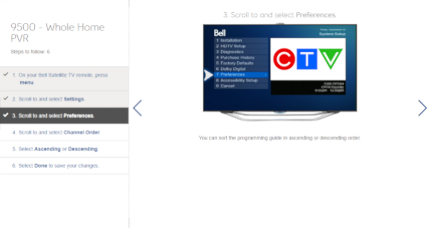
Step-by-step tutorials
Learn to use your Satellite TV service, find answers to common questions and get key troubleshooting tips.
.png)